
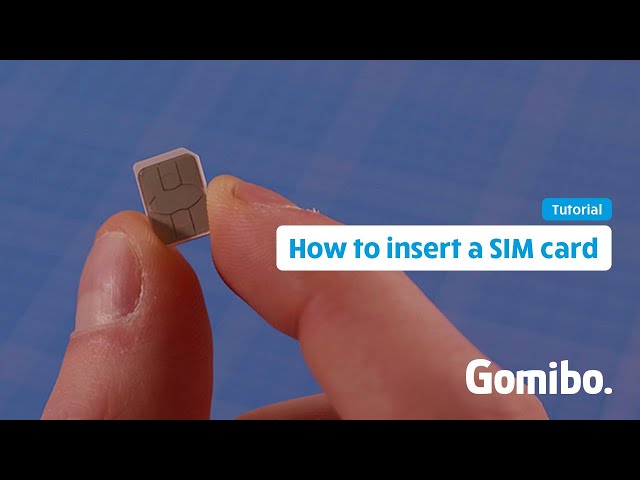
How to Insert a Sim Card Into Your Smartphone: A Step-by-step Guide
Are you tired of using an outdated smartphone? Do you want to upgrade to a modern device with better features, such as a faster processor, higher-quality camera, and improved battery life? If so, this article is for you!
In recent years, smartphones have become an essential tool in our daily lives. They allow us to stay connected with friends and family, access the internet, take photos, and much more. However, with great power comes great responsibility. Keeping your smartphone updated is crucial to ensure it continues to run smoothly and efficiently.
Why Upgrade Your Smartphone?
Upgrading your smartphone can bring numerous benefits, including:
- Improved performance: A newer smartphone will provide a faster processor, allowing you to perform tasks more quickly and efficiently.
- Better camera quality: Modern smartphones often come equipped with high-quality cameras, perfect for capturing memories and taking stunning photos.
- Enhanced security: Newer smartphones typically have improved security features, protecting your personal data and keeping you safe online.
- Access to new apps: With a newer smartphone, you’ll gain access to the latest apps and software updates, enabling you to stay connected with friends and family.
How to Insert a Sim Card Into Your Smartphone
Inserting a SIM card into your smartphone can seem daunting at first, but fear not! This article will guide you through the process step-by-step.
Step 1: Turn Off Your Smartphone
Before inserting the SIM card, make sure your smartphone is turned off. This will prevent any accidental damage or data loss during the insertion process.
Step 2: Locate The Sim Card Tray
Next, locate the SIM card tray on your smartphone. This is usually found on the back or side of the device and may be hidden by a small panel or cover.
Step 3: Open The Sim Card Tray
Using a paper clip or the provided tool, carefully open the SIM card tray. Be gentle to avoid damaging the tray or the surrounding area.
Step 4: Remove The Old Sim Card (If Applicable)
If your smartphone has an existing SIM card, remove it before proceeding with the new one.
Step 5: Insert The New Sim Card
Take the new SIM card and insert it into the designated slot. Make sure the card is aligned properly to avoid any issues during insertion.
Step 6: Close The Sim Card Tray
Once the new SIM card is inserted, close the tray securely to prevent any damage or data loss.
Step 7: Turn On Your Smartphone
Finally, turn on your smartphone and wait for it to recognize the new SIM card. This may take a few seconds, but once complete, you’ll be ready to use your upgraded device!
How to Insert a Sim Card Into Specific Smartphones
While the general steps outlined above apply to most smartphones, some devices may have slightly different procedures. Here’s a brief guide on how to insert a SIM card into popular smartphone brands:
- Xiaomi: Locate the SIM card tray on the side of your Xiaomi device and follow the same steps as above.
- Samsung: Find the SIM card tray on the top or bottom of your Samsung smartphone, depending on the model. Insert the new SIM card in the designated slot and close the tray securely.
- Huawei: The SIM card tray is usually located on the top or side of your Huawei device. Open the tray and insert the new SIM card, ensuring it’s aligned properly.
Frequently Asked Questions (FAQs)
Here are some frequently asked questions about inserting a SIM card into your smartphone:
Q: What is a SIM card?
A: A SIM card is a small card that stores your phone number and subscription information. It’s used to connect your device to the cellular network.
Q: Why do I need to upgrade my smartphone?
A: Upgrading your smartphone ensures you have access to the latest features, improved performance, and enhanced security.
Q: Can I insert a SIM card into any smartphone?
A: While the general steps outlined above apply to most smartphones, some devices may require specific procedures. Always check your device’s manual or online resources for guidance.
Q: What happens if I damage my smartphone during the insertion process?
A: If you damage your smartphone during the insertion process, contact the manufacturer or a authorized service center for assistance.
Conclusion
Upgrading your smartphone can bring numerous benefits, including improved performance, better camera quality, enhanced security, and access to new apps. Inserting a SIM card into your smartphone is relatively straightforward, but some devices may require specific procedures. By following the steps outlined in this article, you’ll be able to upgrade your device with confidence.
Faqs
Here are eight unique FAQs related to inserting a SIM card into your smartphone:
- Q: What is The Average Cost of Upgrading a Smartphone?
A: The average cost of upgrading a smartphone varies depending on the device and location. - Q: Can I Insert a Sim Card Into a Tablet or Laptop?
A: Some tablets and laptops may have slots for inserting SIM cards, but this is less common than smartphones. - Q: What Happens if my Smartphone Doesn’t Recognize The New Sim Card?
A: If your smartphone doesn’t recognize the new SIM card, try restarting the device or contacting the manufacturer for assistance. - Q: Can I Use a Non-4g Sim Card in a 4G-enabled Smartphone?
A: Yes, you can use a non-4G SIM card in a 4G-enabled smartphone, but it may not provide the same speeds and coverage as a 4G SIM card. - Q: What is an Esim, And How Does it Differ From a Traditional Sim Card?
A: An eSIM (embedded SIM) is a digital SIM card that can be activated remotely without requiring physical insertion into the device. - Q: Can I Transfer my Existing Phone Number to a New Smartphone With an Esim?
A: Yes, you can transfer your existing phone number to a new smartphone with an eSIM by following the manufacturer’s instructions. - Q: What Are Some Common Issues That May Arise When Inserting a Sim Card Into a Smartphone?
A: Some common issues that may arise when inserting a SIM card include difficulties opening the SIM tray, incorrect alignment of the SIM card, or failure to recognize the new SIM card by the device. - Q: Can I Insert Multiple Sim Cards Into my Smartphone?
A: Some smartphones allow for dual-SIM capability, but this varies depending on the device and manufacturer.
I hope you found this article helpful!


