
The Dark Reality of Phishing: Protecting Yourself From Online Threats
As we navigate the vast digital landscape, it’s essential to be aware of the cunning tactics employed by cyber attackers to steal our sensitive information. Phishing, a type of social engineering attack, is a sophisticated method used by scammers to deceive victims into divulging their personal data. In this article, we’ll delve into the world of phishing, exploring its characteristics, warning signs, and most importantly, how to protect yourself from these online threats.
What is Phishing?
Phishing is a form of cyber attack where attackers send fake emails or messages that appear to be from legitimate sources, such as banks, social media platforms, or online services. The primary goal of these scammers is to trick victims into revealing their sensitive information, including passwords, credit card numbers, and other personal data.
Recognizing Phishing Emails
Phishing emails often have a few telltale signs that can help you identify them. Here are some common characteristics:
- Urgency: Phishing emails often create a sense of urgency, claiming that your account has been compromised or that you need to take immediate action.
- Generic Greetings: Legitimate organizations usually address you by name, while phishing emails may use generic greetings like “Dear Customer” or “Hello User”.
- Spelling And Grammar Mistakes: Phishing emails often contain grammatical errors or typos, which can indicate that the email is not from a reputable source.
- Suspicious Links or Attachments: Be cautious of links or attachments that seem suspicious or untrustworthy.
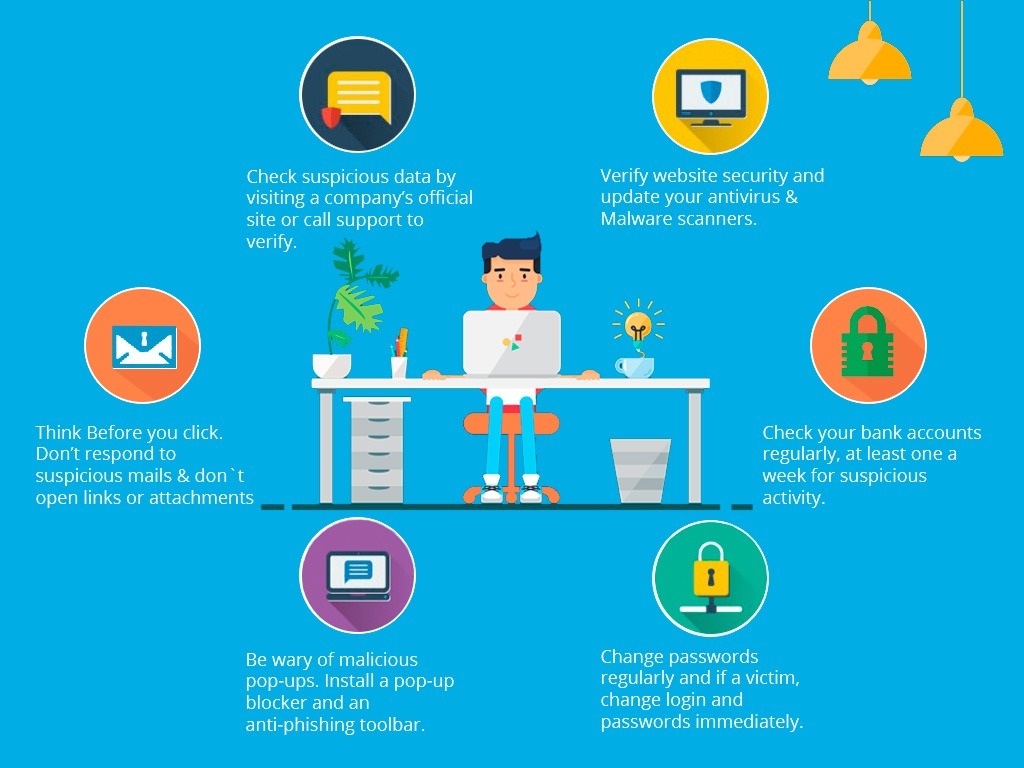
Protecting Yourself From Phishing Attacks
To stay safe online, follow these best practices:
- Verify The Sender’s Identity: Check the email address and verify if it matches the official email address of the organization.
- Be Cautious of Urgent Requests: Take your time to respond to any request that creates a sense of urgency.
- Use Strong Passwords: Use unique, complex passwords for all your accounts and avoid using the same password across multiple platforms.
- Keep Your Software Up-to-date: Regularly update your operating system, browser, and other software to ensure you have the latest security patches.
What to Do After a Phishing Attack
If you’ve already fallen victim to a phishing attack:
- Change Your Passwords: Immediately change your passwords for all affected accounts.
- Contact The Organization: Reach out to the organization that was compromised and report the incident.
- Monitor Your Accounts: Keep a close eye on your accounts and credit reports for any suspicious activity.
Conclusion
Phishing is a sophisticated online threat that can compromise your sensitive information. By being aware of its characteristics, warning signs, and best practices for protection, you can significantly reduce the risk of falling victim to these attacks. Remember to stay vigilant, verify the sender’s identity, use strong passwords, keep your software up-to-date, and take prompt action if you’ve already been compromised.
Frequently Asked Questions
Here are some additional questions and answers to further clarify the topic:
Q: What is phishing?
A: Phishing is a type of social engineering attack where attackers send fake emails or messages that appear to be from legitimate sources, with the goal of tricking victims into divulging their sensitive information.
Q: How can I protect myself from phishing attacks?
A: To stay safe online, verify the sender’s identity, be cautious of urgent requests, use strong passwords, and keep your software up-to-date.
Q: What should I do after a phishing attack?
A: If you’ve already fallen victim to a phishing attack, change your passwords immediately, contact the organization that was compromised, and monitor your accounts for any suspicious activity.


