
How to Download Instagram Videos on Ios
Are you looking for ways to download videos from Instagram on your iPhone? You’re in the right place! In this article, we’ll show you how to do it using official functions, recording video, and websites of third parties.
Understanding Instagram’s Official Functions
Before we dive into the nitty-gritty, let’s talk about Instagram’s official functions. As of June 2023, it is possible to download videos from Instagram channels dedicated to “followers any more faithful.” This means you can use an official function to download videos from these specific channels.
How to Download Videos From Instagram Channels
To download a video from one of these channels:
- Create a Reel: Start by creating a Reel within the Instagram app.
- Tap on The Airplane Icon: Tap on the airplane icon located in the bottom right corner of the screen.
- Select “Download”: Choose the “Download” option.
That’s it! However, please note that this feature is still being rolled out gradually and may not be available to everyone just yet.
Recording Video as an Alternative
If you can’t use Instagram’s official functions, don’t worry! You can use your iPhone’s built-in recording feature to capture a video from the screen. This method allows you to record any type of video, including those that are not downloadable through Instagram’s official functions.
How to Record a Video on Your Iphone
To record a video on your iPhone:
- Go to Settings: Open the Settings app and navigate to “Control Center”.
- Tap on The “+” Icon: Tap on the “+” icon next to “Screen Recording” to add it to the Control Center.
- Open Instagram: Open the Instagram app and find the video you want to record.
- Start Recording: Press the Screen Recording button in the Control Center, then tap on the red bar in the top right corner to stop recording.
Websites For Downloading Instagram Videos
If neither of the above methods work for you, there are websites that can help you download videos from Instagram. One such website is Savefrom. This website allows you to download videos from various social media platforms, including Instagram.
How to Use Savefrom
To use Savefrom:
- Visit The Website: Open your web browser and navigate to savefrom.It.
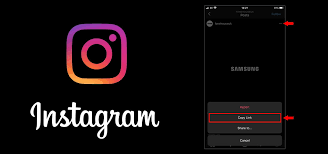
- Copy The Video Link: Copy the video link from Instagram by tapping on the three dots in the top right corner of the screen, then selecting “Copy link”.
- Paste The Link: Paste the link into Savefrom’s search bar.
- Select Download: Choose the download option and select the quality you prefer.
Applications of Third Parties
There are also applications available that allow you to download videos from Instagram. These apps work similarly to online services, using a video link to initiate the download process.
Why Use Third-party Applications?
While third-party applications can be convenient, we advise against using them due to potential issues with functionality and stability. It’s best to stick with official functions or recording video on your iPhone.
Conclusion
Downloading videos from Instagram on iOS is possible through various methods. By using Instagram’s official functions, recording a video on your iPhone, or visiting websites of third parties, you can achieve your goal. Remember to always be cautious when using unofficial applications and services.
Frequently Asked Questions (FAQs)
- Can I Download All Types of Videos From Instagram?
No, currently only videos from specific channels dedicated to “followers any more faithful” can be downloaded through official functions.
- How do I Record a Video on my Iphone?
To record a video on your iPhone, go to Settings > Control Center, then tap on the “+” icon next to “Screen Recording”, start recording in Instagram, and stop recording by tapping on the red bar.
- What if I Don’t Have Access to Savefrom or Other Websites?
If you’re having trouble accessing Savefrom or other websites, try checking your internet connection or using a different browser.
- Are Third-party Applications Safe to Use?
We advise against using third-party applications due to potential issues with functionality and stability.
- Can I Download Videos From All Instagram Channels?
No, currently only specific channels dedicated to “followers any more faithful” can be downloaded through official functions.
- How do I Know if a Video is Downloadable on Ios?
Check the video’s settings or look for a “Download” button within the Instagram app.
- What Should I do if I Encounter Issues With Downloading Videos?
Try restarting your iPhone, checking your internet connection, or using an alternative method to download the video.


