
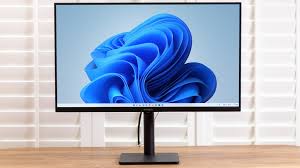
The Ultimate Guide to Choosing a 27-Inch Monitor (2024)
Are you planning to upgrade your home office or gaming setup with a new 27-inch monitor? With so many options available, it can be overwhelming to choose the right one. In this comprehensive guide, we’ll walk you through the key factors to consider when selecting a 27-inch monitor that suits your needs.
Typology of Panel
The type of panel used in a monitor is crucial in determining its overall performance. Here are some common types of panels found in monitors:
- TN (Twisted Nematic): These monitors have the lowest response time, making them ideal for gamers who require fast reflexes.
- Ips (In-Plane Switching): IPS monitors offer wider viewing angles and more accurate color representation, but may have higher response times.
- VA (Vertical Alignment): VA monitors offer good contrast ratios and wide viewing angles, but may suffer from lower brightness levels.
Resolution
The resolution of a monitor is another critical factor to consider. Here are the common resolutions found in 27-inch monitors:
- Full HD (1920 x 1080): Suitable for general office work, browsing, and gaming.
- 2K (2560 x 1440): Offers higher pixel density and better image quality than Full HD monitors.
- 4K (3840 x 2160): Ideal for professionals who require high-resolution images and videos.
Ports
The type and number of ports on a monitor are essential for connecting your devices. Look for monitors with:
- Hdmi: The most common port used for connecting computers, consoles, and media players.
- Displayport: A more modern port that offers higher bandwidth and resolutions.
- Usb: Useful for charging devices or transferring data.
Technical Characteristics
Here are some technical characteristics to consider when choosing a 27-inch monitor:
- Response Time: Measured in milliseconds (ms), this indicates how quickly the monitor can change its image.
- Refresh Rate: Measured in Hz, this determines how often the monitor updates its image.
- Hdr (High Dynamic Range): This technology offers improved color accuracy and contrast ratios.
Top 8 Picks For 27-Inch Monitors
Based on our research, here are some top picks for 27-inch monitors that excel in various aspects:
- LG 27ML60SP: A budget-friendly monitor with a 27-inch IPS panel and 1920 x 1080 resolution.
- Samsung S31c: A sleek and modern monitor with a 27-inch flat screen and 1920 x 1080 resolution.
- LG 27UL500P: A high-end monitor with a 27-inch UltraHD 4K panel and HDR support.
- LG 27GR75Q Ultragear Gaming Monitor: A gaming-oriented monitor with a 27-inch QHD panel, 1ms response time, and AMD FreeSync technology.
- Msi Pro Mp273a: A professional-grade monitor with a 27-inch IPS panel and 1920 x 1080 resolution.
- Philips 271V8L: A budget-friendly monitor with a 27-inch IPS panel and 1920 x 1080 resolution.
- Samsung Curvo S36c: A curved monitor with a 27-inch flat screen, 1920 x 1080 resolution, and HDR support.
- Lenovo D27-45: A budget-friendly monitor with a 27-inch IPS panel, 1920 x 1080 resolution, and AMD FreeSync technology.
Conclusion
Choosing the right 27-inch monitor for your needs can be a daunting task. By considering factors like panel type, resolution, ports, technical characteristics, and our top picks, you’ll be well on your way to selecting the perfect monitor for your next upgrade.
Frequently Asked Questions (FAQs)
- What is The Best 27-inch Monitor For Gaming?
- The LG 27GR75Q UltraGear Gaming Monitor is a great option for gamers, with its QHD panel and AMD FreeSync technology.
- Which Monitor Has The Highest Resolution?
- The Samsung Curvo S36C offers a 4K resolution (3840 x 2160), making it ideal for professionals who require high-resolution images.
- What is Hdr in Monitors, And do I Need It?
- HDR stands for High Dynamic Range, which offers improved color accuracy and contrast ratios. While not necessary for general office work, it’s recommended for professionals who require precise image representation.
- Can I Use a 27-inch Monitor With a Laptop?
- Yes, you can use a 27-inch monitor with a laptop, but ensure the monitor has the correct ports (e.G., HDMI, DisplayPort) and resolution to match your laptop’s capabilities.
Hope this helps!


