
Best Programs to Type: A Comprehensive Guide
Are you struggling to find the perfect program to type? Look no further! In this article, we’ll explore the best programs to type, including free and paid options, for various platforms.
Types of Programs to Type
Before we dive into the list of programs, let’s talk about the types of typing you can do:
- Document Typing: Creating documents, articles, and books.
- Pdf Typing: Editing and modifying PDF files.
- Script Typing: Writing screenplays and scripts.
- Graphic Typing: Using a graphics tablet to create digital artwork.
Free Programs to Type
Here are some free programs to type:
Libreoffice (Windows/Mac/Linux)
LibreOffice is an excellent alternative to Microsoft Office. It’s free, open-source, and available for Windows, Mac, and Linux. The interface is translated into Italian, making it easy to use.
- To download LibreOffice, go to their website and click on the “Download” button.
- Follow the installation instructions to install the program.
- Once installed, click on the “Writer” icon to create a new document.
Focus Writer (Windows/Mac/Linux)
Focus Writer is another free software that’s perfect for writing documents. It’s simple, yet effective, and has a clean interface.
- Download Focus Writer from their website and follow the installation instructions.
- Once installed, click on the “New Document” button to start typing.
Notepad++ (Windows)
Notepad++ is a powerful text editor that’s free and available for Windows. It has advanced features like syntax highlighting and code completion.
- Download Notepad++ from their website and follow the installation instructions.
- Once installed, click on the “New” button to start typing.
Pages (MacOS)
Pages is a free software for writing documents and creating brochures, posters, and other visual materials. It’s available exclusively for MacOS.
- Download Pages from the Mac App Store.
- Once installed, click on the “New Document” button to start typing.
Paid Programs to Type
Here are some paid programs to type:
Microsoft Word (Windows/Mac)
Microsoft Word is a popular word processing software that’s part of the Microsoft Office suite. It’s available for Windows and Mac.
- Purchase Microsoft Word as part of the Microsoft 365 subscription.
- Once installed, click on the “New” button to start typing.
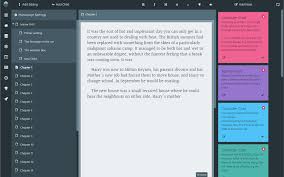
Scrivener (Windows/Mac)
Scrivener is a paid software specifically designed for writing books and scripts. It’s available for Windows and Mac.
- Download Scrivener from their website and follow the installation instructions.
- Once installed, click on the “New Project” button to start typing.
Programs to Type Pdf
Here are some programs to type PDF:
Libreoffice (Windows/Mac/Linux)
Yes, you can also use LibreOffice to edit and modify PDF files!
- Open the PDF file in LibreOffice.
- Click on the “Draw” icon to create a new document.
Microsoft Word (Windows/Mac)
Microsoft Word also allows you to edit and modify PDF files.
- Open the PDF file in Microsoft Word.
- Use the built-in tools to modify the PDF.
Adobe Acrobat DC (Windows/Mac)
Adobe Acrobat DC is a paid software specifically designed for editing and modifying PDF files.
- Purchase Adobe Acrobat DC from their website.
- Once installed, click on the “Open” button to open the PDF file.
Programs to Type Scripts
Here are some programs to type scripts:
Finaldraft (Windows/Mac)
FinalDraft is a paid software specifically designed for writing screenplays and scripts. It’s available for Windows and Mac.
- Download FinalDraft from their website and follow the installation instructions.
- Once installed, click on the “New Project” button to start typing.
Programs to Type With Graphics Tablet
Here are some programs to type with a graphics tablet:
Krita (Windows/Mac/Linux)
Krita is a free software specifically designed for digital painting and graphic design. It’s available for Windows, Mac, and Linux.
- Download Krita from their website and follow the installation instructions.
- Once installed, click on the “New” button to start typing.
Programs to Type With Voice-to-text
Here are some programs to type with voice-to-text:
Windows (Windows)
Windows has a built-in voice-to-text feature that allows you to dictate text directly into your documents.
- Press the Windows key + H to open the Settings.
- Click on “Time & Language” and then click on “Speech”.
- Follow the instructions to enable speech recognition.
Conclusion
In conclusion, there are many programs available for typing, ranging from free and paid options to specific software designed for document typing, PDF editing, script writing, graphics tablet use, and voice-to-text functionality. Whether you’re a writer, designer, or artist, there’s a program out there that suits your needs.
Frequently Asked Questions (FAQs)
- What is The Best Program to Type?
- The best program to type depends on your specific needs and preferences.
- Is Libreoffice Free?
- Yes, LibreOffice is free and open-source software available for Windows, Mac, and Linux.
- Can I Use Microsoft Word to Edit Pdf Files?
- Yes, Microsoft Word allows you to edit and modify PDF files.
- What is Finaldraft?
- FinalDraft is a paid software specifically designed for writing screenplays and scripts.
- How do I Install Krita?
- Download Krita from their website and follow the installation instructions.
Additional Resources
For more information on these programs, please visit the following websites:
- LibreOffice: Https://Www.Libreoffice.Org/
- Microsoft Word: Https://Www.Microsoft.Com/en-us/microsoft-365/word
- FinalDraft: Https://Www.Finaldraft.Com/
- Krita: Https://Krita.Org/


