
The Ultimate Guide to Norton 360: A Comprehensive Review
As a seasoned blogger and IT specialist, I’m always on the lookout for top-notch cybersecurity solutions that can protect my data and devices from the ever-present threats of malware, hackers, and identity theft. That’s why I was thrilled to partner with NortonLifeLock, a leading player in the cybersecurity industry, to review their flagship product – Norton 360.
What is Norton 360?
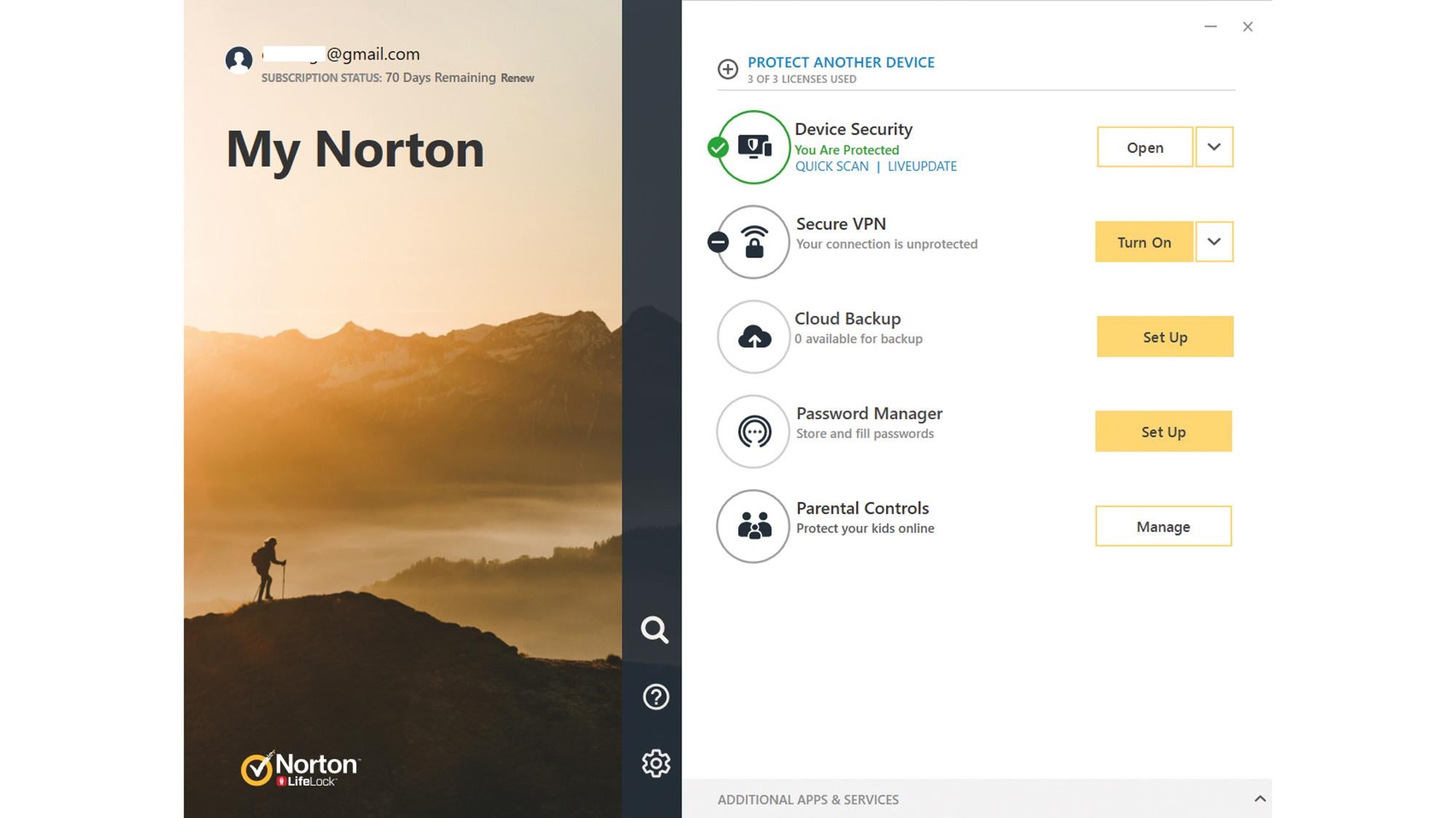
Norton 360 is an all-in-one security solution designed for PC, Mac, Android devices, and iOS/iPadOS devices. It offers comprehensive protection against viruses, malware, phishing, and ransomware, as well as a firewall to prevent external intrusions. The package also includes a VPN to safely browse the internet, parental control features to monitor children’s online activity, password management tools, and 50GB of cloud storage for secure backups.
Key Features And Pricing
Norton 360 is available in three versions:
- Norton 360 Standard: Protects up to 1 PC, Mac, or mobile device. Includes protection against spyware, viruses, malware, and ransomware; 10GB of cloud backup; firewall; password manager; Secure VPN for one device; and SafeCam. Priced at €39.99/Year or €79.99/Two years.
- Norton 360 Deluxe: Protects up to 5 devices (PC, Mac, mobile devices). Includes all the features of Norton 360 Standard, plus parental control, and 50GB of cloud backup. Priced at €59.99/Year or €109.99/Two years.
- Norton 360 Premium: Protects up to 10 devices (PC, Mac, mobile devices). Includes all the features of Norton 360 Deluxe, plus 75GB of cloud backup. Priced at €79.99/Year or €139.99/Two years.
Installation And Setup
Installing Norton 360 on my Windows 10 PC was a breeze. I simply downloaded and installed the program from the Norton website, following which I had to activate it with my Norton account details. The setup process took only a few minutes, during which time Norton updated its software to the latest version.
Scanning Features
Norton 360 offers various scanning options:
- Fast Scanning: A quick scan that checks for threats in real-time.
- Complete Scanning: A thorough scan of your system to detect and remove malware.
- Personalized Scanning: Customizable scans to target specific areas of your system.
The fast scanning feature detected no issues, which was reassuring given the constant threat of cryptojacking, formjacking, ransomware, and trojan horses.
Secure Vpn
Norton 360’s Secure VPN allows you to browse the internet securely and privately. I found it easy to use and activate on my device, with minimal lag or interruptions.
Password Manager
The password manager integrated into Norton 360 was a valuable feature that allowed me to store and manage my sensitive data securely. It even synchronized across all my devices, making it effortless to access my credentials on the go.
Backup Features
Norton 360’s backup features were another standout aspect of this comprehensive security solution. I appreciated the ease with which I could schedule backups to the cloud, ensuring that my important files and data were always protected.
Parental Control
As a parent or guardian, you’ll appreciate Norton 360’s parental control features. These allow you to monitor and limit your child’s online activity, setting up profiles for each child to tailor restrictions accordingly.
System Optimization Tools
Norton 360 also includes system optimization tools that help keep your PC running smoothly. I used these features to clean up temporary files, manage startup applications, and improve overall system performance.
Review of Norton Mobile Security (Android)
I tested Norton Mobile Security on my Android device and was impressed with its ease of use and comprehensive protection features. The app performed well, with minimal impact on system performance.
Conclusion
Norton 360 is a top-notch cybersecurity solution that offers comprehensive protection for all your devices. With its all-in-one approach, it’s an ideal choice for those who want to safeguard their digital lives without worrying about complicated configurations or multiple software purchases. I highly recommend Norton 360 to anyone seeking robust security features and reliable customer support.
Frequently Asked Questions (FAQs)
- What Are The Key Features of Norton 360?
Norton 360 offers comprehensive protection against viruses, malware, phishing, and ransomware; a firewall for external intrusion prevention; a VPN for secure browsing; parental control features to monitor children’s online activity; password management tools; and 50GB of cloud storage. - How Many Devices Can I Protect With Norton 360?
You can protect up to 1 (Norton 360 Standard), 5 (Norton 360 Deluxe), or 10 (Norton 360 Premium) devices, depending on the chosen version. - What is The Cost of Norton 360?
Pricing for Norton 360 varies by version: €39.99/Year or €79.99/Two years (Standard); €59.99/Year or €109.99/Two years (Deluxe); and €79.99/Year or €139.99/Two years (Premium). - Is Norton 360 Compatible With Mac Devices?
Yes, Norton 360 supports Mac devices in addition to PC, Android, and iOS/iPadOS devices. - Can I Use Norton Mobile Security on my Smartphone?
Yes, you can download Norton Mobile Security for your Android or iOS device to enjoy comprehensive security features. - How do I Install And Set up Norton 360?
The installation process involves downloading and installing the software from the Norton website, followed by activation with your Norton account details. - What Are The System Optimization Tools Available in Norton 360?
Norton 360 offers various system optimization tools to help you clean temporary files, manage startup applications, and improve overall system performance.
Conclusion
In conclusion, Norton 360 is a comprehensive security solution that provides robust protection for your devices against various threats. Its ease of use, reliable customer support, and feature-rich package make it an excellent choice for those seeking a hassle-free security experience.


