
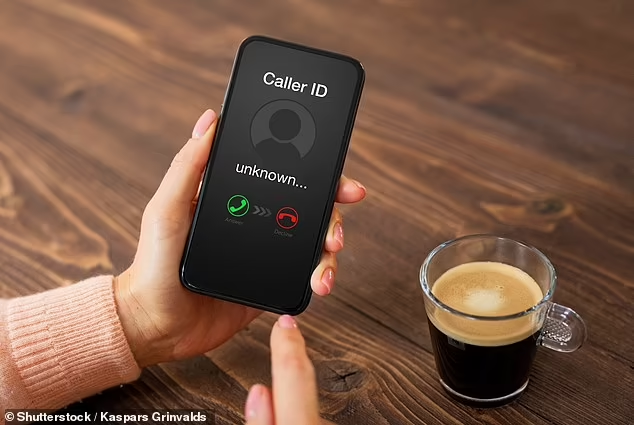
The Ultimate Guide to Blocking Unknown Numbers on Android And Iphone
Are you tired of receiving unwanted calls from unknown numbers? Do you want to know who’s calling before answering, or block numbers that are annoying you? Look no further! In this article, we’ll explore the best apps for blocking unknown numbers on both Android and iPhone.
The Problem With Unknown Numbers
Unknown numbers can be a real nuisance. Whether it’s spam calls, telemarketers, or just unwanted contacts, they can disrupt your daily life and cause stress. That’s why we’ve got some fantastic solutions to share with you.
Blocking Unknown Numbers on Android
If you’re using an Android device, there are several ways to block unknown numbers. Here are a few methods:
Method 1: Using The Phone App
On some Android devices, you can block unknown numbers directly from the Phone app. To do this, go to Settings > Phone > Block unknown numbers and toggle it on.
Method 2: Using Truecaller
Truecaller is one of the most popular apps for blocking unknown numbers. It’s free, easy to use, and has a vast database of known numbers. Here’s how to block unknown numbers with Truecaller:
- Download and install Truecaller from the Play Store.
- Open the app and grant it necessary permissions.
- Tap on the “Block” tab at the bottom of the screen.
- Select the type of calls you want to block (e.G., Spam, private numbers).
- Toggle on the switch next to “Block unknown numbers.”
Method 3: Using Should I Answer
Should I Answer is another great app for blocking unknown numbers. It’s free and available on both Android and iOS.
- Download and install Should I Answer from the Play Store.
- Open the app and grant it necessary permissions.
- Tap on the “Settings” icon (≡) at the top-right corner of the screen.
- Select “Block and identification.”
- Toggle on the switch next to “Block unknown numbers.”
Blocking Unknown Numbers on Iphone
If you’re using an iPhone, there are a few ways to block unknown numbers.
Method 1: Using The Phone App
On iOS 13 or later, you can block unknown numbers directly from the Phone app. To do this:
- Open the Settings app.
- Tap on “Phone.”
- Scroll down and select “Silence unknown numbers.”
- Toggle on the switch next to “Silence unknown numbers.”
Method 2: Using Truecaller
Truecaller is also available on iOS, and it works similarly to the Android version.
- Download and install Truecaller from the App Store.
- Open the app and grant it necessary permissions.
- Tap on the “Block” tab at the bottom of the screen.
- Select the type of calls you want to block (e.G., Spam, private numbers).
- Toggle on the switch next to “Block unknown numbers.”
Method 3: Using Whooming
Whooming is another app for blocking unknown numbers on iPhone and Android.
- Download and install Whooming from the App Store or Play Store.
- Open the app and grant it necessary permissions.
- Tap on the “Start” button to begin the configuration process.
- Select your country, operator, and phone number.
- Tap on the “OK, I’m ready!” button.
- Initiate a call to your phone number using Whooming’s dialer feature.
- Answer the call to complete the verification process.
- Go back to Whooming and tap on the “Go to called list” button.
- Refuse any unknown calls that come in.
Conclusion
Blocking unknown numbers is easier than ever, thanks to these fantastic apps and built-in features on Android and iPhone devices. By following our guide, you can say goodbye to unwanted calls and hello to a more peaceful life.
Frequently Asked Questions (FAQs)
- Q: Which App is The Best For Blocking Unknown Numbers?
A: Truecaller and Whooming are two of the most popular apps for blocking unknown numbers. - Q: Can I Block Unknown Numbers on my Iphone?
A: Yes, you can block unknown numbers directly from the Phone app on iOS 13 or later devices. - Q: Do These Apps Require Any Commitments to Privacy?
A: Some of these apps may require access to your phonebook or other sensitive information. Always read the fine print and review the permissions before installing an app. - Q: Are These Apps Free?
A: Most of these apps are free, but some may offer premium features or subscriptions for advanced functionality. - Q: Can I Block Unknown Numbers on my Android Device?
A: Yes, you can block unknown numbers directly from the Phone app on many Android devices, and also using third-party apps like Truecaller and Whooming. - Q: How do I Update The List of Blocked Numbers in These Apps?
A: You can usually update the list by tapping on the “Update” button within the app or by following the instructions provided by the developer. - Q: Can I Block Specific Types of Calls, Like Spam or Telemarketers?
A: Yes, most of these apps allow you to block specific types of calls based on your preferences. - Q: Are These Apps Compatible With my Device?
A: Always check the compatibility of an app before installing it, especially if you’re using a non-standard device.
I hope this article helps you find the perfect solution for blocking unknown numbers on Android and iPhone devices!


