
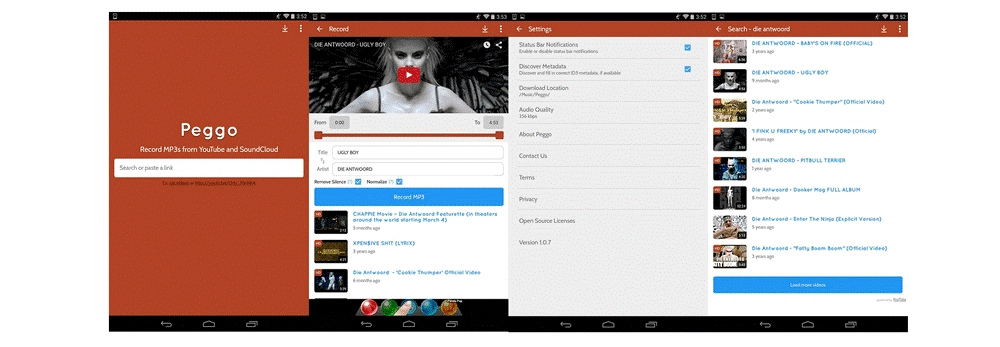
How to Download Mp3 From Youtube on Android: A Step-by-step Guide
Are you tired of searching for ways to download MP3 files from YouTube on your Android device? Look no further! In this article, we will guide you through the process of downloading MP3 files from YouTube using various methods and tools.
The Problem With Official Apps
While official apps like YouTube Music can help you stream music online, they may not always provide the flexibility and convenience you need. That’s why we’re going to explore alternative ways to download MP3 files from YouTube on your Android device.
Method 1: Using Youtube Music
Before we dive into other methods, let’s take a look at how you can use YouTube Music to download MP3 files.
- Install The App: First, install the YouTube Music app on your Android device. You can find it in the Play Store.
- Subscribe to Youtube Music: To access all features, including downloading MP3 files, subscribe to YouTube Music. The free trial period is 1 month, and after that, you’ll need to pay a subscription fee of €11.99/Month or €17.99/Month for a family plan.
Method 2: Using Third-party Apps
If you don’t want to use the official app or subscribe to YouTube Music, there are other third-party apps available that can help you download MP3 files from YouTube on your Android device.
- Tubemate: This is one of the most popular third-party apps for downloading MP3 files from YouTube. It’s free and supports various formats.
- Installation: To install TubeMate, go to its official website and follow the instructions. Please note that you may need to enable unknown sources in your Android settings.
- Usage: Once installed, open TubeMate, search for the song or video you want to download, select the MP3 format, and start the download process.
Method 3: Using Online Services
If you don’t want to install any apps on your device, there are online services that can help you download MP3 files from YouTube. Here’s how:
- Loader.To: This is a free online service that allows you to download music from various websites, including YouTube.
- Usage: Copy the YouTube video URL, go to Loader.To, paste the URL, select the MP3 format, and click “Download.” The file will be saved in your device’s downloads folder.
Method 4: Using Videoder
Videoder is another app that allows you to download videos from various websites, including YouTube. Here’s how to use it:
- Installation: Install Videoder from its official website.
- Usage: Once installed, open Videoder, search for the song or video you want to download, select the MP3 format, and start the download process.
Conclusion
Downloading MP3 files from YouTube on Android can be done using various methods and tools. While official apps like YouTube Music provide a convenient way to stream music online, third-party apps and online services offer more flexibility and convenience.


