
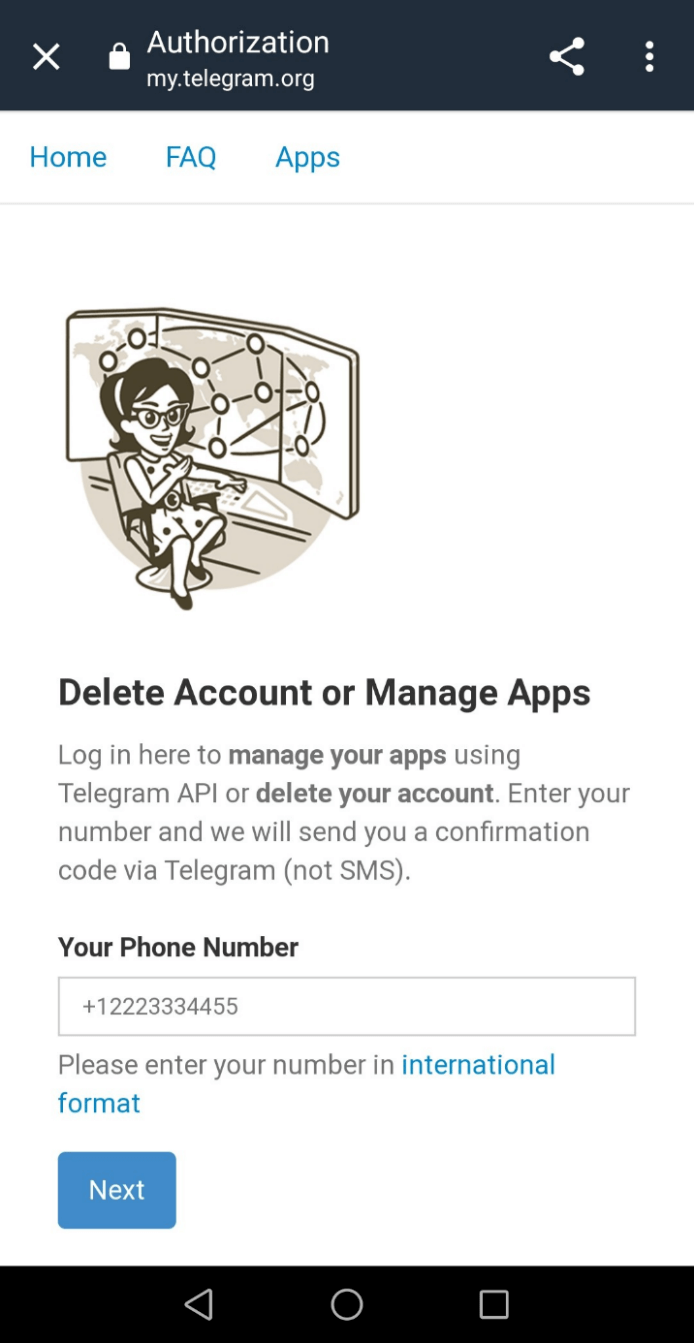
How to Disable Telegram: A Comprehensive Guide
Are you tired of using Telegram but don’t know how to delete your account? Or perhaps you’re looking to disable some of the app’s features, such as viewing close persons or limiting message frequency? Look no further! In this article, we’ll guide you through the process of disabling Telegram on various devices and platforms.
Disabling Telegram on Android
If you want to disable Telegram on your Android device, follow these steps:
- Open the Telegram app and tap on the three horizontal lines (☰) in the top left corner.
- Select the “Settings” option from the menu.
- Scroll down and select the “Privacy and Safety” section.
- Tap on the “Delete my account” option.
- Choose a deletion period, such as 1 month, 3 months, or 6 months, and tap on the corresponding option.
Disabling Telegram on Iphone/ipad
If you want to disable Telegram on your iPhone or iPad, follow these steps:
- Open the Telegram app and tap on the three horizontal lines (☰) in the top left corner.
- Select the “Settings” option from the menu.
- Scroll down and select the “Privacy and Safety” section.
- Tap on the “Delete automatically my account” option.
- Choose a deletion period, such as 1 month, 3 months, or 6 months, and tap on the corresponding option.
Disabling Telegram on Computer
If you want to disable Telegram on your computer, follow these steps:
- Open the Telegram app and click on the three horizontal lines (☰) in the top left corner.
- Select the “Settings” option from the menu.
- Scroll down and select the “Privacy and Safety” section.
- Tap on the “Delete my account” option.
- Choose a deletion period, such as 1 month, 3 months, or 6 months, and tap on the corresponding option.
Disabling Telegram Web
If you want to disable Telegram Web, follow these steps:
- Open Telegram Web in your browser and click on the three horizontal lines (☰) in the top left corner.
- Select the “Settings” option from the menu.
- Scroll down and select the “Privacy and Safety” section.
- Tap on the “End session” option for two consecutive times.
Disabling Telegram Premium
If you want to disable Telegram Premium, follow these steps:
- Open the Play Store on your Android device and tap on the Telegram app icon.
- Select the “Payments and Subscriptions” option from the menu.
- Tap on the “Subscriptions” option and select the Telegram Premium subscription.
- Tap on the “Cancel subscription” option.
Disabling Close Persons
If you want to disable the close persons feature, follow these steps:
- Open the Telegram app and tap on the three horizontal lines (☰) in the top left corner.
- Select the “Settings” option from the menu.
- Scroll down and select the “App and Authorizations” section.
- Tap on the voice “Position” option and toggle off the switch next to “Telegram”.
Disabling Confirm Reading
Unfortunately, it is not possible to disable confirm reading in Telegram.
Disabling Sensitive Contents
If you want to disable sensitive contents, follow these steps:
- Open Telegram Web or use the Telegram client on your computer.
- Click on the three horizontal lines (☰) in the top left corner and select the “Settings” option from the menu.
- Scroll down and select the “Privacy and Safety” section.
- Tap on the “Disable filter” option to disable the filter.
Disabling Slow Modality
If you want to disable slow modality, follow these steps:
- Open the Telegram app and tap on the three horizontal lines (☰) in the top left corner.
- Select the “Settings” option from the menu.
- Scroll down and select the “Slow Modality” section.
- Tap on the “No” option to disable slow modality.
Conclusion
Disabling Telegram is a straightforward process that can be completed on various devices and platforms. Whether you want to delete your account, disable certain features, or simply take a break from the app, we’ve got you covered. Remember to always follow the instructions carefully to avoid any issues.
Frequently Asked Questions (FAQs)
- Q: How do I Disable Telegram on my Android Device?
A: To disable Telegram on your Android device, open the app and tap on the three horizontal lines (☰) in the top left corner. Select the “Settings” option from the menu and scroll down to select the “Privacy and Safety” section. - Q: How do I Disable Telegram Premium?
A: To disable Telegram Premium, open the Play Store on your Android device and tap on the Telegram app icon. Select the “Payments and Subscriptions” option from the menu and cancel your subscription. - Q: Can I Disable Confirm Reading in Telegram?
A: Unfortunately, it is not possible to disable confirm reading in Telegram. - Q: How do I Disable Sensitive Contents in Telegram?
A: To disable sensitive contents, open Telegram Web or use the Telegram client on your computer. Click on the three horizontal lines (☰) in the top left corner and select the “Settings” option from the menu. Scroll down to select the “Privacy and Safety” section. - Q: How do I Disable Slow Modality in Telegram?
A: To disable slow modality, open the Telegram app and tap on the three horizontal lines (☰) in the top left corner. Select the “Settings” option from the menu and scroll down to select the “Slow Modality” section.


