
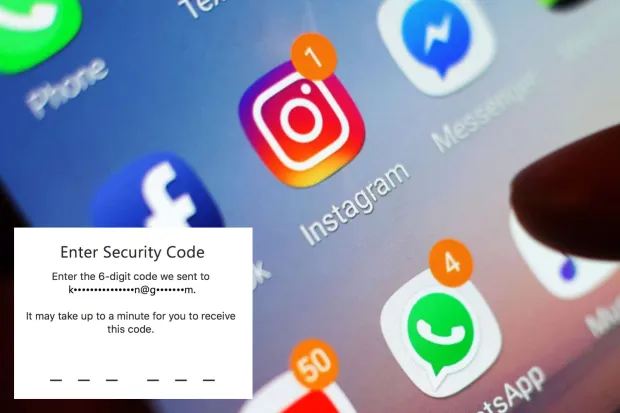
How to Recover Your Instagram Account: A Step-by-step Guide
Are you struggling to recover your Instagram account due to forgotten password, email address, or other issues? Don’t worry, we’ve got you covered! In this article, we’ll guide you through the process of recovering your Instagram account in various scenarios.
Why Can’t I Access My Instagram Account?
If you’re unable to access your Instagram account, it’s likely due to one of the following reasons:
- Forgotten password
- Email address not recognized
- Account suspended or deleted
- Two-factor authentication issues
Recovering Your Instagram Account: A Step-by-step Guide
Recovering Your Account Without Email
If you’ve forgotten your email address associated with your Instagram account, don’t worry! You can recover your account using the following steps:
- Open the Instagram app on your mobile device.
- Tap on “Find your account” and select “Forgot password”.
- Enter your username or phone number associated with your account.
- Follow the prompts to reset your password.
Recovering Your Account Without Password
If you’ve forgotten your password, you can recover your account using the following steps:
- Open the Instagram app on your mobile device.
- Tap on “Forgot password” and select “Forgot password”.
- Enter your username or phone number associated with your account.
- Follow the prompts to reset your password.
Recovering Your Account Without Email And Password
If you’ve forgotten both your email address and password, don’t worry! You can recover your account using the following steps:
- Open the Instagram app on your mobile device.
- Tap on “Find your account” and select “Forgot password”.
- Enter your username or phone number associated with your account.
- Follow the prompts to reset your password.
Recovering Your Account Without Phone Number
If you’ve forgotten your phone number associated with your Instagram account, don’t worry! You can recover your account using the following steps:
- Open the Instagram app on your mobile device.
- Tap on “Find your account” and select “Forgot password”.
- Enter your username or email address associated with your account.
- Follow the prompts to reset your password.
Recovering Your Account With Two-factor Authentication
If you have two-factor authentication enabled on your Instagram account, don’t worry! You can recover your account using the following steps:
- Open the Instagram app on your mobile device.
- Tap on “Find your account” and select “Forgot password”.
- Enter your username or email address associated with your account.
- Follow the prompts to reset your password.
Recovering a Deleted Account
If you’ve deleted your Instagram account by mistake, don’t worry! You can recover your account using the following steps:
- Wait for 30 days after deleting your account to allow Instagram’s system to clear out.
- Open the Instagram app on your mobile device.
- Tap on “Find your account” and select “Forgot password”.
- Enter your username or email address associated with your account.
Recovering a Suspended Account
If you’ve had your Instagram account suspended, don’t worry! You can recover your account using the following steps:
- Open the Instagram app on your mobile device.
- Tap on “Find your account” and select “Forgot password”.
- Enter your username or email address associated with your account.
Recovering a Hacked Account
If you suspect that someone has hacked into your Instagram account, don’t worry! You can recover your account using the following steps:
- Open the Instagram app on your mobile device.
- Tap on “Find your account” and select “Forgot password”.
- Enter your username or email address associated with your account.
Conclusion
Recovering your Instagram account can be a straightforward process if you follow these steps. Whether you’ve forgotten your password, email address, or phone number, or have had your account suspended or deleted, we hope this guide has been helpful in assisting you in recovering your account.
Frequently Asked Questions (FAQs)
- Q: How do I Recover my Instagram Account if I’ve Forgotten my Password?
A: You can recover your account by following the steps outlined above. - Q: How do I Recover my Instagram Account if I’ve Forgotten my Email Address?
A: You can recover your account using the phone number associated with your account. - Q: Can I Recover my Instagram Account if It’s Been Suspended or Deleted?
A: Yes, you can recover your account by following the steps outlined above. - Q: How do I Prevent Someone From Hacking Into my Instagram Account?
A: Make sure to use a strong password and enable two-factor authentication on your account. - Q: What if I’ve Had my Account Suspended or Deleted For Violating Instagram’s Community Guidelines?
A: You can appeal the decision by contacting Instagram’s support team. - Q: How do I Recover my Instagram Account if I’ve Lost Access to my Phone Number?
A: You can recover your account using the email address associated with your account. - Q: Can I Recover my Instagram Account if It’s Been Hacked?
A: Yes, you can recover your account by following the steps outlined above and taking additional security measures to prevent future hacking attempts. - Q: How do I Know if Someone Has Hacked Into my Instagram Account?
A: Look for signs of unauthorized activity on your account, such as unusual login locations or unfamiliar devices connected to your account.
Remember
If you’re struggling to recover your Instagram account, don’t hesitate to reach out to Instagram’s support team for assistance. They’ll be happy to guide you through the process and help you get back to sharing your amazing photos and stories with friends!


