
How to See The Enrolled on Youtube: A Step-by-step Guide
Are you curious about the number of subscribers your channel has on YouTube? Do you want to know how many people are watching your videos? Look no further! In this article, we’ll guide you through the process of seeing the enrolled on YouTube, and provide tips for monitoring your channel’s performance.
Why See The Enrolled on Youtube?
Seeing the number of enrolled on YouTube can be a great way to track your channel’s growth and engagement. It can also help you identify areas where you need to improve, such as content quality or audience targeting. By monitoring your enrolled, you can make data-driven decisions that will help your channel succeed.
How to See The Enrolled on Youtube of Computer
To see the enrolled on YouTube using a computer:
- Access the YouTube website and sign in with your account Google.
- Click on your photo, located in the top right corner of the screen.
- Select the option “Your channel” from the menu that appears.
- In the new window that opens, you’ll see the number of enrolled to your channel indicated near its name.
How to See The Enrolled on Youtube of Android
To see the enrolled on YouTube using an Android device:
- Open the YouTube app and sign in with your account Google associated with the channel you’re interested in.
- Tap on your photo, located in the top right corner of the screen.
- Select the option “Your channel” from the menu that appears.
- In the new window that opens, you’ll see the number of enrolled to your channel indicated near its name.
How to See The Enrolled on Youtube of Iphone/ipad
The process for seeing the enrolled on YouTube using an iPhone or iPad is nearly identical to the one described above for Android devices.
How to See The Enrolled on Youtube in Real-time
To see the enrolled on YouTube in real-time:
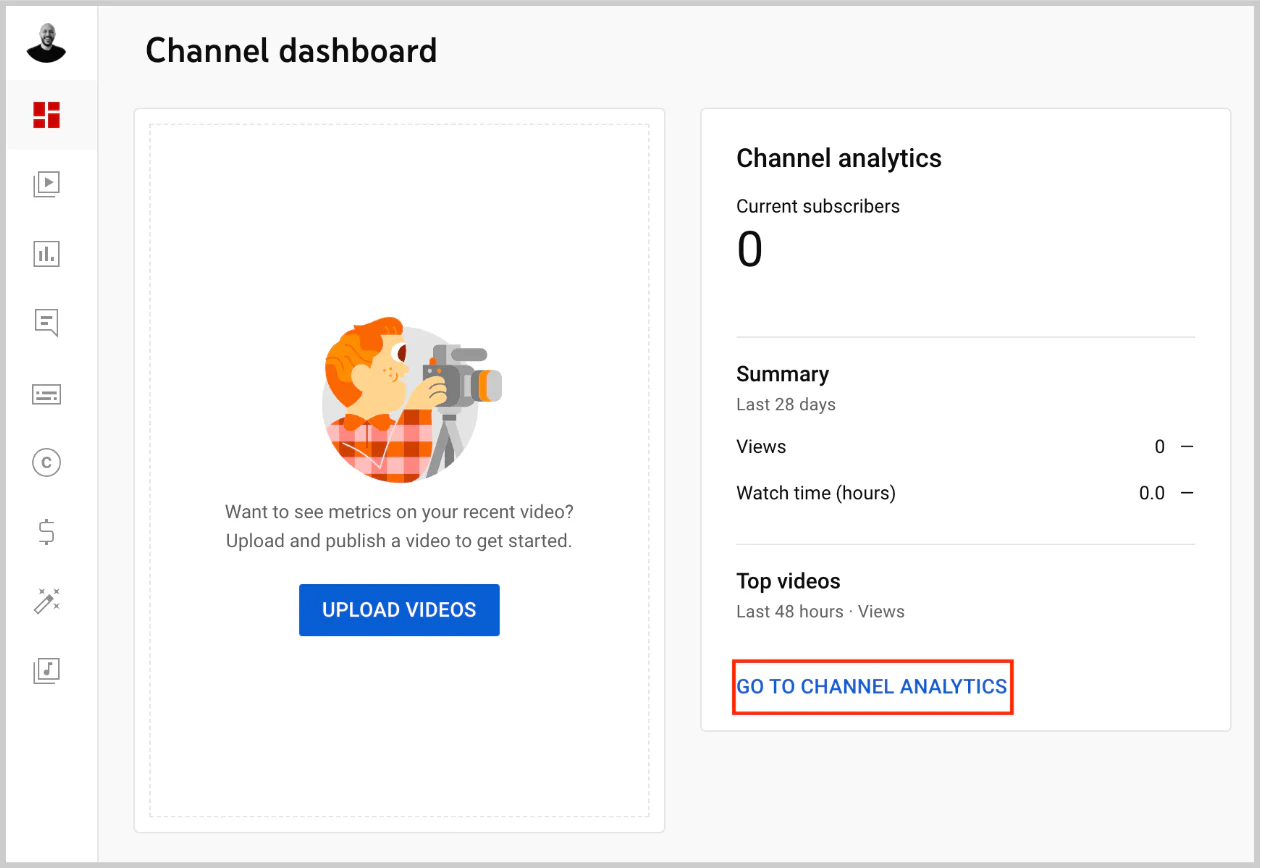
- Access YouTube Studio from your computer or mobile device.
- Sign in with your account Google associated with the channel you’re interested in.
- In the dashboard, click on the voice “Analytics” located in the lateral bar to the right.
- Select the option “Real-Time” from the menu that appears.
How Not to See The Enrolled on Youtube
As of July 29, 2022, it is no longer possible to conceal the number of enrolled on YouTube due to modifications made by the platform to counteract fake accounts.
Conclusion
In conclusion, seeing the enrolled on YouTube can be a valuable tool for tracking your channel’s growth and engagement. By following the steps outlined above, you can monitor your enrolled in real-time using both computer and mobile devices. Remember, this feature is no longer available due to recent modifications by YouTube, so it’s essential to adapt your strategy accordingly.
Frequently Asked Questions (FAQs)
- How do I See The Enrolled on Youtube?
To see the enrolled on YouTube, access the YouTube website or app and sign in with your account Google associated with the channel you’re interested in. Then, click on your photo located in the top right corner of the screen and select “Your channel” from the menu that appears. - Can I See The Enrolled on Youtube Using a Mobile Device?
Yes, you can see the enrolled on YouTube using both Android and iPhone/iPad devices by following the same steps described above for computer users. - How do I Monitor my Channel’s Performance in Real-time?
To monitor your channel’s performance in real-time, access YouTube Studio from your computer or mobile device, sign in with your account Google associated with the channel you’re interested in, and click on the voice “Analytics” located in the lateral bar to the right. - Why Can’t I See The Enrolled on Youtube Anymore?
As of July 29, 2022, it is no longer possible to conceal the number of enrolled on YouTube due to modifications made by the platform to counteract fake accounts. - What Are Some Other Features Available in Youtube Studio?
YouTube Studio offers various features, including visualizing comments, monetization options, adding subheads, and more. To access these features, sign in with your account Google associated with the channel you’re interested in and navigate through the menu to find what suits your needs. - Can I See The Enrolled on Youtube of Another Channel?
Yes, you can see the enrolled on YouTube of another channel by searching for it using the search bar located at the top of the page and then clicking on the “Forward” button. The number of enrolled will be indicated near the name of the channel. - How do I Access Youtube Studio From my Mobile Device?
To access YouTube Studio from your mobile device, open the YouTube app, sign in with your account Google associated with the channel you’re interested in, and navigate through the menu to find the “Studio” option.


