
How to Join The Hypixel Server: A Step-by-step Guide
Are you an avid Minecraft player looking to join the fun and excitement of the Hypixel server? Look no further! In this article, we’ll guide you through the process of joining the Hypixel server from both the Java Edition and Bedrock versions of Minecraft.
About The Hypixel Server
Before we dive into the nitty-gritty of joining the server, let’s take a brief look at what the Hypixel server is all about. Created in 2013 by Simon “Hypixel” Collins-Laflamme and Philippe Touchette, the Hypixel server has become one of the most popular servers for Minecraft players. With over 15 million unique visits as of May 2019, it’s clear that this server is a hub for creative and fun experiences.
Games And Activities
The Hypixel server offers a wide range of games and activities to keep you entertained. Some of the most popular ones include:
- BedWars: A game where players must destroy their opponents’ beds to win.
- SkyWars: A game where players are dropped onto an island with limited resources, and the last one standing wins.
- Murder Mystery: A game where players are randomly assigned roles, and the objective is to eliminate all other players except for yourself.
- Arcade Games: A collection of mini-games that offer a variety of challenges and rewards.
- Turbo Kart Racers: A racing game where players compete against each other on various tracks.
- Arena Brawl: A game where players are dropped into an arena with limited resources, and the objective is to eliminate all other players except for yourself.
- Paintball Warfare: A game where players must eliminate their opponents using paintballs.
Joining The Hypixel Server From Minecraft Java Edition
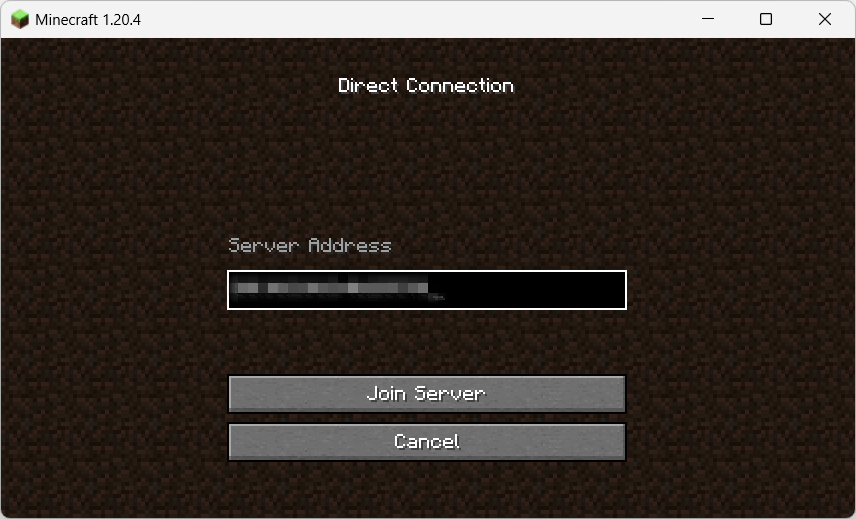
If you’re playing on the Java Edition of Minecraft, joining the Hypixel server is relatively straightforward. Here’s a step-by-step guide:
- Launch Minecraft and click on the “Multiplayer” button.
- Click on the “Add Server” button and enter the following details:
- Server Name: Hypixel
- Server Address: Mc.Hypixel.Net
- Click on the “Done” button, then on the “Play” button to join the server.
Joining The Hypixel Server From Minecraft Bedrock
If you’re playing on the Bedrock version of Minecraft, joining the Hypixel server is a bit more complex. Unfortunately, there isn’t an official Hypixel server for Bedrock, but there are alternative servers that offer similar experiences. One such server is rushnation.Net with port 19132.
Here’s how to join:
- Launch Minecraft and click on the “Play” button.
- Click on the “Servers” button and select “Add Server.”
- Enter the following details:
- Server Name: Bedwars
- Server Address: Rushnation.Net
- Port: 19132
- Click on the “Done” button, then on the “Play” button to join the server.
Conclusion
Joining the Hypixel server is a breeze, regardless of which Minecraft version you’re playing on. With this guide, you’ll be able to join the fun and excitement of the Hypixel server in no time. Whether you’re looking for a challenge or just want to hang out with other players, the Hypixel server has something for everyone.
Frequently Asked Questions (FAQs)
- Q: What is The Hypixel Server?
A: The Hypixel server is a popular Minecraft server that offers a wide range of games and activities. - Q: How do I Join The Hypixel Server From Minecraft Java Edition?
A: To join the Hypixel server from Minecraft Java Edition, launch the game, click on the “Multiplayer” button, then add the server with the address mc.Hypixel.Net. - Q: Can I Join The Hypixel Server From Minecraft Bedrock?
A: Unfortunately, there isn’t an official Hypixel server for Bedrock, but you can join alternative servers that offer similar experiences. - Q: What Games And Activities Are Available on The Hypixel Server?
A: The Hypixel server offers a variety of games and activities, including BedWars, SkyWars, Murder Mystery, Arcade Games, Turbo Kart Racers, Arena Brawl, and Paintball Warfare.
By following this guide, you’ll be able to join the fun and excitement of the Hypixel server in no time. Happy gaming!


