
How to Cancel Your Sky Subscription: A Step-by-step Guide
Are you tired of your Sky subscription, but not sure how to cancel it? Look no further! In this article, we will guide you through the process of canceling your Sky subscription in a straightforward and easy-to-follow manner.
Why Cancel Your Sky Subscription?
Before we dive into the cancellation process, let’s consider why you might want to cancel your Sky subscription. Perhaps you’ve found a better deal elsewhere, or maybe you simply don’t use the service as much as you thought you would. Whatever the reason, cancelling your Sky subscription is a straightforward process that can be completed in just a few steps.
Step 1: Download The Cancellation Form
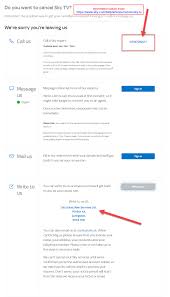
To cancel your Sky subscription, you’ll need to download the cancellation form from the Sky website. You can do this by following these simple steps:
- Log in to your Sky account online
- Click on the “My Account” tab
- Select the option to cancel your subscription
- Download the cancellation form and print it out
Step 2: Fill Out The Cancellation Form
Once you have downloaded the cancellation form, fill it out carefully. Make sure to include all of the necessary information, including:
- Your name and address
- Your Sky account number (if applicable)
- The reason for cancelling your subscription
Step 3: Sign And Return The Cancellation Form
Sign the cancellation form and return it to Sky by mail or email. If you’re returning the form by mail, use a secure method such as recorded delivery to ensure that it arrives safely.
Step 4: Return Your Equipment
Once you have cancelled your Sky subscription, you will need to return any equipment that was provided to you as part of the service. This includes:
- The decoder box
- Any other devices that were supplied with your subscription
Important: Failure to return all equipment within 30 days may result in a penalty being charged to your account.
Step 5: Confirm Your Cancellation
After you have returned the cancellation form and any equipment, Sky will confirm your cancellation by mail. This confirmation letter will provide details of the next steps you need to take, including any penalties that may be owed.
What Happens After I Cancel My Sky Subscription?
Once you have cancelled your Sky subscription, there are a few things you should know:
- You will no longer receive any bills from Sky
- Your account will be closed and all equipment returned
- Any outstanding credits or refunds will be processed
How Long Does it Take to Cancel a Sky Subscription?
The time it takes to cancel a Sky subscription can vary depending on the complexity of your situation. However, in most cases, the process should take no longer than 30 days.
What Are The Costs of Cancelling a Sky Subscription?
The costs of cancelling a Sky subscription depend on a number of factors, including:
- The type of contract you have (e.G. Pay monthly or 18-month contract)
- Any penalties that may be owed for early termination
- Any equipment that needs to be returned
Frequently Asked Questions
Here are some answers to common questions about cancelling your Sky subscription:
- Q: How do I cancel my Sky subscription?
A: To cancel your Sky subscription, you’ll need to download the cancellation form from the Sky website and return it by mail or email. - Q: What happens if I don’t return all of my equipment on time?
A: If you fail to return all of your equipment within 30 days, a penalty may be charged to your account. - Q: Can I cancel my Sky subscription online?
A: No, cancellations must be made in writing and returned by mail or email. - Q: How long does it take to cancel a Sky subscription?
A: The process should take no longer than 30 days. - Q: What are the costs of cancelling a Sky subscription?
A: The costs will depend on your contract type, any penalties owed, and equipment return. - Q: Will I receive any credits or refunds after canceling my Sky subscription?
A: Yes, any outstanding credits or refunds will be processed once your account is closed.
Conclusion
Cancelling a Sky subscription can seem like a daunting task, but with these simple steps, you should have no problem cancelling your account and returning any equipment. Remember to carefully read the cancellation form and return it promptly to avoid any penalties. If you’re unsure about anything, don’t hesitate to contact Sky directly for assistance.


