
Discovering The Cellular Pattern of Your Smartphone
Are you curious about the cellular pattern of your smartphone? You’re not alone! With so many smartphones on the market, it’s easy to get confused about which pattern is yours. In this article, we’ll guide you through the process of discovering the cellular pattern of your Android or Apple smartphone.
Why Do I Need to Know My Cellular Pattern?
Before we dive into the details, let’s understand why knowing your cellular pattern is important. While it might seem like a trivial matter, having access to your cellular pattern can be helpful in various situations. For instance, if you need to acquire a protective cover or film for your monitor, knowing the exact pattern of your smartphone can make it easier to find a compatible product.
Moreover, being able to identify the cellular pattern of your smartphone can also come in handy when helping friends or relatives with similar devices. By understanding the pattern, you’ll be better equipped to troubleshoot and resolve any issues that might arise.
Smartphones And Their Patterns
When it comes to smartphones, the operating system plays a significant role in determining the cellular pattern. There are two primary types of smartphone operating systems: Android and iOS (Apple). Let’s explore how to identify the cellular pattern for each type:
Android Smartphones
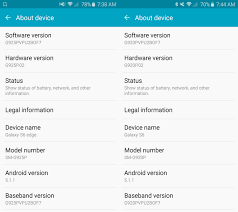
For Android devices, the process is relatively straightforward. To see the cellular pattern of your Android smartphone:
- Go to the Settings menu on your device.
- Scroll down until you find the “Info phone” or “Informazioni phone” option (the exact name may vary depending on the manufacturer).
- Tap on this option to access the information about your device, including its cellular pattern.
The cellular pattern is usually indicated as a series of numbers and letters, such as “PRA-LX1” for Huawei devices or “SM-G955F” for Samsung phones. Each phone has its unique code, which can be used to identify the exact model and pattern.
Iphone Smartphones
For iPhone users, identifying the cellular pattern is relatively similar:
- Go to the Settings menu on your device.
- Scroll down until you find the “General” option.
- Tap on “Info” to access information about your device, including its cellular pattern, which will be displayed as a series of numbers.
For iPhone 7 and earlier models, the cellular pattern can be found on the back of the device, while for iPhone 8 and later models, it’s located in the SIM card slot.
Imei Codes: Identifying Your Phone’s Pattern
An IMEI (International Mobile Equipment Identity) code is a unique 15-digit number assigned to every mobile device. While primarily used to identify devices for tracking or blocking purposes, the IMEI code can also be used to determine the cellular pattern of your smartphone.
To find the IMEI code on your Android device:
- Go to the Settings menu.
- Scroll down until you find the “Info phone” option (as mentioned earlier).
- The IMEI code will usually be displayed alongside other information about your device.
For iPhone devices, follow these steps:
- Go to the Settings menu.
- Tap on “General.”
- Select “About” and look for the IMEI code in this section.
Once you have the IMEI code, you can use online resources like imei.Info (a reliable website with a comprehensive database of IMEI codes) to identify your device’s pattern.


