
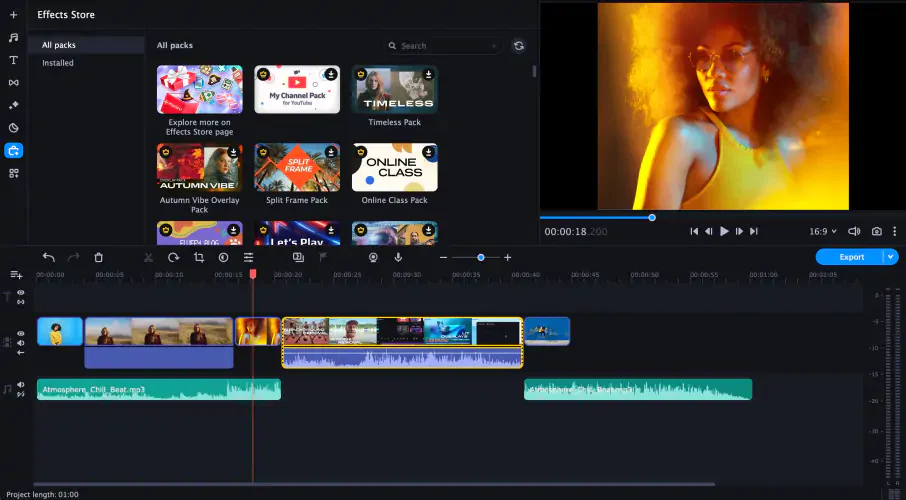
Creating Videos With Photos: A Comprehensive Guide
Are you looking to create a beautiful video with photos from your weekend abroad? Or perhaps you want to make a celebratory video with effects of transition and music in the background? If so, you’re in luck! Creating videos with photos is easier than ever, and we’ll guide you through the best programs to use.
Programs to Create Video With Photo on The Computer
- Clipchamp (Windows): Clipchamp is an excellent program for creating videos with photos on Windows 10 and Windows 11. It’s free and comes preinstalled on the most recent versions of Windows.
- Imovie (macOS): IMovie is a free application developed by Apple specifically for macOS. It offers advanced functionalities combined with an intuitive interface, making it a favorite among experts in the sector.
Other Programs to Create Video With Photo on The Computer
- Shotcut (Windows/macOS/Linux): Shotcut is a cross-platform and open-source program that allows you to create videos with photos and special effects.
- Wondershare Filmora (Windows/macOS): Wondershare Filmora is software for Windows and macOS that enables you to create videos, including those with photos, and edit existing films.
Programs to Create Video With Photo Online
- Canva: Canva is an online platform that allows you to easily create various types of graphic blueprints, including videos with photos.
- Animoto: Animoto is a service that enables you to edit all sorts of films and create video compositions with photos.
- Adobe Express: Adobe Express is a free online platform developed by the renowned American software house Adobe, offering several helpful tools for realizing graphic blueprints, also including videos with photos.
Programs to Create Video With Photo And Music
- Gopro Quik (Android/iOS/iPadOS): GoPro Quik is a program that allows you to create videos with photos on Android, iOS, and iPadOS devices.
- Adobe Premiere Rush (Android/iOS/iPadOS): Adobe Premiere Rush is the mobile counterpart of Adobe Premiere Pro, enabling you to edit and create films in an easy and intuitive way.
Programs to Create Video With Photo on Smartphone And Tablet
- Gopro Quik: GoPro Quik allows you to create videos with photos on Android, iOS, and iPadOS devices.
- Adobe Premiere Rush: Adobe Premiere Rush is a program that enables you to edit and create films in an easy and intuitive way.
Conclusion
Creating videos with photos has never been easier! With these programs, you can turn your photos into stunning videos that will surely impress your friends and family.
Frequently Asked Questions
- What Are The Best Programs For Creating Videos With Photos?
- The best programs for creating videos with photos include Clipchamp, iMovie, Shotcut, Wondershare Filmora, Canva, Animoto, Adobe Express, GoPro Quik, and Adobe Premiere Rush.
- Can I Create Video With Photo on my Smartphone or Tablet?
- Yes, you can create videos with photos on your smartphone or tablet using apps like GoPro Quik, Adobe Premiere Rush, and others mentioned above.
- What Are The Best Online Programs For Creating Videos With Photos?
- The best online programs for creating videos with photos include Canva, Animoto, Adobe Express, and WeVideo.
Conclusion
Creating videos with photos has never been easier! With these programs, you can turn your photos into stunning videos that will surely impress your friends and family.


