
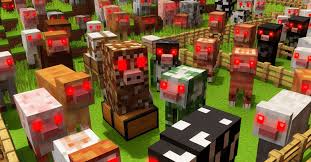
How to Become a Mob on Minecraft: A Step-by-step Guide
Are you ready to unleash your inner mobster in the world of Minecraft? Look no further! In this article, we’ll guide you through the process of becoming a mob on Minecraft, with or without mods.
What Are Mobs in Minecraft?
Before we dive into the nitty-gritty, let’s quickly explain what mobs are. Mobs, short for mobile entities, are creatures that roam the Minecraft world, such as animals, monsters, and even players. Unlike NPCs (non-player characters), mobs have their own artificial intelligence and can interact with players in various ways.
Becoming a Mob on Minecraft Without Mods
If you don’t want to use mods to become a mob, there’s still hope! The most straightforward way is to customize your character’s skin to look like a mob. Here’s how:
- Choose Your Skin: Head over to the official Minecraft skins website and search for “creeper” or any other mob you’d like to impersonate.
- Download The Skin: Click on the desired skin, and download it as a PNG file.
- Apply The Skin: Launch Minecraft, go to the launcher, click on the skin button, select “new skin,” give your custom skin a name, choose a pattern (classic or snello), and browse for the downloaded PNG file.
- Save And Apply: Click save, and you’ll see your character transformed into a mob.
Note: If some parts of your character’s body are black, you might need to choose another custom skin.
Becoming a Mob on Minecraft With Mods
If you want more control over the process or prefer using mods, here’s how:
- Download The Changeling Mod: Get the Changeling mod from CurseForge and install it.
- Install Dominionlib: Download and install DominionLib, a tool required by the Changeling mod.
- Copy Jar Files: Move the two downloaded JAR files into your Minecraft mods folder (usually located at C:\Users[username]\AppData\Roaming\Minecraft\mods on Windows).
- Launch Minecraft With Forge: Open the launcher, select the Forge profile, and launch the game.
- Spawn a Mob: In Creative mode, spawn a mob using an egg or by typing commands (e.G., /Summon minecraft:Ender_dragon).
- Morph Into The Mob: Press the ‘B’ key to view your character’s skin, click on the mob you want to impersonate, and press the ‘Morph’ button.
Tips For Using Mods
When using mods, remember to:
- Use mods compatible with your Minecraft version.
- Be cautious when installing mods from unknown sources.
- Follow guides specific to your mod combination.
How to Create a Mob Spawner on Minecraft
If you want to create a mob spawner without mods, here’s how:
- Enter Creative Mode: In the main menu, select Creative mode.
- Access Your Inventory: Press the ‘E’ key or use the command ‘/openinventory’.
- Use Mob Eggs or Commands: Spawn mobs using eggs or type commands like /summon [mob name].
Conclusion
Becoming a mob on Minecraft is an exciting adventure that can be achieved with or without mods. Whether you want to customize your character’s skin or take control of the game with mods, we hope this guide has provided you with the necessary steps to join the ranks of Minecraft’s most fearsome mobs.
Frequently Asked Questions (FAQs)
- Can I Become a Mob on Any Minecraft Version?
Yes, but mod compatibility may vary depending on your Minecraft version.
- Do I Need Mods to Become a Mob?
No, you can customize your character’s skin without mods. However, using mods provides more control and flexibility.
- How do I Install Mods on Minecraft?
Follow the installation instructions provided by the mod creators or consult guides specific to your mod combination.
- Can I Use Mods With The Bedrock Version of Minecraft?
Some mods may not be compatible with the Bedrock edition, so check compatibility before installing mods.
- How do I Create a Mob Spawner Without Mods?
You can spawn mobs using eggs or type commands like /summon [mob name].
- Can I Morph Into Any Mob in Minecraft?
Yes, but some mobs may not have skins available for customization.


