
How to Identify Your Iphone Model: A Step-by-step Guide
Are you an iPhone user who wants to know the specific model of your device? Look no further! In this article, we will guide you through a step-by-step process on how to identify your iPhone model using various methods.
Why is it Important to Know Your Iphone Model?
Knowing your iPhone model can be beneficial in several ways. For instance, if you need to troubleshoot an issue or want to upgrade your device, knowing the specific model will help you find the correct instructions or replacement parts.
Method 1: Check The Design And Code Imei/imei
One way to identify your iPhone model is by observing its design, checking the code IMEI (International Mobile Equipment Identity), or looking for a code pattern on the device. This method can be used in various ways:
- Design: Take note of the iPhone’s design, which can vary depending on the model. For example, the iPhone 15 Pro Max has a titanium frame and ceramic back, while the iPhone 13 Pro has a stainless steel frame.
- Code Imei/imei: Check the device’s settings or packaging for the code IMEI or MEID (Mobile Equipment Identifier). This unique code can help identify your iPhone model.
Method 2: Use The Settings App
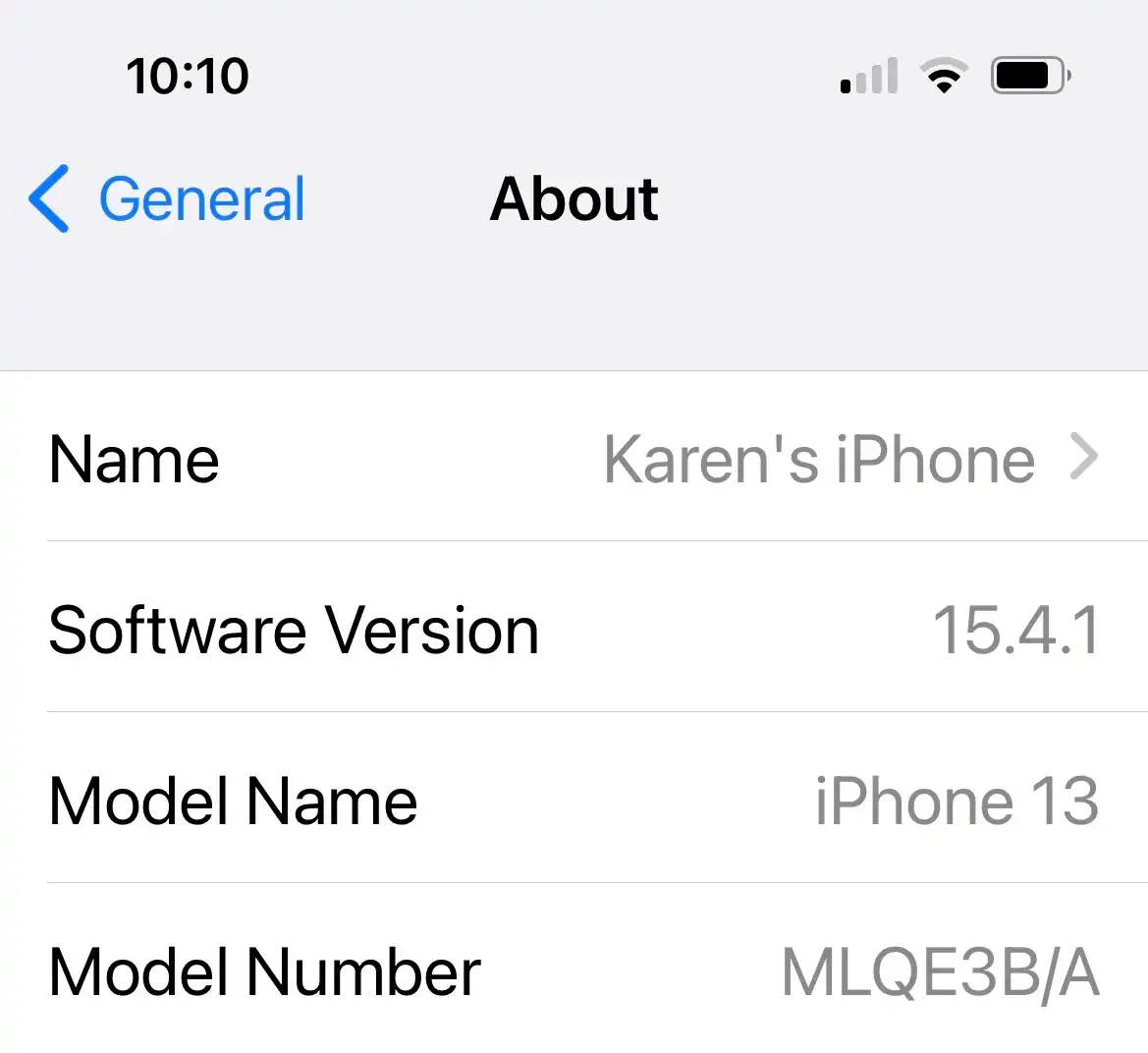
To check the code IMEI or pattern on your iPhone, follow these steps:
- Open the Settings App
- Tap on General
- Select About
- Look for the Imei/meid code in this section
Alternatively, you can also use iTunes/Finder to find the IMEI code.
Method 3: Check The Packaging
The packaging of your iPhone may also contain information about the device model. Check the back or bottom of the box for a label with the device’s specifications, including the model number.
Still Having Trouble?
If you’re still unsure about identifying your iPhone model, don’t worry! You can always consult Apple’s support resources or contact their customer service directly. They will be happy to help you determine your iPhone’s model and provide any necessary assistance.
In conclusion, knowing your iPhone model can be a valuable piece of information that can help you troubleshoot issues or upgrade your device. By following the methods outlined in this article, you should be able to identify your iPhone model with ease.
Frequently Asked Questions
Q: What is IMEI/IMEI?
A: IMEI (International Mobile Equipment Identity) and MEID (Mobile Equipment Identifier) are unique codes assigned to mobile devices, used to identify them.
Q: How can I find the IMEI code on my iPhone?
A: You can find the IMEI code in the Settings app under General > About, or by using iTunes/Finder.
Q: Can I use any other method to identify my iPhone model?
A: Yes, you can also check the packaging for information about your device model, such as a label with specifications including the model number.


