
How to Download Excel Free on Your PC
Are you tired of using outdated versions of Microsoft Excel? Do you want to experience the latest features and functionality that Excel has to offer? Look no further! In this article, we will guide you through the process of downloading Excel for free on your PC.
What is Excel?
Microsoft Excel is a powerful spreadsheet program that allows users to create, edit, and analyze data. It is an essential tool for businesses, students, and individuals who need to manage large amounts of data. With Excel, you can create charts, graphs, and tables, as well as perform advanced calculations and analyses.
Why Download Excel?
Downloading Excel on your PC offers several benefits, including:
- Access to The Latest Features: By downloading the latest version of Excel, you will have access to new features and functionality that may not be available in older versions.
- Improved Performance: The latest version of Excel is designed to run faster and more efficiently than older versions.
- Enhanced Security: Microsoft regularly updates its software to fix security vulnerabilities and ensure that users are protected from potential threats.
How to Download Excel For Free
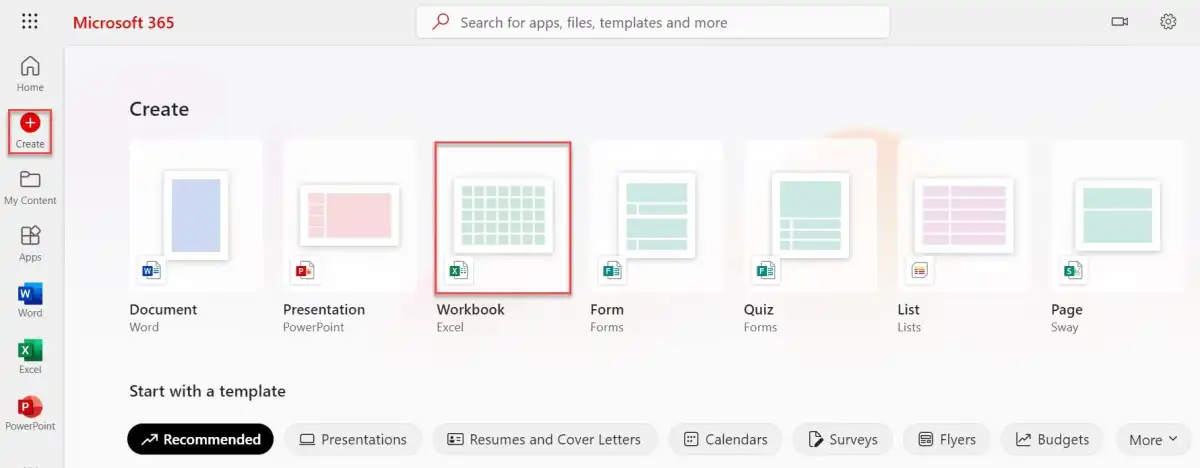
To download Excel for free, you will need to sign up for a trial subscription to Microsoft Office 365. This service provides access to the latest version of Excel, as well as other Microsoft Office applications such as Word and PowerPoint.
Here’s how to do it:
- Go to The Microsoft Website: Visit the official Microsoft website at www.Microsoft.Com.
- Sign up For a Trial Subscription: Click on the “Try Free” button to sign up for a 30-day free trial of Microsoft Office 365.
- Choose Your Plan: Select the plan that best suits your needs, either the Personal or Home plan.
- Create an Account: Fill out the registration form with your details and create a new Microsoft account if you don’t already have one.
- Download Excel: Once you’ve signed up for the trial subscription, click on the “Download” button to download the latest version of Excel.
Downloading Excel on Your Mac
If you’re using a Mac, the process is similar:
- Go to The Microsoft Website: Visit the official Microsoft website at www.Microsoft.Com.
- Sign up For a Trial Subscription: Click on the “Try Free” button to sign up for a 30-day free trial of Microsoft Office 365.
- Choose Your Plan: Select the plan that best suits your needs, either the Personal or Home plan.
- Create an Account: Fill out the registration form with your details and create a new Microsoft account if you don’t already have one.
- Download Excel: Once you’ve signed up for the trial subscription, click on the “Download” button to download the latest version of Excel.
Downloading Excel on Your Android Device
If you’re using an Android device, you can download Excel directly from the Google Play Store:
- Open The Google Play Store: Open the Google Play Store app on your Android device.
- Search For Excel: Search for “Excel” in the search bar.
- Download And Install: Click on the “Install” button to download and install the latest version of Excel.
Downloading Excel on Your Iphone or Ipad
If you’re using an iPhone or iPad, you can download Excel directly from the App Store:
- Open The App Store: Open the App Store app on your iPhone or iPad.
- Search For Excel: Search for “Excel” in the search bar.
- Download And Install: Click on the “Get” button to download and install the latest version of Excel.
Conclusion
Downloading Excel for free on your PC, Mac, Android device, or iPhone/iPad is a straightforward process that offers many benefits. With the latest features, improved performance, and enhanced security, you’ll be able to manage your data with confidence.
Remember to always sign up for a trial subscription to Microsoft Office 365 to access the latest version of Excel. Don’t miss out on this opportunity to experience the best that Excel has to offer!
Frequently Asked Questions
- What is The Cost of Downloading Excel?
- There is no cost to download Excel, as long as you sign up for a trial subscription to Microsoft Office 365.
- How do I Cancel my Subscription?
- You can cancel your subscription at any time by going to the Microsoft website and following the cancellation process.
- Can I Use Excel on Multiple Devices?
- Yes, you can use Excel on multiple devices as long as you have a valid subscription to Microsoft Office 365.
- How do I Update my Version of Excel?
- You can update your version of Excel by signing in to your Microsoft account and following the instructions provided.
- What Features Are Available in The Latest Version of Excel?
- The latest version of Excel offers many new features, including improved performance, enhanced security, and advanced data analysis tools.


