
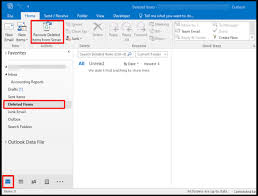
Recovering Erased Emails From Virgil Mail
Are you frustrated because your emails have been erased from Virgil Mail? Don’t worry, this article will guide you through the process of recovering deleted emails on various devices.
Understanding The Problem
When you accidentally delete an email from Virgil Mail, it’s frustrating to lose important information. But, with the right guidance, you can recover those lost emails. Let’s dive into the process of recovering erased emails on different devices.
Recovering Erased Emails on a Computer
To recover deleted emails on a computer:
- Connect to Your Virgil Mail Account: First, log in to your Virgil Mail account using your email address and password.
- Access The Trash Folder: Click on the “Trash” icon located in the left sidebar or click on the three dots next to it and select “Show more.”
- Select The Desired Emails: Choose the emails you want to recover by selecting them with a checkmark.
- Restore The Selected Emails: Right-click (or control-click) on the selected emails and choose “Move to” > “Inbox” or any other folder where you want to restore them.
Recovering Erased Emails on a Smartphone or Tablet
To recover deleted emails on a smartphone or tablet:
- Open Your Virgil Mail App: Launch the Virgil Mail app on your device.
- Navigate to The Trash Folder: Tap on the three horizontal lines (≡) at the top-left corner and select “Trash.”
- Select The Desired Email: Find the email you want to recover in the Trash folder, tap on it, and select the checkmark (√).
- Restore The Selected Email: Tap on the three dots (⋯) next to the email, then select “Move” or “Save as Draft.”
Recovering Erased Emails With a Client Like Gmail or Outlook
If you’ve configured Virgil Mail using a client like Gmail or Outlook:
- Open Your Email Client: Launch your email client.
- Navigate to The Trash Folder: Look for the Trash folder and select it.
- Select The Desired Emails: Choose the emails you want to recover by selecting them with a checkmark.
- Restore The Selected Emails: Right-click (or control-click) on the selected emails and choose “Move to” > “Inbox” or any other folder where you want to restore them.
When Recovery Isn’t Possible
If you’ve erased the email from both the Virgil Mail app and the Trash folder, recovery might not be possible. In this case:
- Use Data Recovery Software: Attempt using data recovery software like EaseUS Data Recovery Wizard.
- Contact Your Internet Service Provider: Reach out to your internet service provider for assistance.
Conclusion
Recovering erased emails from Virgil Mail is a relatively straightforward process. By following these steps on various devices, you can retrieve deleted emails and prevent losing valuable information.
Frequently Asked Questions
- Q: Can I recover emails that have been deleted from both the Virgil Mail app and the Trash folder?
A: No, recovery might not be possible in this case. - Q: How do I prevent accidental deletion of emails in the future?
A: Enable two-factor authentication on your account to add an extra layer of security.
Stay Connected
Follow our blog for more informative articles on technology, security, and data recovery.


