
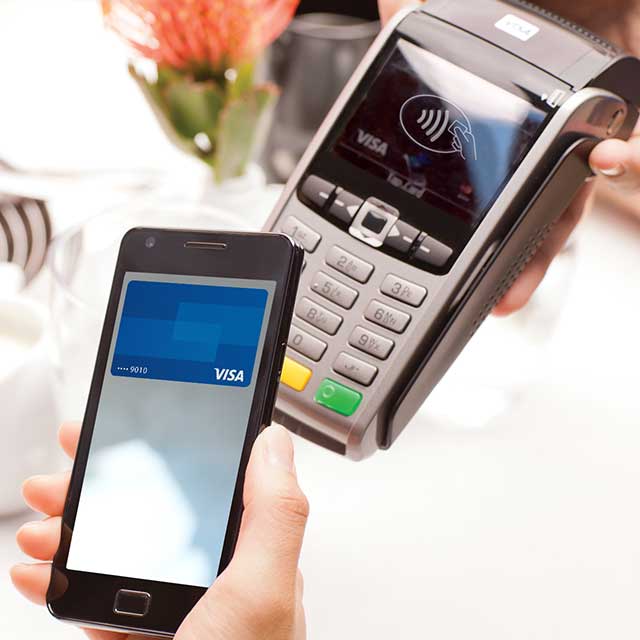
Paying With Your Phone: A Guide to Convenient Transactions
Are you tired of carrying cash or credit cards everywhere you go? Do you want to make payments quickly and securely using your smartphone? You’re in luck! With the rise of mobile payment systems, it’s now possible to pay with your phone for various transactions. In this guide, we’ll explore the different options available, including Google Pay, Samsung Pay, Huawei Pay, Apple Pay, and more.
Why Pay With Your Phone?
Paying with your phone offers several advantages over traditional methods:
- Convenience: No need to carry cash or credit cards.
- Security: Transactions are protected by encryption and authentication.
- Speed: Payments are processed quickly, saving you time.
- Ease of Use: Simple and intuitive interfaces make it easy to navigate.
Google Pay: A Comprehensive Payment System
Google Pay is a widely used payment system that allows users to pay with their phone in various settings. Here’s how to get started:
- Download the Google Pay app from the Play Store.
- Add your credit or debit card by following the prompts.
- Link your card to your Google account for added security.
Using Google Pay
To make a payment using Google Pay, follow these steps:
- Approach a participating merchant with your phone.
- Tap on the Google Pay icon and select your card.
- Authenticate the transaction using Face ID or fingerprint recognition (if enabled).
- Complete the payment by tapping the confirmation button.
Other Mobile Payment Options
While Google Pay is an excellent option, there are other mobile payment systems to consider:
- Samsung Pay: A payment system developed specifically for Samsung devices. It uses a secure chip called Knox to protect transactions.
- Huawei Pay: A payment system designed for Huawei devices. It allows users to make payments using their phone or watch.
- Apple Pay: A payment system exclusive to Apple devices. It uses Touch ID and Face ID to authenticate transactions.
- Satispay: A mobile payment service that allows users to pay bills, transfer money, and recharge phones.
- Postepay: A prepaid card service that enables users to make payments using their phone.
Tips For Using Mobile Payments
To ensure a smooth experience when using mobile payments:
- Always keep your device updated with the latest software.
- Use strong passwords and enable two-factor authentication whenever possible.
- Be cautious of public Wi-Fi networks when making transactions.
- Regularly review your account statements to detect any suspicious activity.
Conclusion
Paying with your phone offers numerous benefits, including convenience, security, speed, and ease of use. By understanding the different mobile payment options available, you can choose the best system for your needs and make transactions more efficiently. Remember to follow tips for using mobile payments safely and securely.
Frequently Asked Questions (FAQs)
- Q: What Are The Benefits of Paying With my Phone?
A: Paying with your phone offers convenience, security, speed, and ease of use. - Q: How do I Add a Credit or Debit Card to Google Pay?
A: Download the Google Pay app from the Play Store and follow the prompts to add your card. - Q: Can I Use Samsung Pay With Non-samsung Devices?
A: No, Samsung Pay is exclusive to Samsung devices. - Q: Is it Safe to Make Payments Using my Phone in Public Wi-fi Networks?
A: It’s recommended to avoid making transactions over public Wi-Fi networks for added security. - Q: Can I Use Postepay With Non-postepay Accounts?
A: No, Postepay is a prepaid card service designed specifically for Postepay users.
Important Notes
- This guide is intended for informational purposes only and may not cover all aspects of mobile payments.
- The availability and functionality of payment systems can vary depending on your location and device type.
- It’s essential to research and understand the terms and conditions associated with each payment system before using it.


