
Extracting Music From Youtube: A Step-by-step Guide
Are you interested in extracting music from YouTube videos but don’t know how? Look no further! In this article, we will guide you through the process of extracting music from YouTube using various methods.
Why Extract Music From Youtube?
Extracting music from YouTube can be useful for various purposes, such as creating playlists, making remixes, or even using the music in your own content. With the vast amount of music available on YouTube, it’s no wonder that many users want to extract and use this music for their own purposes.
Method 1: Using Youtube Music
The first method we will explore is using YouTube Music. This service is linked to YouTube and has a vast database of music videos. To access the premium features, including downloading music, you need to subscribe to YouTube Music Premium.
- Subscription Options: There are three subscription options available:
- Individual Plan: $9.99/Month
- Family Plan: $14.99/Month (up to 5 accounts)
- Student Plan: $4.99/Month (for students with a valid .Edu email address)
Method 2: Using Online Services
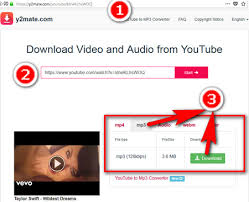
If you don’t want to subscribe to YouTube Music Premium, there are other online services that can help you extract music from YouTube videos. Here are a few options:
- NoTube: This service is free and allows you to download audio from YouTube videos in MP3 or M4A format.
- GrabFrom: Another free service that enables you to download music from YouTube without any ads or obligations.
- Loader: A simple service that allows you to save videos as well as extract music from them.
Method 3: Using Mediahuman Youtube to Mp3 Converter
Another method is using the MediaHuman YouTube to MP3 Converter. This software is free, available for Windows, macOS, and Linux, and can convert YouTube videos into audio files in various formats, including MP3, OGG, and M4A.
- Free Version: The free version has limitations on bitrate and format.
- Subscription: For $11.99/Year, you can upgrade to the premium version with additional features like TurboBoost.
Method 4: Using 4K Youtube to Mp3
The 4K YouTube to MP3 converter is another software that allows you to extract audio from YouTube videos. It’s free and works on Windows and macOS.
- Limitations: The free version has limitations on download quantity and channel registration.
- License Purchase: To bypass these limitations, you can purchase a license for $12.20.
Method 5: Using Tubemate (Android)
If you’re an Android user, you can use TubeMate to extract music from YouTube videos. This app is free and allows you to download audio and video content with ease.
- Download: To install TubeMate, you need to enable unknown sources on your device.
- Usage: After installing, open the app, search for the desired video, select the output format, and hit the download button.
Method 6: Using Command (iOS/iPadOS)
Unfortunately, there isn’t a straightforward method using the iOS or iPadOS. However, you can use the online services mentioned earlier or explore other workarounds like using scripts to accomplish the task.
Extracting music from YouTube videos can be done in various ways, and we’ve explored some of these methods above. While some require subscriptions, others are free and offer similar functionality.


