
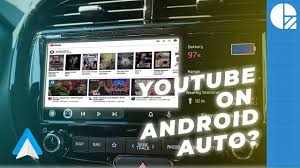
How to Watch Youtube on Android Car: A Step-by-step Guide
Are you tired of being stuck with a boring screen while driving? Do you want to entertain your passengers with their favorite videos on YouTube? Look no further! In this article, we will guide you through the process of watching YouTube on your Android car’s monitor.
What You Need
Before we begin, make sure you have the following:
- A smartphone with Android operating system
- An Android car with a compatible monitor (check if it supports screen mirroring)
- The app AAAD (Android Car Apps Downloader) installed on your phone
Step 1: Download And Install Aaad
To install AAAD, follow these steps:
- Open the Google Play Store on your phone and search for “AAAD”
- Download and install the app
- If you encounter any issues during installation, refer to our troubleshooting section below
Step 2: Download Carstream
CarStream is an application that allows you to stream content from your phone to your car’s monitor. To download CarStream:
- Open AAAD on your phone and navigate to the “Apps” tab
- Search for “CarStream” and select the app to download
- Follow the installation prompts to complete the process
Step 3: Configure Carstream
To configure CarStream, follow these steps:
- Launch CarStream on your car’s monitor
- Sign in with your Google account to access your YouTube content
- Choose the video you want to play and select “Play” to start streaming
Common Issues And Solutions
Here are some common issues that might arise during installation or use of CarStream:
- Black Monitor: If your monitor appears black, try adjusting the energy saving settings on your phone.
- App Discontinues Without Warning: This issue may occur when streaming videos purchased from YouTube. Try updating CarStream to the latest version for a fix.
- Link Errors: Some links within the app might not work. Refer to our troubleshooting section below for solutions.
Tips And Tricks
To get the most out of your CarStream experience:
- Entertain Your Passengers: Share their favorite videos with them while driving!
- Multi-tasking: Use CarStream while still keeping an eye on the road.
- Customize: Adjust settings to suit your preferences for a seamless viewing experience.
Troubleshooting
If you encounter any issues during installation or use of CarStream, try these solutions:
- App Not Found: If the app is not found in AAAD, check if it’s available on the Google Play Store.
- Link Errors: Try updating CarStream to the latest version for a fix.
- App Discontinues Without Warning: Update CarStream and try streaming again.
Conclusion
Watching YouTube on your Android car’s monitor has never been easier. With these step-by-step instructions, you can now entertain your passengers with their favorite videos while driving. Don’t forget to troubleshoot any issues that might arise, and remember to stay safe on the road!
Frequently Asked Questions (FAQs)
- Q: Is it Safe to Watch Youtube on my Android Car’s Monitor?
A: Yes, it is safe as long as you follow our guidelines and keep an eye on the road. - Q: What if I Encounter Issues During Installation or Use of Carstream?
A: Refer to our troubleshooting section above for solutions. - Q: Can I Customize my Viewing Experience With Carstream?
A: Yes, adjust settings to suit your preferences for a seamless viewing experience. - Q: Is it Possible to Stream Other Content on Carstream Apart From Youtube?
A: Yes, you can also stream videos from Netflix and other services using CarStream. - Q: Can I Install Carstream on an Older Version of Android?
A: Unfortunately, no. CarStream requires the latest version of Android for optimal performance.
About Aaad
AAAD (Android Car Apps Downloader) is an application developed to provide users with a platform to download various apps for their Android cars. With AAAD, you can browse and install a range of applications specifically designed for the automotive industry.


