
How to Check if Someone Has Read Your Message on Instagram
In today’s digital age, it’s not uncommon to want to know whether someone has read your message on social media platforms like Instagram. Whether you’re trying to gauge interest or simply seeking reassurance that your message was seen, this article will guide you through the process of checking if someone has read your message on Instagram.
Understanding The Basics
Before we dive into the steps, it’s essential to understand how Instagram works. The platform allows users to send direct messages (DMs) to one another. However, unlike traditional messaging apps, Instagram doesn’t provide an explicit indication that a user has seen or read your message.
Checking if Someone Has Read Your Message on Android/ios
To check if someone has read your message on Instagram using the app, follow these steps:
- Access Instagram: Open the Instagram app on your Android or iOS device.
- Go to The Chat Screen: Tap on the chat icon at the top-right corner of the screen to access the chat section.
- Select The Conversation: Choose the conversation you want to check by tapping on it.
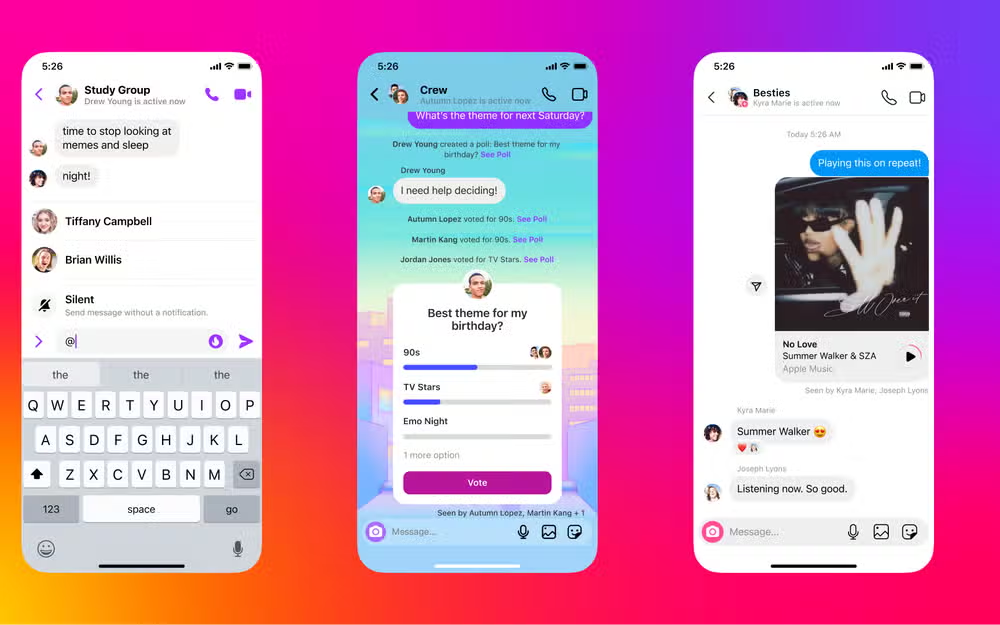
- Look For The “Seen” Indicator: Check if there’s a “Seen” indicator below your message. If you see this, it means the person has read your message.
Checking if Someone Has Read Your Message on PC
To check if someone has read your message on Instagram using a PC, follow these steps:
- Access Instagram: Open the Instagram website in your web browser.
- Click on Messages: Click on the “Messages” tab at the top-right corner of the screen.
- Select The Conversation: Choose the conversation you want to check by clicking on it.
- Look For The “Seen” Indicator: Check if there’s a “Seen” indicator below your message. If you see this, it means the person has read your message.
Checking if Someone Has Read Your Message on Windows
To check if someone has read your message on Instagram using a Windows device, follow these steps:
- Access Instagram: Open the Instagram app on your Windows device.
- Click on Messages: Click on the “Messages” tab at the top-right corner of the screen.
- Select The Conversation: Choose the conversation you want to check by clicking on it.
- Look For The “Seen” Indicator: Check if there’s a “Seen” indicator below your message. If you see this, it means the person has read your message.
Tips And Tricks
- Make sure you have the latest version of Instagram installed on your device.
- Ensure that you’re using the correct account to check for messages.
- If someone has read your message but hasn’t responded, it doesn’t necessarily mean they’ve seen or acknowledged it.
Conclusion
In conclusion, checking if someone has read your message on Instagram is a straightforward process. By following these steps and tips, you’ll be able to gauge whether the recipient has seen your message. Remember that Instagram’s “Seen” indicator only means the person has opened the conversation, not necessarily that they’ve read or acknowledged your message.
Frequently Asked Questions (FAQs)
- Q: Can I See if Someone Has Read my Message on Instagram?
A: Yes, you can see a “Seen” indicator below your message to indicate whether the recipient has seen it. - Q: How do I Access The Chat Screen on Instagram?
A: Tap on the chat icon at the top-right corner of the app or click on the Messages tab on the website. - Q: What Does The “Seen” Indicator Mean?
A: The “Seen” indicator means the person has opened the conversation, but it doesn’t necessarily indicate that they’ve read or acknowledged your message. - Q: Can I Check if Someone Has Read my Message on Pc?
A: Yes, follow the same steps as on mobile devices to check for the “Seen” indicator.


