
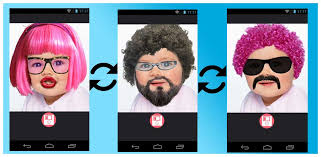
Unlocking Creativity: The Best Apps to Modify Photos on Android And Ios
Are you tired of using the same old filters and editing tools to enhance your photos? Do you want to take your mobile photography game to the next level? Look no further! In this article, we’ll explore the best apps to modify photos on Android and iOS, helping you unlock your creativity and produce stunning visuals.
The Power of Mobile Photography
With the advancement of smartphone technology, mobile photography has become an art form. The ability to capture high-quality images with just a few clicks has made everyone a photographer. However, editing and enhancing these photos can be a whole different story. That’s where these incredible apps come in!
Top Apps to Modify Photos on Android And Ios
- Photo Lab
The first app we want to highlight is Photo Lab, available for both Android and iOS devices. This user-friendly app offers an array of effects, filters, and other elements that can be applied to your photos. With a vast library of options, you’ll never run out of creative possibilities.
How to Use Photo Lab: A Step-by-step Guide
To get started with Photo Lab, follow these simple steps:
- Download and install the app from the Play Store or App Store.
- Launch the app and select the category of effects you want to apply.
- Choose a filter that suits your taste and style.
- Select a photo from your gallery or take a new one using the in-app camera.
- Apply the chosen effect, and voilà! Your edited photo is ready.
Other Amazing Apps to Modify Photos
While Photo Lab is an excellent starting point, there are many other fantastic apps to explore. Here are some more recommendations:
- Photofunia: This app offers a vast library of effects, filters, and other elements that can be applied to your photos.
- Picsart: Photo & Video Editor: A versatile app that allows you to edit, design, and create collages with ease.
- Youcam Fun: A fun app that lets you apply various filters, effects, and stickers to your photos.
- Selfish – Funny Face Masks: An iOS-exclusive app that enables you to create hilarious selfie masks using over 1,000 effects.
For PC And Mac Users: Don’t Miss Out!
If you’re a PC or Mac user looking for alternatives to these mobile apps, there are plenty of great options available. Here are some recommendations:
- Gimp: A free, open-source photo editing software that offers a wide range of features.
- Photoshop: The industry-standard software for graphic design and photo editing.
- Pho.To: An online service that allows you to apply various effects and filters to your photos.
Conclusion
In conclusion, the best apps to modify photos on Android and iOS offer an incredible array of creative possibilities. From applying effects and filters to designing collages and creating hilarious selfie masks, these apps will unlock your creativity and help you produce stunning visuals. So, go ahead, experiment with these amazing tools, and take your mobile photography game to the next level!
Frequently Asked Questions
Q: What is the best app to modify photos on Android?
A: Photo Lab is an excellent choice for Android users.
Q: Can I use these apps on PC or Mac?
A: Yes, there are great alternatives available for PC and Mac users, including GIMP, Photoshop, and Pho.To.
Q: Are these apps free?
A: Some of the apps mentioned above offer free versions, while others require a subscription or in-app purchases.
Q: Can I use multiple effects on one photo?
A: Yes, most of these apps allow you to apply multiple effects and filters to your photos.
Q: How do I share my edited photos on social media?
A: All of the apps mentioned above offer easy sharing options for social media platforms.
Q: What is the best app for beginners?
A: Photo Lab and PhotoFunia are excellent choices for beginners, offering a user-friendly interface and a wide range of creative possibilities.
Q: Can I use these apps to edit videos?
A: Yes, some of the apps mentioned above, such as PicsArt and YouCam Fun, allow you to edit videos using various effects and filters.


