
How to Download Albums From Youtube
Are you tired of searching for your favorite songs on YouTube only to find that they’re not available offline? Do you want to enjoy your favorite music without any internet connection? Look no further! In this article, we will guide you through the process of downloading albums from YouTube using various methods.
Informazioni Preliminari
Before we dive into the details, let’s cover some essential information. The most straightforward and legal way to download music from YouTube is by using their official service, YouTube Music. This service allows users to stream music for free with ads or upgrade to a premium subscription for ad-free experience and offline playback.
How to Download Albums From Youtube Using Youtube Music
To download albums from YouTube using YouTube Music, follow these steps:
- Install The Youtube Music App: Download and install the official YouTube Music app on your smartphone or tablet.
- Sign In With Your Google Account: Sign in with your Google account to access the service.
- Explore Albums: Browse through various albums available on YouTube Music by searching for specific artists, songs, or genres.
- Download an Album: Tap on the album you’d like to download and select the “Download” option.
Other Solutions to Download Albums From Youtube
If you’re looking for alternative methods, here are some options:
- Youtube Music Premium: Upgrade to a premium subscription to enjoy ad-free music, offline playback, and background listening.
- Youtube Premium: Another paid service that offers ad-free videos, exclusive content, and offline playback.
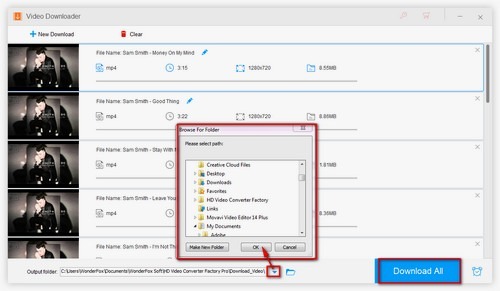
How to Download Albums From Youtube Using Software
If you prefer using software to download albums from YouTube, here are some options:
- 4K Video Downloader (Windows/MacOS/Linux): A free software that allows you to download YouTube videos in various formats.
- Mediahuman Youtube to Mp3 Converter (Windows/MacOS/Linux): A software that converts YouTube videos to MP3 format.
- Lace Music Downloader (Windows): A simple and easy-to-use software that downloads music from YouTube.
How to Download Albums From Youtube Online
If you don’t want to download any software, here are some online solutions:
- Notube: A web-based service that allows you to download YouTube videos in various formats.
- Grabfrom: An online tool that helps you download music from YouTube in various formats.
Conclusion
Downloading albums from YouTube is a straightforward process. With the right tools and knowledge, you can enjoy your favorite music offline. Remember to always respect copyright laws and use any downloaded content responsibly.
Faqs
-
What Are The Benefits of Using Youtube Music?
- Ad-free experience
- Offline playback
- Background listening
-
How do I Download Albums From Youtube Using Software?
- Install a compatible software (e.G., 4K Video Downloader, MediaHuman YouTube to MP3 Converter)
- Follow the software’s instructions to download an album
-
Can I Download Albums From Youtube Online?
- Yes, there are various web-based services that allow you to download music from YouTube (e.G., NoTube, GrabFrom)
-
What Are The Differences Between Youtube Music And Youtube Premium?
- YouTube Music focuses on music streaming and downloading
- YouTube Premium offers ad-free videos, exclusive content, and offline playback
-
Can I Download Albums From Youtube Using a Browser Extension?
- Yes, some browser extensions (e.G., YouTube Downloader) allow you to download music from YouTube.
-
How do I Play Downloaded Albums on my Device?
- Most devices support playing downloaded music files in various formats (e.G., MP3).
-
Can I Transfer Downloaded Albums to Other Devices?
- Transferring music files to other devices depends on the specific format and compatibility of your device.
-
How do I Update my Software or Browser Extension For Downloading Albums From Youtube?
- Check the official website or developer’s instructions for updates and guidelines.


