
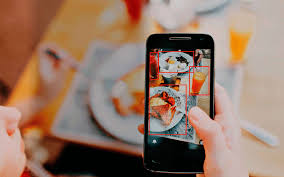
The Ultimate Guide to Object Recognition Apps
Are you tired of struggling to identify objects in your surroundings? Do you often find yourself wondering about the cultural or historical significance of a particular artifact? Well, wonder no more! In this article, we’ll explore the world of object recognition apps that can help you unlock the secrets of the objects around you.
What Are Object Recognition Apps?
Object recognition apps are software programs that use artificial intelligence (AI) and machine learning algorithms to identify objects in images or videos. These apps can recognize a wide range of objects, from famous landmarks to everyday items like books or utensils.
Benefits of Using Object Recognition Apps
Using object recognition apps has numerous benefits, including:
- Convenience: These apps are easily accessible on your smartphone or tablet, making it easy to identify objects on-the-go.
- Accuracy: AI-powered algorithms used in these apps ensure high accuracy rates, reducing the likelihood of incorrect identifications.
- Fun And Educational: Object recognition apps can be a fun and engaging way to learn about history, culture, and science.
Top Object Recognition Apps
Here are some of the top object recognition apps available for both Android and iOS devices:
1. Google Image Search (Android/iOS/*iPadOS)
The first app on our list is the Google Image Search app, which is part of the Google suite. This app allows you to take a photo of an object using your device’s camera or select an image from your gallery. The AI-powered algorithm will then identify the object and provide relevant information.
How to Use Google Image Search
To use Google Image Search, follow these steps:
- Download and install the app on your Android or iOS device.
- Open the app and tap on the camera icon to take a photo of the object.
- Alternatively, you can select an image from your gallery.
- Wait for the algorithm to process the image and provide identification.
2. Imagesearchman (*Android)
ImageSearchMan is another popular object recognition app available for Android devices. This free app allows you to search for images on Google using a simple interface.
How to Use Imagesearchman
To use ImageSearchMan, follow these steps:
- Download and install the app on your Android device.
- Open the app and tap on the menu icon (three horizontal lines).
- Select “Search by Images” from the menu.
- Choose an image from your gallery or take a new photo using the camera.
- Wait for the algorithm to process the image and provide identification.
3. Reversee (iOS/iPadOS)
Reversee is a free object recognition app available for iOS devices, including iPads. This app allows you to search for objects by taking a photo or selecting an image from your gallery.
How to Use Reversee
To use Reversee, follow these steps:
- Download and install the app on your iOS device.
- Open the app and tap on the “Choose” button to select an image from your gallery.
- Alternatively, you can take a new photo using the camera.
- Wait for the algorithm to process the image and provide identification.
4. Identify Anything (Android/iOS)
Identify Anything is another free object recognition app available for both Android and iOS devices. This app uses AI-powered algorithms to identify objects in images or videos.
How to Use Identify Anything
To use Identify Anything, follow these steps:
- Download and install the app on your Android or iOS device.
- Open the app and select an image from your gallery or take a new photo using the camera.
- Wait for the algorithm to process the image and provide identification.
5. Enquiry Imagine Reverse (iOS/iPadOS)
Enquiry Imagine Reverse is a free object recognition app available for iOS devices, including iPads. This app allows you to search for objects by taking a photo or selecting an image from your gallery.
How to Use Enquiry Imagine Reverse
To use Enquiry Imagine Reverse, follow these steps:
- Download and install the app on your iOS device.
- Open the app and tap on the “Choose” button to select an image from your gallery.
- Alternatively, you can take a new photo using the camera.
- Wait for the algorithm to process the image and provide identification.
Conclusion
Object recognition apps are powerful tools that can help you unlock the secrets of the objects around you. Whether you’re interested in history, culture, or science, these apps can provide valuable information and insights. With so many great options available, it’s never been easier to identify objects on-the-go!
What’s Next?
In our next article, we’ll explore more object recognition apps and their features. Stay tuned!


