
The Ultimate Guide to Apple Wallet: Adding Cards, Tickets, And More
Are you tired of carrying around a physical wallet or multiple cards in your pocket? Look no further than Apple Wallet, the ultimate digital wallet experience on your iPhone and Apple Watch.
In this comprehensive guide, we’ll take you through everything you need to know about adding cards, tickets, and more to Apple Wallet. From credit and debit cards to loyalty cards and event tickets, we’ll show you how to make the most of this convenient feature.
What is Apple Wallet?
Apple Wallet is a digital wallet that allows you to store your credit and debit cards, loyalty cards, coupons, and other passes in one place on your iPhone or Apple Watch. With Apple Wallet, you can make payments, check balances, and even track rewards all from the comfort of your own device.
Adding Cards to Apple Wallet
To add a card to Apple Wallet, follow these simple steps:
- Open the Wallet app on your iPhone.
- Tap the “+” icon in the top-right corner.
- Select “Add Card” and choose the type of card you want to add (e.G., Credit or debit).
- Enter the card details manually or use the camera to scan the card.
- Review and agree to the terms of service.
Adding Tickets And Passes to Apple Wallet
In addition to cards, you can also add tickets and passes to Apple Wallet. To do this:
- Open the Wallet app on your iPhone.
- Tap the “+” icon in the top-right corner.
- Select “Add Ticket or Pass” and choose the type of ticket or pass you want to add (e.G., Event ticket or loyalty card).
- Enter the ticket or pass details manually or use the camera to scan a QR code.
- Review and agree to the terms of service.
Using Apple Wallet
Once you’ve added cards, tickets, and passes to Apple Wallet, it’s easy to use them to make payments, check balances, and more. To do this:
- Open the Wallet app on your iPhone or Apple Watch.
- Select the card or ticket you want to use.
- Make a payment or perform another action (e.G., Checking a balance).
Tips And Tricks
Here are some additional tips and tricks for using Apple Wallet:
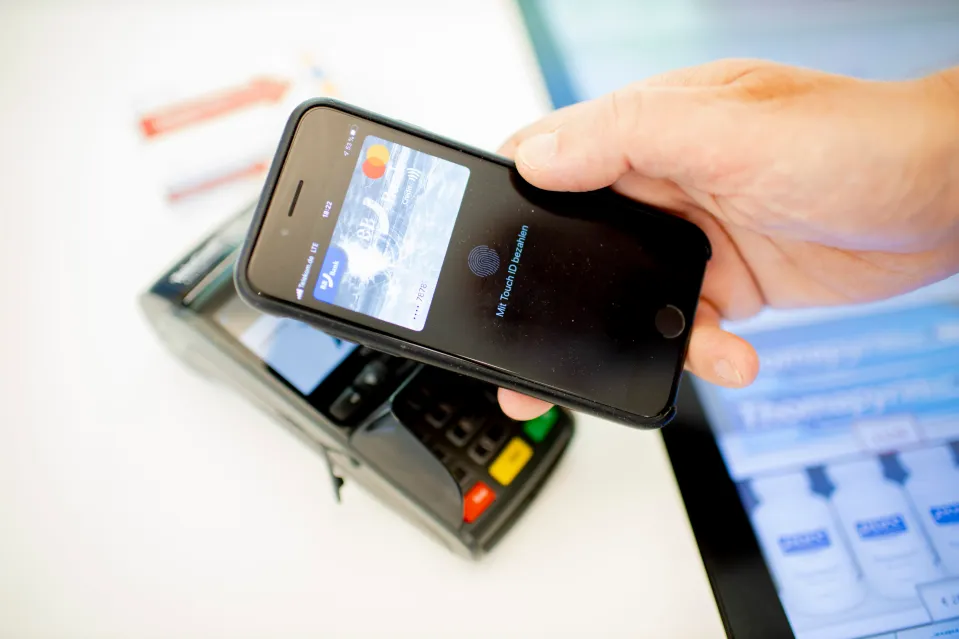
- Use Face ID or Touch ID: To make payments with Apple Wallet, simply tap your iPhone or Apple Watch with Face ID or Touch ID.
- Track Rewards: With Apple Wallet, you can track rewards and balances all from the comfort of your own device.
- Share Tickets And Passes: You can share tickets and passes with friends and family directly from the Wallet app.
Frequently Asked Questions
Here are some frequently asked questions about Apple Wallet:
- What Types of Cards Can I Add to Apple Wallet?
You can add credit, debit, loyalty, and other passes to Apple Wallet. - How do I Make Payments With Apple Wallet?
To make payments, simply tap your iPhone or Apple Watch with Face ID or Touch ID. - Can I Share Tickets And Passes With Friends And Family?
Yes, you can share tickets and passes directly from the Wallet app. - Is Apple Wallet Secure?
Apple Wallet uses advanced security measures to protect your sensitive information.
Conclusion
Apple Wallet is an incredibly convenient feature that allows you to store all of your cards, tickets, and passes in one place on your iPhone or Apple Watch. With this guide, we’ve shown you how to add cards, tickets, and more to Apple Wallet, as well as use it to make payments, check balances, and more. So why wait? Get started with Apple Wallet today!
Faqs
- What is The Difference Between Apple Pay And Apple Wallet?
Apple Pay is a service that allows you to make payments with your iPhone or Apple Watch, while Apple Wallet is a digital wallet that stores your cards, tickets, and passes. - Can I Add Multiple Cards to Apple Wallet?
Yes, you can add multiple cards to Apple Wallet. - How do I Delete a Card From Apple Wallet?
To delete a card, open the Wallet app, select the card you want to delete, and tap “Remove Card”. - Can I Use Apple Wallet on my Mac?
Yes, you can use Apple Wallet on your Mac with Touch ID. - Is Apple Wallet Available in All Countries?
Apple Wallet is available in many countries around the world, but availability may vary depending on where you live.
Conclusion
We hope this guide has been helpful in showing you how to add cards, tickets, and more to Apple Wallet. With its advanced security measures and convenient features, Apple Wallet is an essential tool for anyone looking to simplify their digital life. So why wait? Get started with Apple Wallet today!


