
App For Reaching Occupied Numbers: A Game-changer in Communication
Are you tired of constantly encountering busy signals when trying to reach someone? Do you find yourself repeatedly redialing a number, only to be met with an engaged tone? If so, this article is for you.
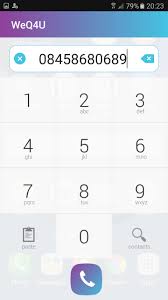
In this piece, we will explore the world of apps that can help you auto-dial occupied numbers on your Android or iPhone device. We’ll delve into the features and functionalities of these apps, highlighting their benefits and limitations.
The Problem of Busy Signals
Busy signals are a frustrating phenomenon that can occur when trying to reach someone over the phone. Whether it’s due to high call volumes, network congestion, or simply an engaged line, busy signals can be a real nuisance.
Android Apps For Reaching Occupied Numbers
For Android users, there are several apps available that can help you auto-dial occupied numbers. Some of these apps include:
- Ricomposizione Automatica
- This app is designed to automatically redial occupied numbers on your Android device.
- It’s free to download and use, with some ads inserted along the way.
- The app allows you to set up to 10 different phone numbers for auto-redialing.
- You can also customize the interval between attempts and the maximum number of retries.
- Ricomposizione Automatica – RE
- This app offers similar features to Ricomposizione Automatica, with some additional settings and customization options.
- It’s available as a free download from the Google Play Store.
Iphone Apps For Reaching Occupied Numbers
For iPhone users, there are fewer options available compared to Android devices. However, there are still some alternatives worth considering:
- Siri
- Apple’s built-in virtual assistant can be used to auto-dial occupied numbers.
- Simply activate Siri, compose the number you want to call, and say “Call [number]”.
- You can also set up custom Siri commands for frequently called numbers.
How These Apps Work
These apps work by automatically redialing a phone number at specified intervals until it’s answered. Some of these apps also allow you to customize settings such as:
- Maximum Attempts
- Interval Between Attempts
- Number of Retries
- Call Duration
By using one of these apps, you can save yourself the hassle of repeatedly redialing a number and waiting for it to be answered.
Benefits And Limitations
While these apps offer several benefits, there are also some limitations to consider:
- Freezing or Crashing: Some users have reported issues with apps freezing or crashing during the auto-redial process.
- Battery Drain: Running an app in the background can potentially lead to increased battery consumption.
Conclusion
In conclusion, these apps offer a convenient solution for reaching occupied numbers on both Android and iPhone devices. While there are some limitations to consider, the benefits of using these apps far outweigh any potential drawbacks.
Whether you’re a busy professional or simply someone who values convenience, one of these apps can be a valuable addition to your smartphone repertoire.
Frequently Asked Questions (FAQs)
- Q: Can I Use These Apps on Multiple Devices?
A: Yes, some of these apps allow for cross-device compatibility. - Q: Are These Apps Secure?
A: Most of the apps mentioned above are free to download and use, but it’s essential to exercise caution when installing any app from an unofficial source. - Q: Can I Customize Settings on my Android Device?
A: Yes, most of the apps for Android devices allow for customization of settings such as maximum attempts, interval between attempts, and number of retries. - Q: How do I Use Siri to Auto-dial Occupied Numbers on an Iphone?
A: To use Siri, activate it by saying “Hey Siri” or long-pressing the home button. Then, compose the phone number you want to call and say “Call [number]”. - Q: Are There Any Fees Associated With Using These Apps?
A: Some of the apps mentioned above offer in-app purchases or premium features for a fee, but most are free to download and use. - Q: Can I Use These Apps on my Ipad?
A: Yes, some of the apps can be used on an iPad, but compatibility may vary depending on the app and your device’s operating system.
The Bolded Title of The Second Table
Auto-dial Apps For Android Devices: Comparison Chart
| App Name | Features | Availability | Price |
|---|---|---|---|
| Ricomposizione Automatica | Auto-dials occupied numbers, customizes settings | Google Play Store | Free (with ads) |
| Ricomposizione Automatica – RE | Offers similar features to Ricomposizione Automatica with additional settings and customization options | Google Play Store | Free (with ads) |
Note: The above chart is a comparison of the two apps mentioned for Android devices, highlighting their key features, availability, and pricing.


