
How to Forward Calls on Iphone: A Step-by-step Guide
Are you tired of missing important calls because you’re busy or away from your phone? Do you want to know how to forward calls on your iPhone? Look no further! In this article, we’ll show you exactly how to do it.
Understanding Call Forwarding
Call forwarding is a feature that allows you to redirect incoming calls to another number. This can be useful if you’re unable to answer calls yourself or if you want to transfer them to someone else. On an iPhone, call forwarding can be done using special codes that you enter into your phone’s dialer.
Why Forward Calls on Your Iphone?
There are many reasons why you might want to forward calls on your iPhone. Here are a few:
- You’re busy and can’t answer calls yourself
- You’re away from your phone and don’t have access to it
- You want to transfer calls to someone else
- You want to avoid missing important calls
Step 1: Open The Phone App
To forward calls on your iPhone, you’ll first need to open the Phone app. This is probably already on your home screen, but if not, you can find it in your app library.
Step 2: Dial The Special Code
Once you’re in the Phone app, you’ll need to dial a special code to activate call forwarding. The code varies depending on what kind of forwarding you want to do (more on this below). For now, let’s focus on the basics:
- To forward calls that don’t answer, dial 61 followed by the number you want to forward to.
- To forward calls that go straight to voicemail, dial 62 followed by the number you want to forward to.
- To forward all calls, including those that are answered, dial 67 followed by the number you want to forward to.
Step 3: Enter The Number
After you’ve entered the special code, enter the phone number you want to forward calls to. Make sure to include any international prefixes (like +39 for Italy).
Step 4: Tap The Green Button
Once you’ve entered both the code and the number, tap the green button to initiate call forwarding.
What Happens Next?
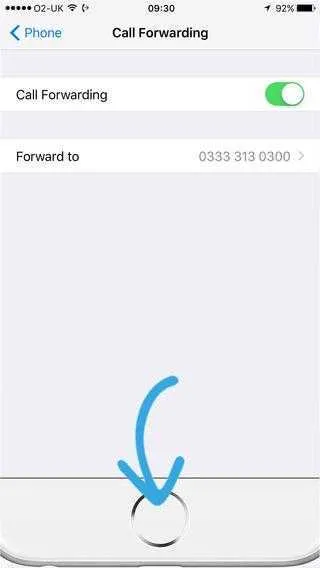
When you activate call forwarding on your iPhone, you’ll see a notification that says “Call Forwarding” with an arrow pointing right. This means it’s working! Now, whenever someone calls your phone, their call will be forwarded to the number you specified.
How to Disable Call Forwarding
If you ever need to turn off call forwarding, don’t worry – it’s easy. Just dial 21#, followed by the green button, and voilà!
And that’s it! With these simple steps, you should now know how to forward calls on your iPhone.
Tips And Variations
Here are some additional tips and variations for call forwarding:
- If you want to forward all calls, including those that are answered, use the 67 code.
- To forward calls that go straight to voicemail, use the 62 code.
- For more advanced call forwarding options, such as conditional call forwarding based on time of day or caller ID, consider using third-party apps.
By following these steps and tips, you can enjoy the benefits of call forwarding on your iPhone. Happy calling!
References
- Mondadori Computer Science
- The Messenger


