
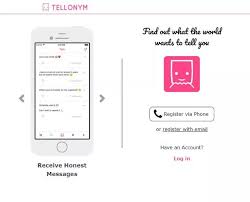
Tellonym: A Guide to Recording on Smartphone, Tablet, And Computer
Are you curious about Tellonym, a social network that allows users to send anonymous messages? Have you tried to create an account but faced difficulties? Don’t worry! This guide will walk you through the process of recording on Tellonym using your smartphone, tablet, or computer.
What You Need to Know Before Recording on Tellonym
Before we dive into the step-by-step guide, it’s essential to know that:
- To record on Tellonym, you must be at least 17 years old.
- If you’re under 17, you can create an account with your parent or guardian’s consent.
Recording on Tellonym Using Smartphone And Tablet
If you want to record on Tellonym using your smartphone or tablet, follow these steps:
- Download The Tellonym App: Get the Tellonym app from the Google Play Store (for Android devices) or the Apple App Store (for iPhone and iPad).
- Create a New Account: Open the app and tap on “Sign in with Google” or “Sign in with Apple.” If you prefer to use your email address, tap on “Recorded with Email.”
- Fill in Your Information: Enter your name, age, and other required details.
- Accept Terms of Use: Read and accept the terms of use for Tellonym.
Recording on Tellonym Using Computer
If you want to record on Tellonym using your computer, follow these steps:
- Visit The Official Website: Go to the official Tellonym website.
- Click on “Recorded With Password”: Click on this option and fill in your name and other required details.
- Create a New Account: Follow the prompts to create a new account using your email address or Google/Apple ID.
- Fill in Your Information: Enter your age, name, and other required details.
- Accept Terms of Use: Read and accept the terms of use for Tellonym.
Troubleshooting Common Issues
If you encounter any issues while creating an account on Tellonym, don’t worry! You can:
- Visit the Tellonym Help Center: Go to the “Info Center” section on the official website.
- Check out the FAQs: Click on the “FAQs” tab and see if your question is answered.
- Contact the Support Team: Fill in your details and send a message to the support team.
Conclusion
Recording on Tellonym using your smartphone, tablet, or computer is now easier than ever! By following these step-by-step guides, you’ll be able to create an account and start sending anonymous messages. Remember to read and accept the terms of use before completing the recording process.
Frequently Asked Questions (FAQs)
- What do I Need to Create a Tellonym Account?
- To record on Tellonym, you must be at least 17 years old.
- Can I Create an Account if I’m Under 17?
- Yes, but you’ll need your parent or guardian’s consent.
- How do I Download The Tellonym App?
- Get it from the Google Play Store (for Android devices) or the Apple App Store (for iPhone and iPad).
- Can I Record on Tellonym Using my Computer?
- Yes! Visit the official website, click on “Recorded with Password,” and follow the prompts.
- How do I Contact The Support Team if I Have Issues?
- Fill in your details and send a message to the support team at [email protected].
- What Should I do if my Account is Not Verified?
- Try re-verifying your account by following the prompts.
- Can I Change my Email Address Associated With my Tellonym Account?
- Yes! Go to the “Info Center” section on the official website and follow the instructions.


