
How to Transform Pdf Into Excel: A Step-by-step Guide
Are you struggling to edit a picture or a valuable document contained in a PDF file? If so, this article is here to help. You can transform your PDF files into a more suitable format like XLS or XLSX, and then make the desired modifications using Microsoft Excel or other software like LibreOffice or Numbers.
Why Convert Pdf to Excel?
Converting PDF to Excel offers several benefits. Firstly, it allows you to edit and modify the contents of the file, which may not be possible in the original PDF format. Secondly, it enables you to manipulate data more efficiently using Excel’s powerful features.
What Tools Can I Use to Transform Pdf Into Excel?
There are various tools available that can help you transform your PDF files into Excel-compatible formats. Some popular options include:
Adobe Acrobat: A Powerful Tool For Pdf Editing And Conversion
Adobe Acrobat is a software developed by Adobe Systems, the company behind the PDF format. This tool allows you to visualize and modify documents in various formats, including PDF. The free version of Adobe Acrobat can be used to edit and convert PDF files.
To use Adobe Acrobat, follow these steps:
- Download and install Adobe Acrobat on your computer.
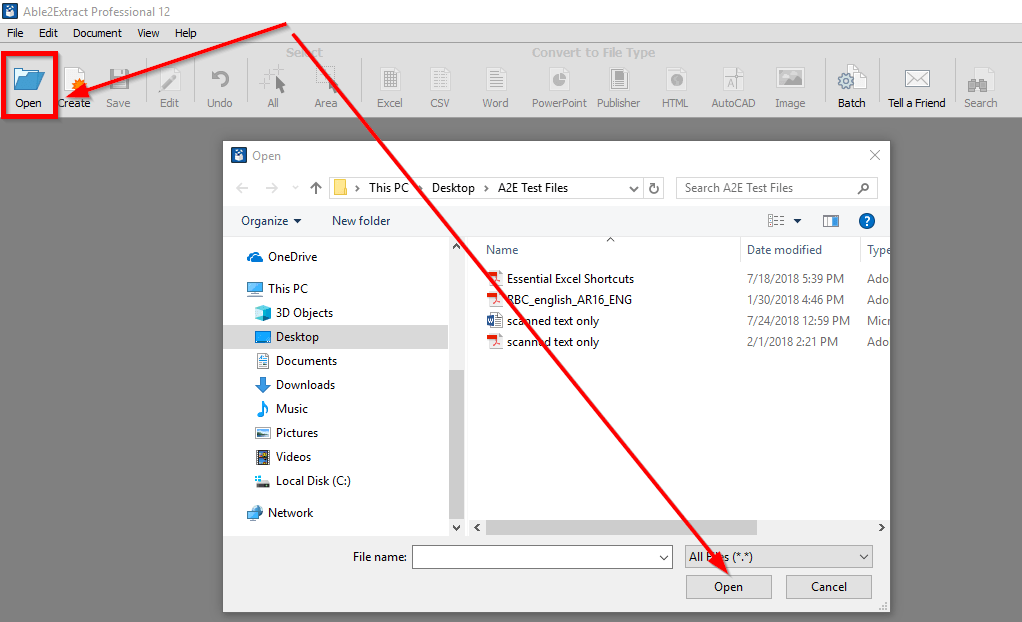
- Open Adobe Acrobat and select the file you want to edit or convert.
- Click on “File” > “Open” and choose the PDF file.
- If the document is a scan, activate the OCR (Optical Character Recognition) feature by clicking on the menu icon in the top-right corner.
- Select “Export” from the menu, then choose the format you want to export the file as (e.G., Excel).
- Choose the location where you want to save the exported file.
Pdf Candy: A Convenient Online Service For Pdf Conversion
If you don’t have Adobe Acrobat or prefer not to download software, you can use online services like PDF Candy to transform your PDF files into Excel-compatible formats.
To use PDF Candy:
- Go to the PDF Candy website and select the “Convert” option.
- Drag and drop the file you want to convert onto the interface.
- Wait for the conversion process to complete.
- Download the converted file as an Excel document.
Other Online Services For Pdf Conversion
There are other online services available that can help you transform your PDF files into Excel-compatible formats, such as:
- Online2pdf: A free service that converts documents and images into PDF format and allows for further editing.
- Pdf2go: A suite of online tools for editing and converting PDF files without any file size limitations.
Mobile Apps For Pdf Conversion
If you prefer to use mobile apps, there are several options available:
- Ilovepdf (iOS/Android/iPadOS): A popular app that converts PDF files into Excel-compatible formats.
- Pdf to Excel Converter (iOS/Android/iPadOS): An easy-to-use app that converts PDF files directly into Excel format.
Tips And Tricks
When using these tools, keep the following tips in mind:
- Make sure you have a stable internet connection when using online services.
- Be aware of file size limitations for some online services.
- Use the latest version of Adobe Acrobat to ensure compatibility with other software.
- Always check the privacy policies of online services before using them.
Conclusion
Converting PDF files into Excel-compatible formats can be a straightforward process with the right tools and knowledge. By following these step-by-step guides, you should be able to edit your valuable documents more efficiently.


