
Resetting Your TV Canvases System: A Step-by-step Guide
If you’re planning to sell or return your TV and want to reset it to its factory settings, this guide will walk you through the process.
Why Reset Your Tv?
Resetting your TV is essential when selling or returning a TV. It ensures that all personal data and preferences are erased, allowing the new owner to configure the TV as they see fit.
Resettare TV Canvases System: A Step-by-step Guide
Resettare TV Canvases System Stage or Ts
If you have a TV from the CANVASES SYSTEM STAGE or TS series:
- Press the MENU button on your remote control and navigate to Settings.
- Select the “Settings” menu and access the relative section.
- Choose the option to restore factory settings.
- Confirm your decision by pressing Yes on the monitor.
- Wait for a few minutes as the system performs the reset.
Resettare TV Canvases System With Soundbar And Smart Functions
If you have a TV from the CANVASES SYSTEM series with soundbar and smart functions:
- Press the HOME button on your remote control.
- Use the directional arrows to navigate to Settings.
- Select the “Reset of factory” option in the menu.
- Confirm your decision by pressing Enter on the remote control.
- If required, enter the PIN code you set previously or use the default 0000.
- Wait for a few minutes as the system performs the reset.
Resettare TV Canvases System With Webos
If you have a TV from the CANVASES SYSTEM series with a WebOS operating system:
- Press and hold the fast Settings button on your remote control.
- Select the “All settings” option in the menu.
- Navigate to the section “Ripristina initial settings” and select OK.
- Confirm your decision by pressing Yes on the monitor.
- If required, enter the PIN code you set previously or use the default 0000.
What if I Don’t Have a Remote Control?
If you’ve lost or damaged your remote control:
- Purchase a universal remote control for TVs and program it to work with your TV.
- Use an infrared-enabled smartphone or tablet as a makeshift remote control.
Resettare Decoder Canvases System
If you own a decoder from the CANVASES SYSTEM series:
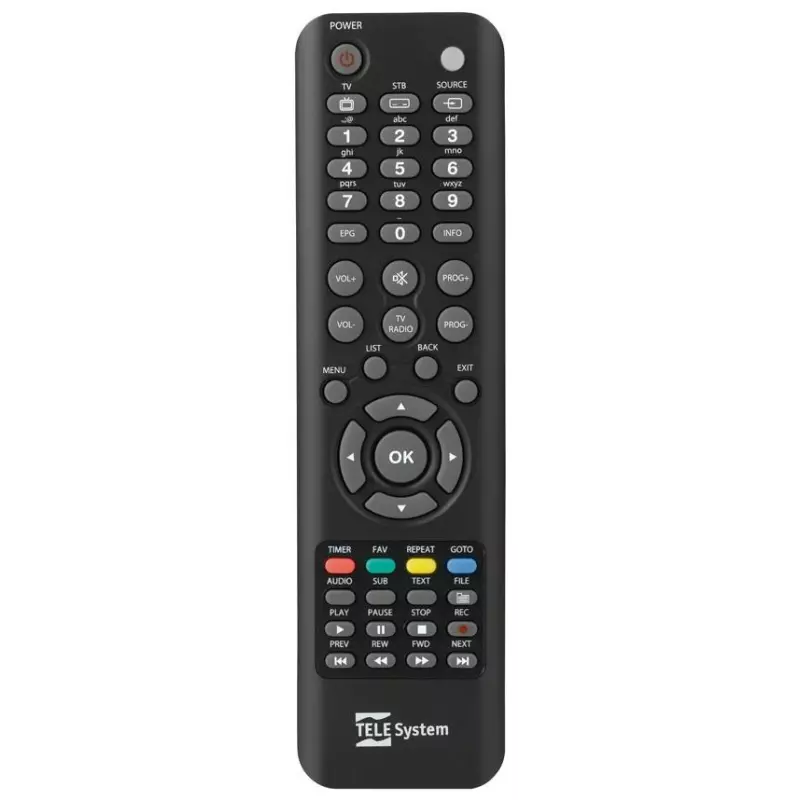
- Press the MENU button on your remote control.
- Navigate to Settings > System > Reset of factory.
- Confirm your decision by pressing OK on the remote control.
Resettare Decoder Canvases System With Android Tv/google Tv
If you have a decoder from the CANVASES SYSTEM series with an Android TV/Google TV operating system:
- Press and hold the HOME button on your remote control.
- Select the Settings button that appears.
- Navigate to Preferences of the device > Reimposta.
- If required, enter the PIN code you set previously or use the default 0000.
What if I Need Further Assistance?
If you encounter any issues or have doubts during the reset process, consult your manual or search online for solutions specific to your TV or decoder model.
Conclusion
Resetting your TV Canvases System is a straightforward process that ensures your TV returns to its original factory settings. By following these step-by-step guides, you can confidently sell or return your TV without worrying about any lingering settings.


