
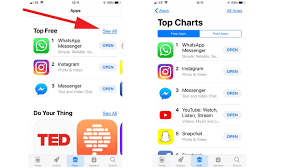
How to Download Free Apps on Iphone: A Comprehensive Guide
Are you tired of shelling out money for apps that you can get for free? Look no further! In this article, we’ll show you how to download free apps on your iPhone, using various methods and tools.
What’s The Problem With Paid Apps?
We all love our iPhones, but let’s face it – buying paid apps can be a real pain in the wallet. With so many amazing apps out there, it’s frustrating when we have to pay for them. But fear not, dear reader! There are ways to get around this issue.
Method 1: Utilizing Reddit
Reddit is an amazing platform that connects users from all over the world. And did you know that you can use it to find free apps? That’s right! Simply navigate to the Apphookup section of the site and search for apps that are currently on sale or available for free.
How to Use Reddit to Find Free Apps
To access the AppHookup section, follow these steps:
- Open the Reddit app (or use a web browser).
- Navigate to the AppHookup section.
- Search for apps using the search bar.
- Browse through the results and look for apps with “free” or “on sale” labels.
Method 2: Using Apps Sliced
Apps Sliced is another fantastic tool that helps you find free apps. This platform continuously monitors the App Store and provides a list of apps that are currently discounted or available for free.
How to Use Apps Sliced
To access the app, follow these steps:
- Visit the Apps Sliced website.
- Browse through the list of apps on offer.
- Search for specific apps using the search bar.
- Click on an app’s icon to view its details and download it directly from the App Store.
Method 3: Using Apps Gone Free
This method is similar to Apps Sliced, but with a twist! This platform allows you to browse through apps that are currently available for free, even if they’re usually paid.
How to Use Apps Gone Free
To access the app, follow these steps:
- Download and install the Apps Gone Free app.
- Open the app and navigate to the “Today’s App” section.
- Browse through the list of free apps on offer.
- Click on an app’s icon to view its details and download it directly from the App Store.
Method 4: Using App Store Search
Did you know that you can search for free apps within the App Store itself? It’s true! Simply tap on the “Search” tab at the bottom of the screen, type in your desired app name or category, and voilà!
Tips And Tricks
- Always check the app’s description and reviews to ensure it’s safe and compatible with your device.
- Be cautious when downloading apps from unknown sources, as they may contain malware or other security risks.
Conclusion
Downloading free apps on iPhone is a breeze! With these methods and tools at your disposal, you can say goodbye to those pesky paid app fees. Whether you’re using Reddit, Apps Sliced, Apps Gone Free, or the App Store’s built-in search function, there’s an easy way to find the perfect free app for your needs.
Frequently Asked Questions (FAQs)
- What’s The Difference Between These Methods?
Each method offers a unique approach to finding free apps on iPhone. Reddit and Apps Sliced rely on user contributions and algorithmic searches, while Apps Gone Free provides a curated list of currently available free apps.
2. Are These Methods Safe?
Yes! All the methods mentioned are completely safe and legitimate ways to download free apps on your iPhone. Just remember to be cautious when downloading from unknown sources.
3. Can I Use Multiple Methods at Once?
Absolutely! Feel free to mix and match these methods to find the perfect app for you. Experiment with different combinations to see what works best for your needs.
4. Do These Methods Work on Other Apple Devices Too?
While these methods are specifically designed for iPhone, some may also be compatible with iPad or iPod touch. However, it’s always a good idea to check compatibility before using any of these methods on non-iPhone devices.
Conclusion (Again)
We hope this comprehensive guide has helped you navigate the world of free app downloads on your iPhone! With these methods and tools at your disposal, you can discover new apps without breaking the bank. Happy downloading!


