
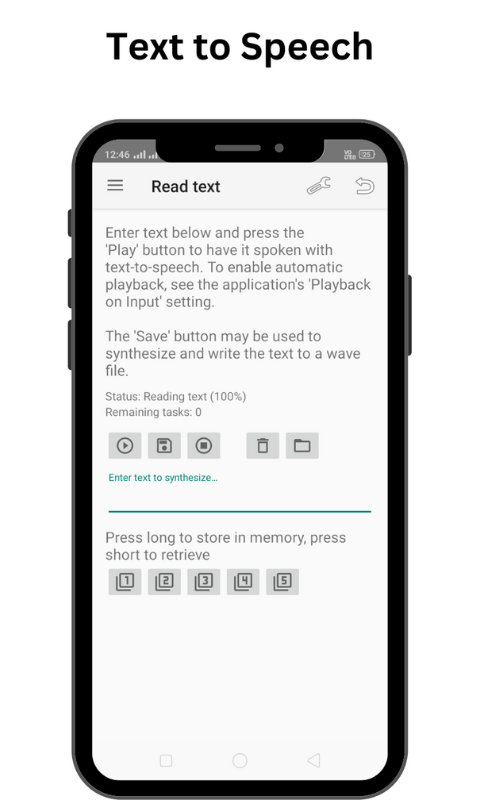
Are you tired of struggling to read long texts on your smartphone or tablet? Do you wish there was a way to transform written words into spoken language, making it easier to consume and retain information? Look no further! In this article, we’ll explore the world of text-to-speech (TTS) apps, which can revolutionize the way you interact with digital content.
The Native Tts Function: A Hidden Gem
Before diving into third-party apps, let’s take a look at the native TTS function available on both Android and iOS devices. This feature, often overlooked, allows users to activate voice synthesis within accessibility settings.
- On Android devices, go to Settings > Accessibility > Select to Speak, and toggle it on.
- On iOS devices, navigate to Settings > Accessibility > Spoken Content, and enable it.
Vocal Synthesis: The Power of Voice
One of the most popular TTS apps is Vocal Synthesis. This app allows users to execute vocal synthesis from a text, website, or PDF file. Available for free download on Android devices (and also on alternative stores), Vocal Synthesis offers an intuitive interface and decent performance.
Text-to-speech: The Next Generation
Another highly-regarded TTS app is Text-to-Speech. This app boasts an impressive range of features, including the ability to read documents, PDFs, books, and even scan physical documents. It’s available for free download on Android devices (and also on alternative stores), with a premium version offering additional voices and languages.
Speechify: The Ultimate Tts App
For those seeking a more comprehensive TTS experience, Speechify is an excellent option. This app not only transforms written text into spoken language but also allows users to scan physical documents using their smartphone’s camera. Available for free download on Android, iOS, and iPadOS devices, Speechify offers a premium version with advanced AI capabilities.
Ocr: Unlocking The Power of Images
IOS devices come equipped with an OCR (Optical Character Recognition) feature that can capture text from images. This native function can be used in conjunction with TTS apps to extract and read text from photos.
The Best Tts Apps For You
So, which TTS app is right for you? Here are some top recommendations:
- Audify Text to Speech: A user-friendly app that executes vocal synthesis on a wide range of file formats.
- Naturalreader – Text-to-speech: An innovative app that uses AI technology to transform written text into spoken language.
- Speechify: The ultimate TTS app, offering advanced features like AI-powered voice synthesis and document scanning.
Conclusion
In conclusion, the world of TTS apps is vast and exciting. By leveraging these tools, users can unlock new ways of interacting with digital content, making it easier to consume and retain information. Whether you’re a student, professional, or simply someone who enjoys reading, TTS apps have something to offer.
Faqs
Here are some frequently asked questions about TTS apps:
- Q: What is the best TTS app for Android devices?
A: Vocal Synthesis and Text-to-Speech are excellent options. - Q: Can I use TTS apps on iOS devices?
A: Yes, Speechify and Audify Text to Speech are highly-regarded TTS apps available on iOS devices. - Q: Are TTS apps free to download?
A: Many TTS apps offer a free version or trial period. Some premium features may require a subscription or one-time payment. - Q: Can I use TTS apps to read physical documents?
A: Yes, some TTS apps like Speechify and Audify Text to Speech allow users to scan physical documents using their smartphone’s camera.
Bonus Tip
For those struggling to focus on blurry text within photos, consider using an app that specializes in photo editing and text recognition. These tools can help enhance the image quality and make it easier to read the text.
Stay tuned for more updates on TTS apps and related topics!


