
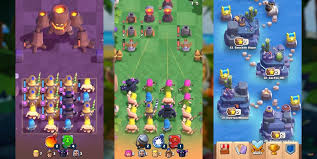
How to Download Clash Quest: A Step-by-step Guide
Are you a fan of Supercell’s famous games, such as Clash of Clans, Clash Royale, and Clash Mini? Then you must have heard about Clash Quest, the latest addition to the Clash family. In this article, we’ll guide you on how to download Clash Quest on your Android device, iOS/iPadOS, and PC.
Information Preliminaries
Before we dive into the installation process, let’s clarify that Clash Quest is not available in Italy yet. The game was released as a beta version on April 6, 2021, only in selected countries: Finland, Denmark, Norway, Sweden, Iceland, Philippines, and Canada. If you’re from Italy, don’t worry! We’ll show you how to download the game using a VPN.
How to Download Clash Quest: Android
To download Clash Quest on your Android device, follow these steps:
- Get a Vpn: You need a Virtual Private Network (VPN) to change your IP address and make it seem like you’re from one of the countries where Clash Quest is available.
- Choose a Vpn Provider: We recommend using NordVPN or Surfshark, which are both reliable and safe options.
- Download And Install The Vpn App: Follow the instructions provided by the VPN service to download and install their app on your device.
- Set up The Vpn: Launch the VPN app and follow the prompts to set it up. Choose a country where Clash Quest is available, such as Finland or Canada.
- Create a New Google Account: To access the Play Store with the VPN enabled, you need to create a new Google account. Follow these steps:
- Open the Settings app
- Tap on Accounts
- Tap on Add account
- Select Google
- Fill in the required information and follow the prompts
- Get The Game: Now that you have a VPN enabled and a new Google account, go to the Play Store and search for Clash Quest. Click on the Install button, then tap on Play to start downloading the game.
How to Download Clash Quest: Ios/ipados
Downloading Clash Quest on your iOS or iPadOS device is even easier than on Android! Follow these steps:
- Open The App Store: Tap on the App Store icon on your device.
- Change Your Country: Tap on your profile picture in the top right corner, then tap on your name at the top of the screen. Select Country/Region and choose a country where Clash Quest is available, such as Finland or Canada.
- Accept The Terms: Read the terms and conditions, then tap on Accept.
- Enter Payment Information: You need to provide a valid payment method for the App Store. If you don’t have one, tap on None.
- Get The Game: Search for Clash Quest in the App Store, then tap on the Get button. Wait for the game to download and install.
How to Download Clash Quest: PC
Unfortunately, there is no official version of Clash Quest available for PC. However, you can use an emulator to run Android apps on your computer. Here’s how:
- Download And Install Bluestacks: This is a popular Android emulator that allows you to run Android apps on your PC.
- Set up The Emulator: Follow the instructions provided by BlueStacks to set up the emulator.
- Get Clash Quest: Search for Clash Quest in the Play Store within BlueStacks, then click on the Install button to start downloading the game.
Conclusion
We hope this guide has helped you download Clash Quest on your device of choice! Remember to always use a VPN when accessing the Play Store or App Store from a country where Clash Quest is not available. Happy gaming!


