
Recovering Your Roblox Password: A Step-by-step Guide
Are you having trouble accessing your Roblox account because you’ve forgotten your password? Don’t worry, we’ve got you covered! In this article, we’ll walk you through the process of recovering your Roblox password using various methods. Whether you’re using a computer or mobile device, we’ll show you how to regain access to your account.
Why Can’t I Access My Account?
There are several reasons why you might be unable to access your Roblox account. Perhaps you’ve forgotten your password, or maybe you’re experiencing issues with the login process. Whatever the reason, we’re here to help you resolve the problem and get back to playing on Roblox.
Method 1: Recovering Your Password Using Email
If you’ve forgotten your password, don’t worry! You can easily recover it by following these simple steps:
Step 1: Go to The Official Roblox Website
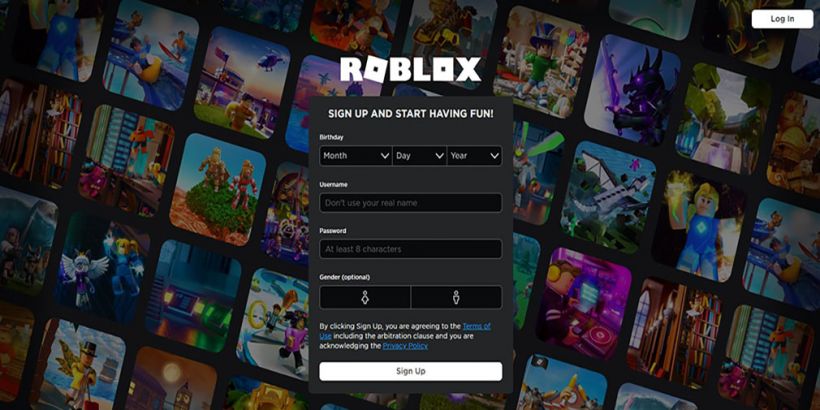
Open a web browser and navigate to the official Roblox website (www.Roblox.Com). Click on the “Access” button in the top-right corner of the page.
Step 2: Select The “Forgot Password” Option
In the login form, click on the option that says “Have forgotten password or username?” This will take you to a new page where you can start the password recovery process.
Step 3: Enter Your Email Address
Enter your registered email address in the designated field. Make sure it’s the same one associated with your Roblox account.
Step 4: Confirm Your Email Address
After submitting your email address, you’ll receive a confirmation message from Roblox. Click on the “Reimposta Password” button to continue the process.
Step 5: Create a New Password
In the next page, create a new password for your account. Make sure it’s strong and unique, and that you remember it!
Method 2: Recovering Your Password Using Phone Number
If you’re unable to access your email account or prefer not to use it, you can recover your Roblox password using your phone number instead:
Step 1: Go to The Official Roblox Website
Open a web browser and navigate to the official Roblox website (www.Roblox.Com). Click on the “Access” button in the top-right corner of the page.
Step 2: Select The “Forgot Password” Option
In the login form, click on the option that says “Have forgotten password or username?” This will take you to a new page where you can start the password recovery process.
Step 3: Enter Your Phone Number
Enter your registered phone number in the designated field. Make sure it’s the same one associated with your Roblox account.
Step 4: Receive And Confirm The Verification Code
After submitting your phone number, you’ll receive a verification code via SMS. Enter this code in the designated field to confirm your identity.
Step 5: Create a New Password
In the next page, create a new password for your account. Make sure it’s strong and unique, and that you remember it!
Method 3: Contacting Roblox Support
If none of the above methods work, don’t worry! You can contact Roblox support directly for assistance:
Step 1: Go to The Official Roblox Support Website
Open a web browser and navigate to the official Roblox support website (support.Roblox.Com). Click on the “Contact Us” button.
Step 2: Fill Out The Contact Form
Fill out the contact form with your details, including your account information and a description of the issue you’re experiencing.
Step 3: Wait For a Response
A member of the Roblox support team will respond to your inquiry as soon as possible. They’ll help you resolve the problem and regain access to your account.
Conclusion
Recovering your Roblox password can seem like a daunting task, but with these simple steps, you should be able to get back to playing on the platform in no time. Whether you use email or phone number, we’ve got you covered! If none of the above methods work, don’t hesitate to contact Roblox support directly for assistance.
Frequently Asked Questions
- Q: How Long Does it Take to Recover my Password?
A: The recovery process typically takes a few minutes, but in some cases, it may take longer depending on the complexity of your issue. - Q: Can I Reset my Password Using my Roblox Account?
A: Yes, you can reset your password directly from within your Roblox account by following the steps outlined above. - Q: What if I Forget my Email or Phone Number Associated With my Roblox Account?
A: In this case, please contact Roblox support directly for assistance. They’ll help you recover your account and reset your password. - Q: Is it Safe to Share my Personal Information With Roblox Support?
A: Yes, Roblox takes the security of its users’ data very seriously. When contacting support, make sure to provide only the necessary information and keep your account credentials confidential.
We hope this article has been helpful in resolving any issues you may have encountered while trying to recover your Roblox password. If you have any further questions or concerns, please don’t hesitate to contact us!


