
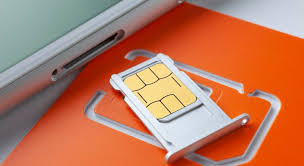
Recovering Your Vodafone Sim Puk Code: A Step-by-step Guide
Are you stuck with a blocked SIM card and an unclear PUK code? Don’t worry, we’ve got you covered! In this article, we’ll walk you through the process of recovering your Vodafone SIM PUK code in three easy ways. Whether you’re experiencing issues or simply need help understanding how to find your PUK code, our guide will have you back on track in no time.
Why Do You Need a Puk Code?
Before diving into the recovery process, let’s briefly explain what a PUK (Personal Unblocking Key) is and why it’s essential. Your PUK code is an eight-digit number provided by Vodafone that differentiates your SIM PIN from other users. It serves as a security measure to prevent unauthorized access to your account.
Method 1: Recovering Your Puk Code Using The My Vodafone App
If you’re already registered on the Vodafone website or have downloaded the My Vodafone app, recovering your PUK code is a straightforward process:
- Open the My Vodafone app on your smartphone or tablet.
- Log in to your account using your username and password.
- Tap on the “Menu” icon (usually represented by three horizontal lines) and select your SIM card from the options.
- Scroll down to the “Info SIM” section, where you’ll find your PUK code displayed.
Method 2: Recovering Your Puk Code Using The Vodafone Website
If you prefer accessing the website directly:
- Visit the Vodafone website (www.Vodafone.It) and sign in to your account using your username and password.
- Click on the “Account” or “My Account” section, followed by selecting your SIM card from the available options.
- Look for the “Visualize PUK” option, which should display your PUK code.
Method 3: Recovering Your Puk Code From The Sim Card Packaging
As a last resort, if you don’t have access to the My Vodafone app or website:
- Check your original SIM card packaging for the PUK code.
- Locate the “Code PUK” section on the back of the package, usually printed in small text.
Additional Help Options
If you’re experiencing difficulties recovering your PUK code using these methods, don’t hesitate to reach out to Vodafone’s customer support. You can:
- Call their toll-free number (190) and ask for a human consultant.
- Send a private message on Facebook or mention the @VodafoneIT account on Twitter.
Troubleshooting Tips
If you’re stuck with issues during the recovery process, try troubleshooting by:
- Checking your internet connection and ensuring that your SIM card is properly inserted.
- Trying different browsers or devices to access the My Vodafone app or website.
Conclusion
Recovering your Vodafone SIM PUK code is a relatively simple process. By following these step-by-step instructions, you’ll be able to access your account and continue using your SIM card with confidence. Remember to always keep your PUK code safe and secure, like any other sensitive information.
Frequently Asked Questions (FAQs)
Here are some additional questions and answers to help clarify the process:
Q: Why do I need a PUK code?
A: Your PUK code serves as a security measure to prevent unauthorized access to your account.
Q: What is the purpose of the My Vodafone app or website?
A: These platforms allow you to manage your account, check your balance, and retrieve your PUK code.
Q: Can I recover my PUK code from the SIM card packaging?
A: Yes, if you don’t have access to the My Vodafone app or website, you can try checking your original SIM card packaging for the PUK code.
Q: What should I do if I’m having trouble recovering my PUK code?
A: Reach out to Vodafone’s customer support via phone (190), Facebook private message, or Twitter @VodafoneIT.


