
How to Use Instagram Like a Pro: A Step-by-step Guide
Are you new to Instagram and wondering how to use it like a pro? Look no further! In this article, we’ll take you through the basics of using Instagram on your mobile device, as well as some advanced features that will help you make the most out of this social media platform.
Getting Started With Instagram
To start using Instagram, first download the app from the App Store (for iOS devices) or Play Store (for Android devices). Once installed, open the app and create a new account. You can do this by tapping on “Create New Account” and following the prompts to enter your name, email address, password, and date of birth.
Enrolling in Instagram
After creating your account, you’ll need to add an image for your profile. Tap on “Add Image” and choose a photo from your gallery or take a new one using the camera app. Once you’ve added your profile picture, you can start following other users by tapping on their profiles and clicking “Follow.”
Following Other Users
To follow other users, tap on the search icon in the top right corner of the screen and enter the name or username of the person you want to follow. You can also search for hashtags (more on that later) or browse through popular accounts.
Using Instagram Direct
Instagram Direct allows you to send private messages to your followers. To access this feature, tap on the paper airplane icon in the top right corner of the screen and select the user you want to message.
Creating a Post on Instagram
To create a post, tap on the “+” icon at the bottom left corner of the screen and select “Post.” Choose an image from your gallery or take a new one using the camera app. You can also add filters, effects, and text to your post by tapping on the icons in the top right corner of the screen.
Using Instagram Stories
Instagram Stories allow you to share moments from your day without posting them as a regular photo. To create an Instagram Story, tap on the circle icon at the bottom left corner of the screen and select “Story.” Choose an image or video from your gallery or take a new one using the camera app.
Using Hashtags
Hashtags are a way to categorize your posts and make them discoverable by others. To use hashtags, type “#” followed by a keyword or phrase in your post’s caption. You can also browse through popular hashtags by tapping on the search icon at the top right corner of the screen.
How to Use Instagram For Work
If you’re using Instagram for work-related purposes, you may want to consider creating a business profile. This will give you access to analytics and insights that can help you understand your audience better. To create a business profile, go to Settings > Account > Switch to Business Profile.
Using Instagram on Your Computer
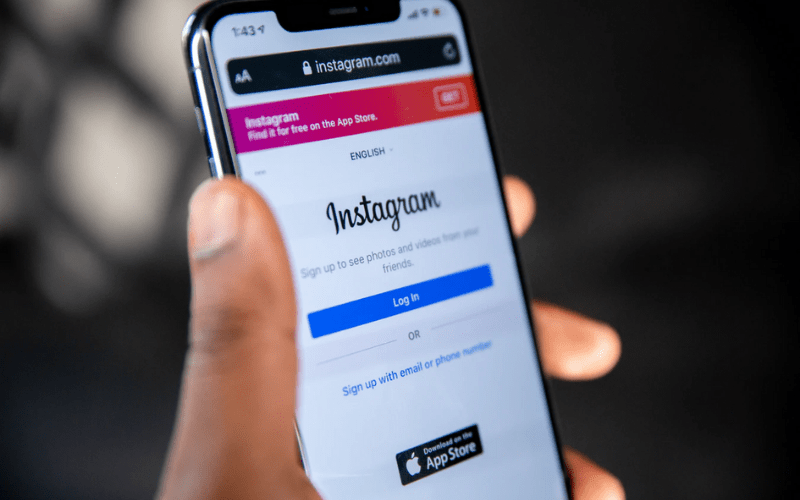
Yes, you can also use Instagram on your computer! Simply visit the Instagram website and log in with your account credentials. From here, you can access most of the same features as the mobile app, including posting photos, following other users, and using Direct.
Advanced Features
Instagram has a number of advanced features that can help you take your social media game to the next level. Some of these features include:
- Layout: A feature that allows you to create collages with multiple images.
- Reels: A feature that allows you to create short videos up to 60 seconds.
- Igtv: A feature that allows you to upload longer-form videos up to 60 minutes.
Conclusion
In conclusion, using Instagram is a great way to connect with others, share your experiences, and showcase your creativity. Whether you’re using the app for personal or professional purposes, there are plenty of features to explore and discover. Happy ‘gramming!
Frequently Asked Questions (FAQs)
- How do I Use Instagram Direct?
To access Instagram Direct, tap on the paper airplane icon at the top right corner of the screen and select the user you want to message.
- How do I Create a Post on Instagram?
To create a post, tap on the “+” icon at the bottom left corner of the screen and select “Post.” Choose an image from your gallery or take a new one using the camera app.
- What Are Hashtags?
Hashtags are a way to categorize your posts and make them discoverable by others. To use hashtags, type “#” followed by a keyword or phrase in your post’s caption.
- How do I Create an Instagram Story?
To create an Instagram Story, tap on the circle icon at the bottom left corner of the screen and select “Story.” Choose an image or video from your gallery or take a new one using the camera app.
- Can I Use Instagram For Work-related Purposes?
Yes, you can use Instagram for work-related purposes! Simply create a business profile by going to Settings > Account > Switch to Business Profile.
- How do I Access Instagram on my Computer?
To access Instagram on your computer, simply visit the Instagram website and log in with your account credentials.
- What Are Some Advanced Features of Instagram?
Some advanced features of Instagram include Layout, Reels, and IGTV.


