
The Ultimate Guide to Contacting Mi Piace on Instagram
Are you curious about how to contact mi piace (like) on Instagram? Look no further! In this article, we’ll delve into the world of social media and provide you with a comprehensive guide on how to interact with your favorite users.
What is Mi Piace on Instagram?
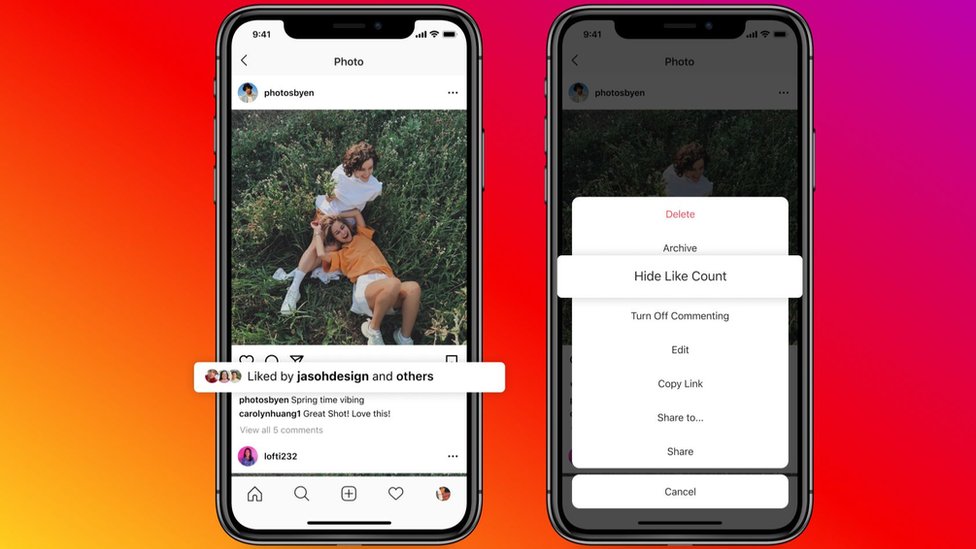
Mi piace, also known as like or love, is a feature that allows users to show appreciation for a post, photo, or video shared by another user. It’s a simple way to express your enthusiasm and engage with the content you enjoy.
Contacting Mi Piace on Instagram: A Step-by-step Guide
Initiating The App
To start contacting mi piace on Instagram, first initiate the app on your smartphone or computer. Access your account by logging in with your username and password.
Smartphone vs Computer
While you can contact mi piace on both smartphones and computers, some features may vary depending on your device.
Finding a Post to Like
To find a post to like, browse through the home feed until you come across one that catches your eye. You can also search for specific users or hashtags using the search bar at the top of the screen.
Smartphone: Double Tap or Heart Icon
On smartphones, tap on the heart icon (or do double tap) on a post to like it. This will add a blue heart symbol to the bottom right corner of the post.
Computer: Heart Icon or Like Button
On computers, click on the heart icon (or press the like button) next to the post to like it.
Contacting Mi Piace in Private Messages
You can also contact mi piace through private messages. To do this:
- Open the app and go to your direct messages section.
- Tap or click on the conversation with the user you’d like to message.
- Double tap on a message to indicate that you’ve liked it.
Adding Users to Favorites
You can also add users to your favorites list, which will make their posts more visible in your feed. To do this:
- Open the app and go to the profile page of the user you’d like to favorite.
- Tap or click on the “Follow” button.
- Select “Add to Favorites” from the menu.
Contacting Mi Piace Without Viewing The Post
Unfortunately, it’s not possible to contact mi piace without viewing the post itself. However, there are some exceptions:
- If you’ve already viewed a post and liked it, you can like future posts from that user without having to view them again.
- If you’re using an exception feature (like the one we’ll discuss below), you might be able to contact mi piace even if you haven’t viewed the post.
The Power of Exception Features
Instagram offers some special features that allow you to interact with users in unique ways. Keep in mind, though:
- These features may have specific requirements or limitations.
- Not all features are available on every device.
Adding Users to Favorites Directly
You can add users directly to your favorites list from their profiles page. To do this:
- Open the app and go to the profile page of the user you’d like to favorite.
- Tap or click on the “Follow” button.
- Select “Add to Favorites” from the menu.
How to Contact Mi Piace in Private Messages Directly
You can also contact mi piace directly through private messages. To do this:
- Open the app and go to your direct messages section.
- Tap or click on the conversation with the user you’d like to message.
- Double tap on a message to indicate that you’ve liked it.
Adding Users to Favorites Without Viewing Posts
Unfortunately, it’s not possible to add users directly to favorites without viewing their posts.
Using Exception Features to Contact Mi Piace
While these features are not widely available and may have specific requirements or limitations:
- Using exception features might allow you to interact with users in unique ways.
- Always check the terms of use for any feature before using it.
What to Do If You Can’t Contact Mi Piace
If you’re having trouble contacting mi piace, try checking these tips:
- Make sure your account is logged in correctly.
- Verify that you’ve enabled the correct features on your device.
- Check if there are any restrictions or limitations on interacting with specific users.
Conclusion
And that’s it! With this comprehensive guide, you should now know exactly how to contact mi piace on Instagram. From finding posts to add them to favorites and using exception features, we’ve covered everything you need to get started.
Bonus Tips:
- Make sure to check the official terms of use for any feature before using it.
- Be respectful and considerate when interacting with users online.
- Don’t hesitate to reach out to us if you have any questions or doubts!
Why Do We Care About Mi Piace?
As users of social media platforms like Instagram, we care about mi piace because it allows us to engage with content we enjoy. It’s a simple way to show appreciation for the people who create that content and build our online community.
Your Questions Answered!
Do you have any questions or doubts about contacting mi piace on Instagram? Don’t hesitate to reach out!


