
Volantini: The Ultimate Guide to Creating Stunning Flyers
Are you looking for a way to promote your business, event, or product without breaking the bank? Look no further than volantini, also known as flyers! A well-designed flyer can grab attention, generate interest, and drive sales. But where do you start?
What Are Volantini?
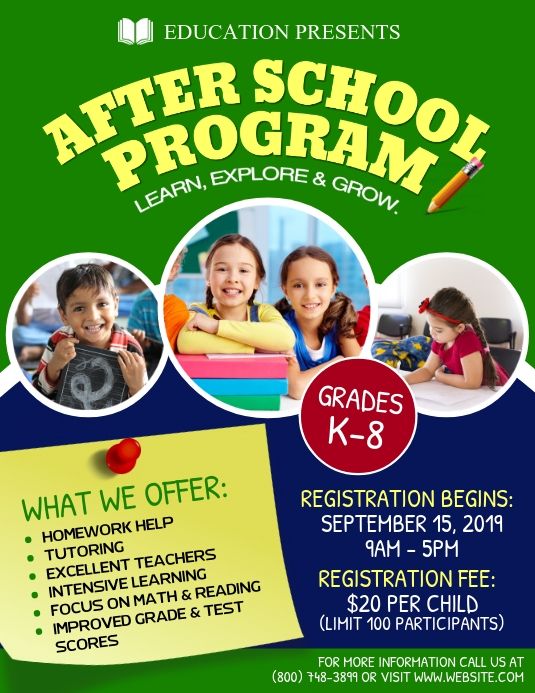
Volantini are printed or digital documents that showcase your message in a visually appealing way. They’re perfect for promoting events, products, services, or businesses. With volantini, you can reach a wide audience and create buzz around your brand.
Types of Programs For Volantini
- Microsoft Publisher: A powerful software that allows you to create professional-looking flyers with ease.
- Libreoffice Draw: An open-source software that’s free to use and compatible with Microsoft Office files.
- Canva: A popular online platform that offers a wide range of templates, design tools, and features to create stunning volantini.
- Adobe Express: A user-friendly online design tool that allows you to create professional-looking flyers in minutes.
- Visme: An online platform that offers a vast library of templates, design tools, and features to create engaging volantini.
How to Create Volantini With Microsoft Publisher
- Download Microsoft Publisher: Get the software from the official website or download it as part of the Microsoft Office suite.
- Launch Microsoft Publisher: Open the program and select “New” to start creating your flyer.
- Choose a Template: Browse through the built-in templates or search online for inspiration.
- Design Your Flyer: Use the intuitive interface to add text, images, shapes, and other elements to create a stunning design.
- Export as Pdf: Save your design as a printable PDF file.
How to Create Volantini With Canva
- Sign up For Canva: Register on the official website or log in if you already have an account.
- Choose a Template: Browse through the vast library of templates or search online for inspiration.
- Customize Your Design: Use the drag-and-drop interface to add text, images, shapes, and other elements.
- Export as Pdf: Save your design as a printable PDF file.
Tips And Tricks
- Keep it simple and concise – avoid cluttering your flyer with too much information.
- Use high-quality images and graphics to make your flyer stand out.
- Experiment with different colors and fonts to create a unique visual identity.
- Don’t forget to include a clear call-to-action (CTA) to drive sales or generate interest.
Conclusion
Creating volantini is an art that requires creativity, patience, and practice. With the right software and tools, you can produce stunning flyers that grab attention and drive results. Remember to keep it simple, use high-quality images, and include a clear CTA. Happy designing!
Frequently Asked Questions (FAQs)
-
What is The Best Software For Creating Volantini?
A: Microsoft Publisher, LibreOffice Draw, Canva, Adobe Express, or Visme are all excellent options. -
How do I Design a Flyer With Canva?
A: Sign up for Canva, choose a template, customize your design using the drag-and-drop interface, and export as a PDF file. -
What is The Difference Between Microsoft Publisher And Libreoffice Draw?
A: Microsoft Publisher is a professional-grade software, while LibreOffice Draw is an open-source alternative with similar features. -
Can I Create Volantini on my Smartphone?
A: Yes, you can use mobile apps like Volantini & Poster or Adobe Express to create flyers directly on your device. -
How Much Does it Cost to Use Canva Pro?
A: Canva Pro costs $11 per month (or 109.99 Euros per year) with a free trial period of 30 days. -
What is The Best Online Platform For Creating Volantini?
A: Canva, Adobe Express, or Visme are all excellent options, depending on your specific needs and preferences. -
How do I Export my Flyer Design as a Pdf File?
A: Use the “Export” feature in Microsoft Publisher or Canva to save your design as a printable PDF file. -
Can I Use Volantini For Non-profit Events or Charities?
A: Yes, you can use volantini for any purpose, including non-profit events and charities, but be sure to follow local regulations and guidelines.


