
The Ultimate Guide to Mounting Gopro Videos
Are you tired of having a bunch of amazing videos from your GoPro camera, but not knowing how to edit them? Look no further! In this article, we will explore the best programs to mount GoPro videos, both free and paid.
Why Do You Need to Edit Your Gopro Videos?
Editing your GoPro videos is essential if you want to share them with others. With a good editor, you can trim unwanted parts, add music, and even create stunning visual effects. But where do you start?
Free Programs to Mount Gopro Videos
Don’t worry; we’ve got you covered! Here are some fantastic free programs that can help you edit your GoPro videos:
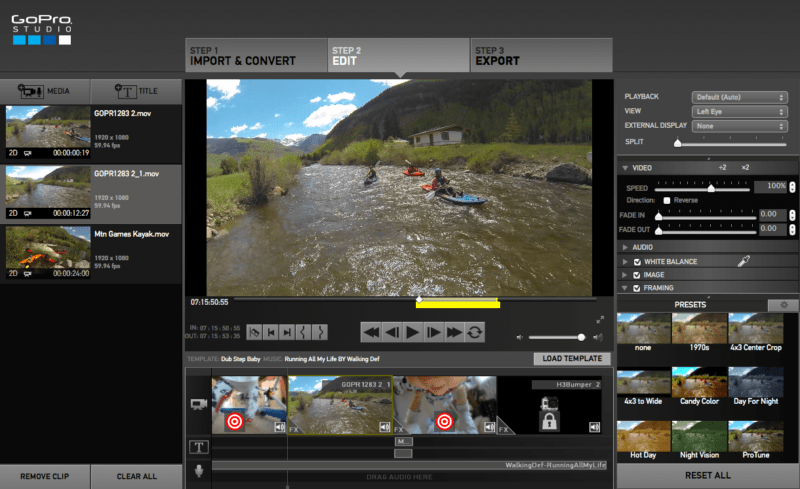
- Gopro Player: This is the official software for computers connected to a GoPro camera. It’s available for Windows 10 and macOS, and it allows you to export videos in MP4 format.
- Davinci Resolve: This is a professional-level video editor that’s free to download and use. It has advanced features like color grading and audio editing.
Other Free Programs to Mount Gopro Videos
Here are some other great options:
- Lightworks: This is a powerful video editor with a user-friendly interface. It’s perfect for those who have some experience in video editing.
- Avidemux: This is another excellent option for video editors, with a simple yet functional interface.
- Wondershare Filmora: This is a great software for beginners, allowing you to edit and add effects to your videos.
Paid Programs to Mount Gopro Videos
If you’re looking for more advanced features or want to invest in a top-notch editor, here are some fantastic paid options:
- Adobe Premiere Pro: This is the industry-standard video editing software that’s perfect for professionals.
- Sony Vegas Pro: This is another powerful video editor with a user-friendly interface and advanced features like color grading.
How to Choose The Right Editor
When choosing an editor, consider the following factors:
- Ease of use: How easy is it to navigate the editor?
- Features: Does it have the features you need for your editing style?
- Price: Can you afford it?
Conclusion
Mounting GoPro videos can be a breeze with the right software! Whether you’re a beginner or an advanced video editor, there’s something out there for everyone. So why not give these programs a try and take your video editing skills to the next level?
Faqs
- What is the best free program to mount GoPro videos?
- How much does Adobe Premiere Pro cost?
- Can I use GoPro Player on macOS?
- Is DaVinci Resolve only available for Windows?
- Do I need to be a pro video editor to use Lightworks?
- What are the system requirements for Sony Vegas Pro?
- How do I export my edited video from Wondershare Filmora?
- Can I add music to my GoPro videos with Avidemux?
Conclusion
Mounting GoPro videos can be a breeze with the right software! Whether you’re a beginner or an advanced video editor, there’s something out there for everyone.


