
How to Block Mature Websites on Mobile Devices: A Step-by-step Guide
As a parent, it’s natural to worry about the content your child is exposed to online. With the rise of smartphones and mobile devices, it’s becoming increasingly important to ensure that children are not accessing mature websites on their devices. In this article, we’ll explore how to block mature websites on Android and iOS devices, as well as how to set up parental controls using a router.
Understanding The Risks
Mature websites can expose children to explicit content, violence, and other harmful materials. Prolonged exposure to such content can have negative effects on a child’s mental health and well-being. As a parent, it’s essential to take proactive steps to prevent this from happening.
Blocking Mature Websites on Android Devices
If you’re using an Android device, there are several ways to block mature websites. Here are some options:
Using Google Family Link
Google Family Link is a free app that allows parents to monitor and control their child’s activity on their Android device. To use this feature, follow these steps:
- Install the Google Family Link app on your child’s Android device.
- Create a new account for your child using the app.
- Set up parental controls by selecting the type of content you want to restrict (e.G., Explicit websites).
- Add specific websites or keywords to block.
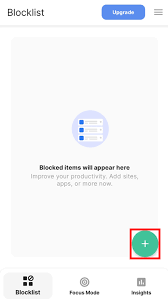
Using Blockerx
BlockerX is an app that allows parents to control and monitor their child’s activity on their Android device. Here’s how to use it:
- Install the BlockerX app on your child’s Android device.
- Create a new account for your child using the app.
- Set up parental controls by selecting the type of content you want to restrict (e.G., Explicit websites).
- Add specific websites or keywords to block.
Blocking Mature Websites on Ios Devices
If you’re using an iOS device, there are several ways to block mature websites. Here’s how:
Using Parental Controls in Ios
IOS has built-in parental controls that allow parents to restrict access to certain types of content, including explicit websites. To use this feature, follow these steps:
- Go to Settings > Screen Time.
- Tap on “Parental Controls” and select the type of content you want to restrict (e.G., Explicit websites).
- Add specific websites or keywords to block.
Using Blockerx
BlockerX is also available for iOS devices, and it offers similar features to its Android counterpart.
Blocking Mature Websites Using a Router
Another way to block mature websites is by setting up parental controls using your router. Here’s how:
- Identify the parental control feature on your router (it may be called “Parental Controls” or something similar).
- Set up the parental control feature by selecting the type of content you want to restrict (e.G., Explicit websites).
- Add specific websites or keywords to block.
Tips And Variations
- Make sure to regularly review and update your child’s online activity to ensure that they’re not accessing mature websites.
- Consider setting up multiple levels of parental control, such as “strict” and “relaxed,” depending on your child’s age and maturity level.
- If you have multiple children using the same device or network, consider setting up separate profiles for each child.
Conclusion
Blocking mature websites on mobile devices is an essential step in protecting your child from explicit content. By following the steps outlined in this article, you can ensure that your child has a safe and healthy online experience.
Frequently Asked Questions (FAQs)
- What Types of Content Are Considered “mature” For Children?
Mature content includes explicit websites, violence, and other materials deemed unsuitable for children.
- How do I Know if my Child is Accessing Mature Websites on Their Device?
Monitor your child’s online activity regularly to ensure that they’re not accessing mature websites.
- Can I Block All Types of Mature Content at Once?
Yes, you can block multiple types of mature content simultaneously using parental control features in Android and iOS devices or routers.
- How do I Update my Child’s Online Activity Settings if Their Maturity Level Changes?
Regularly review and update your child’s online activity to ensure that they’re not accessing mature websites.
- Can I Use Multiple Parental Control Tools at The Same Time?
Yes, you can use multiple parental control tools simultaneously to provide an added layer of protection for your child.
- What Are Some Additional Tips For Protecting my Child From Mature Content?
Consider setting up separate profiles for each child and regularly reviewing and updating their online activity.
- How do I Contact Customer Support if I Have Questions About Blocking Mature Websites on Mobile Devices?
Contact the manufacturer’s customer support team for assistance with parental control features in Android and iOS devices or routers.
- Can I Use These Methods to Block Mature Content on Other Types of Devices, Such as Computers or Gaming Consoles?
While some methods may be transferable to other devices, others may not be compatible.


