
The Ultimate Guide to Doing The Coffin Dance on Minecraft
Are you ready to take your gaming experience to the next level? Look no further! In this article, we’ll show you how to add a fun and quirky twist to your Minecraft gameplay by installing the infamous Coffin Dance mod.
What is The Coffin Dance Mod?
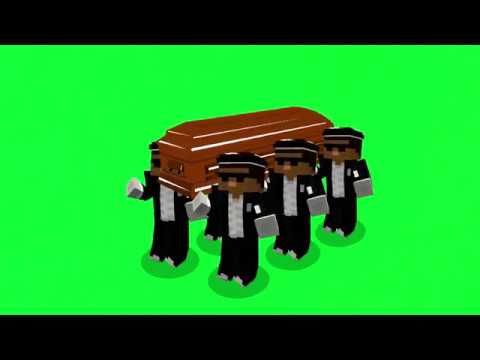
The Coffin Dance mod is a popular addition to the Minecraft game that allows players to summon pallbearers who perform a hilarious dance whenever their character dies. It’s a great way to add some humor and personality to your gameplay, and we’re excited to share with you how to install it.
Installing The Coffin Dance Mod on Android
To start, make sure you have the Minecraft Pocket Edition installed on your Android device. Then, follow these steps:
- Download the Coffin Dance mod from the official Minecraft website or a reputable third-party source.
- Open the Minecraft app and go to the “Play” section.
- Tap on the three dots in the top right corner and select “Settings.”
- Scroll down to the “Mods” section and toggle on the “Coffin Dance” mod.
- Restart the game and test the mod by killing your character.
How to Use The Coffin Dance Mod
Once you’ve installed the mod, using it is a breeze. Here’s what you need to do:
- Create a new world in Minecraft and select the Creative mode.
- Go to the “Packs” section and add the Coffin Dance mod to your game.
- Select the mod and activate it.
- Place the mod in an empty slot in your inventory.
- When you die, the pallbearers will appear and perform their hilarious dance.
Installing The Coffin Dance Mod on PC
Unfortunately, there’s no direct way to install the Coffin Dance mod on Minecraft for PC using the same method as on Android. However, we have a solution:
- Download the CoffinDanceOnYou mod from CurseForge.
- Install Forge and configure it according to the instructions provided.
- Download the CoffinDanceOnYou jar file and place it in your Minecraft mods folder.
- Launch Minecraft and test the mod by dying your character.
The History of The Coffin Dance
But where did this quirky dance come from? The Coffin Dance originated in Ghana as a traditional funeral custom, where pallbearers would perform a dance to honor the deceased. It gained popularity online in 2020 after videos of the dance surfaced on social media platforms.
Conclusion
Adding the Coffin Dance mod to your Minecraft gameplay is a great way to inject some humor and personality into your experience. Whether you’re playing on Android or PC, we hope this guide has helped you achieve your objective. Don’t forget to check out our other Minecraft guides for more tips and tricks!
Frequently Asked Questions
- What is The Coffin Dance Mod?
The Coffin Dance mod is a popular addition to Minecraft that allows players to summon pallbearers who perform a hilarious dance whenever their character dies. - How do I Install The Coffin Dance Mod on Android?
To install the Coffin Dance mod on Android, download it from the official Minecraft website or a reputable third-party source and follow the instructions provided in this guide. - Can I Install The Coffin Dance Mod on Pc?
Yes, you can install the CoffinDanceOnYou mod on PC using Forge. - What is The History of The Coffin Dance?
The Coffin Dance originated in Ghana as a traditional funeral custom and gained popularity online in 2020 after videos of the dance surfaced on social media platforms. - How do I Use The Coffin Dance Mod?
To use the Coffin Dance mod, create a new world in Minecraft, select the Creative mode, add the mod to your game, and place it in an empty slot in your inventory. - What Are Some Other Minecraft Mods Available?
There are many other Minecraft mods available, including mods for adding new biomes, mobs, and gameplay mechanics. - How do I Uninstall The Coffin Dance Mod?
To uninstall the Coffin Dance mod, simply delete it from your Minecraft mods folder and restart the game. - What if I Encounter Any Issues While Installing or Using The Coffin Dance Mod?
If you encounter any issues while installing or using the Coffin Dance mod, feel free to reach out to us for assistance!


