
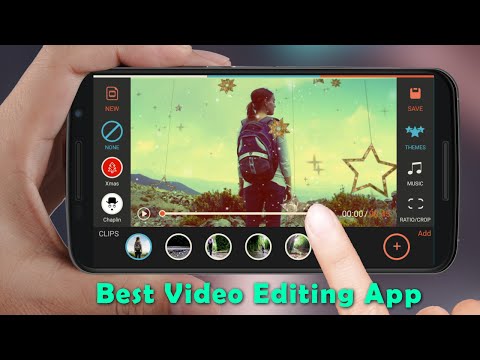
The Ultimate Guide to Video Editing on Android
Are you a video editing enthusiast looking to edit your videos like a pro on your Android device? Look no further! In this article, we’ll explore the best video editing apps for Android, including free and professional versions.
Whether you’re a beginner or an experienced editor, these apps will help you create stunning videos that will impress your friends and family. So, let’s dive in!
The Best Video Editing Apps For Android
- Videoshow
- A free app with a user-friendly interface
- Offers various editing options, such as adding music, effects, and filters
- Can be used to create videos up to 60 seconds long
- Available for download on the Google Play Store
- Filmorago
- A free app with advanced features, including color adjustment and audio ducking
- Offers various templates and themes to make your videos stand out
- Can be used to export videos in HD quality
- Available for download on the Google Play Store
- Gopro Quik
- An official app from GoPro that allows you to create amazing videos with just a few taps
- Offers various editing options, such as adding music and effects
- Can be used to export videos in HD quality
- Available for download on the Google Play Store
Professional Video Editing Apps For Android
- Youcut
- A professional app that offers advanced features, including chroma keying and color grading
- Offers various editing options, such as adding music, effects, and filters
- Can be used to export videos in HD quality
- Available for download on the Google Play Store
- Kinemaster
- A professional app that offers advanced features, including multi-track recording and color grading
- Offers various editing options, such as adding music, effects, and filters
- Can be used to export videos in HD quality
- Available for download on the Google Play Store
Other Notable Video Editing Apps For Android
- Inshot
- A free app that offers advanced features, including color adjustment and audio ducking
- Offers various editing options, such as adding music and effects
- Can be used to export videos in HD quality
- Available for download on the Google Play Store
- Magisto
- A free app that uses AI to create stunning videos
- Offers various editing options, such as adding music and effects
- Can be used to export videos in HD quality
- Available for download on the Google Play Store
Tips And Tricks
- Experiment With Different Apps: Try out different video editing apps to find the one that suits your style.
- Use The Right Hardware: Make sure you have a good camera and microphone to capture high-quality footage.
- Practice Makes Perfect: The more you edit, the better you’ll become at creating stunning videos.
Conclusion
In conclusion, video editing on Android has never been easier! With these amazing apps, you can create stunning videos that will impress your friends and family. Remember to experiment with different apps, use the right hardware, and practice makes perfect. Happy editing!
Faqs
- What is The Best Video Editing App For Android?
- The answer depends on your personal preferences and needs. Some popular options include VideoShow, FilmoraGo, and GoPro Quik.
- Can I Edit Videos on my Android Device?
- Yes, you can! There are many video editing apps available on the Google Play Store that allow you to edit videos on your Android device.
- What is The Best App For Beginners?
- VideoShow and FilmoraGo are great options for beginners, as they offer user-friendly interfaces and various editing options.
- Can I Export Videos in HD Quality?
- Yes, many of these apps allow you to export videos in HD quality, including 1080p and 4K resolutions.
- Are There Any Professional Video Editing Apps Available on Android?
- Yes, there are several professional video editing apps available on Android, including YouCut and KineMaster.
More Resources
- Android Authority: A great resource for learning more about the best video editing apps for Android.
- Google Play Store: Download your favorite video editing app from the Google Play Store!
- Youtube: Watch tutorials and videos created with these amazing video editing apps!


