
How to Cancel Your Sky Subscription: A Step-by-step Guide
Are you tired of your Sky subscription and want to cancel it? Look no further! In this article, we will guide you through the process of canceling your Sky subscription in a step-by-step manner.
Why Do I Need to Cancel My Sky Subscription?
Before we dive into the cancellation process, let’s take a moment to understand why you might need to cancel your Sky subscription. Perhaps you’re not using the service anymore, or maybe you’ve found a better alternative. Whatever the reason, we’ll help you navigate the cancellation process smoothly.
Understanding Your Contract Terms
Before cancelling your Sky subscription, it’s essential to understand the terms of your contract. Make sure you know how long you’ve had the contract and whether there are any penalties for early termination. This information will be crucial in determining the best course of action for your specific situation.
How to Cancel My Sky Subscription: Methods Explained
Now that we’ve covered the basics, let’s move on to the methods of cancelling your Sky subscription.
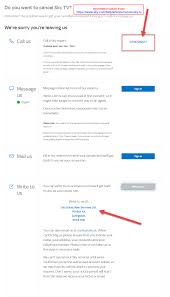
Method 1: Cancelling Via Post
If you prefer a more traditional method, you can cancel your Sky subscription by sending a letter to their postal address. Here are the steps:
- Print out the cancellation form from the Sky website.
- Fill in all the required details accurately.
- Sign and date the form.
- Send the completed form to the address provided.
Method 2: Cancelling Via Email
If you’re more comfortable with digital communication, you can cancel your Sky subscription by sending an email. Here are the steps:
- Log in to your Sky account online.
- Navigate to the “My Account” section.
- Look for the cancellation link and click on it.
- Fill in the required details and submit the form.
Method 3: Cancelling Via Phone
If you prefer a more direct approach, you can cancel your Sky subscription by calling their customer service hotline. Here are the steps:
- Dial the phone number provided (170 or 800 918 918).
- Follow the automated prompts to reach a customer service representative.
- Inform the representative that you wish to cancel your Sky subscription.
Method 4: Cancelling Via Pec
If you’re using the PEC system, you can cancel your Sky subscription by sending a digital message. Here are the steps:
- Log in to your PEC account.
- Navigate to the ” Messages” section.
- Look for the cancellation link and click on it.
- Fill in the required details and submit the form.
What Happens After I Cancel My Sky Subscription?
After cancelling your Sky subscription, you’ll need to return any Sky equipment that was provided to you. This includes the Sky decoder, Sky WiFi hub, and any other devices. You have 60 days to return these items; otherwise, you may be charged a penalty fee.
Tips For Cancelling Your Sky Subscription Smoothly
To ensure a smooth cancellation process, follow these tips:
- Read your contract carefully to understand your obligations.
- Make sure you’ve returned all provided equipment within the allotted time frame.
- Keep records of any communications with Sky’s customer service team.
By following these steps and tips, you can cancel your Sky subscription with ease.


