
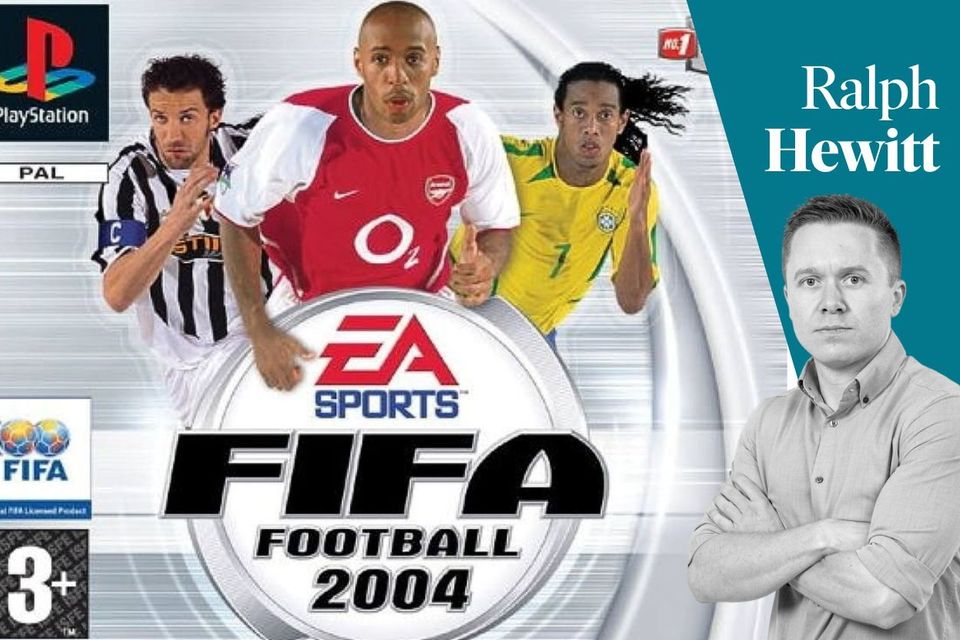
How to Create Alex Del Piero on Fifa 23: A Step-by-step Guide
As a football enthusiast, creating your favorite players on the popular video game FIFA can be an exciting experience. In this article, we will guide you through the process of creating Alex Del Piero on FIFA 23.
Understanding The Process
Before we dive into the step-by-step guide, it’s essential to understand that creating a player on FIFA is a multi-faceted process that requires attention to detail and patience. The game has various parameters and settings that need to be adjusted to accurately recreate a player’s appearance and abilities.
Step 1: Accessing The Avatar Editor
To create Alex Del Piero, you’ll first need to access the avatar editor on FIFA 23. This can be done by navigating to the “Create” menu and selecting “Avatar.” From there, choose the option to create a new player, and select “Player” as the type of creation.
Step 2: Choosing The Base Avatar
Once in the avatar editor, you’ll see several pre-set avatars to choose from. Select the one that closely resembles Alex Del Piero’s appearance. You can also adjust the parameters to fine-tune the look.
Step 3: Editing The Face And Head
In this section, you’ll have access to various tools to edit the face and head of your player. Use the sliders and menus to adjust the features to match Del Piero’s iconic look.
- Face: Select the second preset in the first row.
- Tone And Complexion: Choose the penultimate preset in the last row.
- Eyebrows: Select the penultimate preset, and use the “Transform” tool to adjust the position and separation of the eyebrows.
- Nose: Confirm the fourth preset, and then use the “Transform” tool to adjust the dimensions and protrusion.
Step 4: Editing The Body
In this section, you’ll have access to various tools to edit the body of your player. Use the sliders and menus to adjust the features to match Del Piero’s physical appearance.
- Height: Confirm 173 cm.
- Weight: Confirm 73 kg.
- Chest And Shoulder: Select the first preset in the second row.
- Arms And Hands: Select the first preset, and then use the “Transform” tool to adjust the position and rotation of the arms.
Step 5: Editing The Legs
In this section, you’ll have access to various tools to edit the legs of your player. Use the sliders and menus to adjust the features to match Del Piero’s physical appearance.
- Legs: Confirm the first preset in the second row.
- Knees And Ankles: Select the first preset, and then use the “Transform” tool to adjust the position and rotation of the legs.
Step 6: Editing The Hair And Beard
In this section, you’ll have access to various tools to edit the hair and beard of your player. Use the sliders and menus to match Del Piero’s iconic look.
- Hair: Select the fourth preset in the first row.
- Beard: Confirm the sixth preset in the second row.
Step 7: Finalizing The Appearance
Once you’ve completed editing the face, head, body, legs, hair, and beard, review your creation to ensure it accurately resembles Alex Del Piero’s appearance.
Step 8: Editing The Abilities
In this section, you’ll have access to various tools to edit the abilities of your player. Use the sliders and menus to match Del Piero’s skills and attributes.
- Finalization: Confirm 95.
- Passages Courtyards: Confirm 91.
- Shots to The Flight: Confirm 95.
- Ability Weak Foot: Confirm 5.
- Dribbling: Confirm 93.
- Control of Ball: Confirm 95.
- Long Passes: Confirm 88.
- Precision on Punishment: Confirm 98.
- Agility: Confirm 90.
- Reflected: Confirm 95.
- Balance: Confirm 94.
- Aggressiveness: Confirm 82.
- Position: Confirm 98.
- Vision: Confirm 95.
- Rigours: Confirm 98.
Conclusion
Creating Alex Del Piero on FIFA 23 requires attention to detail and patience. By following the step-by-step guide outlined above, you can accurately recreate his appearance and abilities. Remember to review your creation regularly to ensure it meets your expectations.
Faqs
- Q: How do I Access The Avatar Editor on Fifa 23?
A: To access the avatar editor, navigate to the “Create” menu and select “Avatar.” - Q: What is The Best Way to Edit The Face And Head of my Player?
A: Use the sliders and menus to adjust the features to match Del Piero’s iconic look. - Q: How do I Edit The Body of my Player?
A: Use the sliders and menus to adjust the features to match Del Piero’s physical appearance. - Q: What is The Best Way to Edit The Legs of my Player?
A: Use the sliders and menus to adjust the features to match Del Piero’s physical appearance. - Q: How do I Edit The Hair And Beard of my Player?
A: Use the sliders and menus to match Del Piero’s iconic look. - Q: What is The Best Way to Finalize The Appearance of my Player?
A: Review your creation regularly to ensure it meets your expectations. - Q: How do I Edit The Abilities of my Player?
A: Use the sliders and menus to match Del Piero’s skills and attributes. - Q: What is The Best Way to Finalize The Abilities of my Player?
A: Confirm the parameters to ensure they accurately resemble Del Piero’s skills and attributes.
References
- FIFA 23
- Alex Del Piero
- Avatar Editor


