
Auction Ebay: How it Works
Are you interested in taking part in an auction on eBay but don’t know how it works? Do you want to get rid of an object by creating an auction on eBay but don’t know how to proceed? If you’ve answered yes to at least one of these questions, then this article is for you.
How Auctions Work on Ebay
The mechanism of auctions on eBay is based on the classic auction system. The seller sets a starting price and interested buyers can place bids until the deadline. The highest bidder wins the product. However, there are some additional details to consider before participating in an auction.
Do I Want to Take Part in an Auction?
Before you start bidding, make sure you understand the rules and risks involved. Make sure you’re comfortable with the possibility of losing your bid or winning the auction but being unable to pay for the product.
How Do I Participate in an Auction on Ebay?
To participate in an auction on eBay, follow these steps:
- Log In: Log in to your eBay account by clicking on the “Login” button at the top right corner of the page.
- Find a Product: Search for a product you’re interested in by typing it into the search bar at the top of the page.
- Click on The Auction Tab: Click on the “Auction” tab below the product description to view all available auctions for that product.
- Choose an Auction: Select an auction that interests you and click on its title to view more details about it.
- Place a Bid: If you decide to place a bid, click on the “Bid Now” button next to the price.
What Happens After I Place a Bid?
After placing a bid, eBay will send you an email informing you of your new bid and whether it’s the highest bid at that time. If someone else places a higher bid, you’ll receive another email with updated information. If you’re concerned about losing track of bids, you can set up automatic bidding to ensure you don’t miss out.
How Do I Retract My Bid?
If for any reason you want to retract your bid, go back to the auction page and click on the “Retract Bid” button. Make sure you do this within 12 hours or if it’s less than an hour left before the auction ends. If you don’t receive a confirmation email, contact the seller directly.
Selling on Ebay: How it Works
If you want to sell products on eBay, follow these steps:
- Login: Log in to your eBay account and click on the “Sell” button at the top right corner of the page.
- Create an Auction: Click on the “Start Selling” button and enter the details of the product you want to auction off.
- Choose a Category: Select the category for your product from the drop-down menu.
- Set a Price: Enter the starting price and reserve price for your auction (if applicable).
- Add Photos: Upload up to 12 photos to showcase your product.
- Confirm Your Details: Review all details before submitting them.
How Do I Manage My Auction?
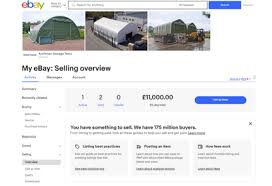
Once you’ve created an auction, eBay will notify buyers through email when they place bids or win the auction. You can also track your sales and profits by going to the “My eBay” section of your account.
Selling on Your Smartphone or Tablet
If you prefer using your smartphone or tablet, don’t worry! The eBay app is available for both iOS and Android devices. To use it:
- Download The App: Search for the eBay app in the app store and download it.
- Log In: Log in to your account within the app.
- Search For Products: Use the search bar to find products you’re interested in selling or buying.
- Place a Bid or Create an Auction: Follow the same steps as on the desktop version.
Auction Tips And Tricks
While there are no magic formulas to guarantee winning auctions, here’s a strategy that might help:
- Revitalize your bids strategically, especially during the last 2-3 minutes of the auction.
- Keep track of your budget to avoid overspending.


