
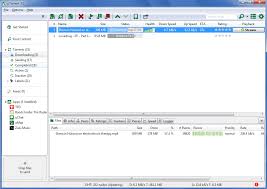
How to Download Utorrent Free: A Step-by-step Guide
Are you looking for a way to download files from the internet using a reliable and efficient tool? Look no further than uTorrent, one of the most popular BitTorrent clients available today! In this article, we will guide you through the process of downloading uTorrent free on your Windows, macOS, or Android device.
What is Utorrent?
UTorrent is a lightweight and user-friendly BitTorrent client that allows you to download files from the internet at high speeds. With its simple interface and advanced features, uTorrent has become a favorite among users worldwide. Whether you’re looking to download movies, music, software, or other digital content, uTorrent is an excellent choice.
Why Choose Utorrent?
There are several reasons why you should choose uTorrent as your go-to BitTorrent client:
- Speed: UTorrent offers lightning-fast download speeds, thanks to its efficient algorithm and robust network connectivity.
- Ease of Use: The software has a user-friendly interface that makes it easy to navigate and manage your downloads.
- Customization Options: UTorrent provides various customization options to suit your needs, including the ability to prioritize certain files or folders.
System Requirements
Before you begin the download process, ensure that your device meets the minimum system requirements:
- Windows: Windows 10, 8.1, 8, Or 7 (32-bit or 64-bit)
- Macos: MacOS High Sierra or later
- Android: Android 4.0 Or later
Downloading Utorrent Free on Windows
To download uTorrent free on your Windows device, follow these steps:
- Open your web browser and navigate to the official uTorrent website.
- Click on the “Download” button and select the correct version for your system (32-bit or 64-bit).
- Wait for the download process to complete (this may take a few minutes depending on your internet connection speed).
- Once the download is finished, open the downloaded file (usually called “uTorrent.Exe”) and follow the installation wizard.
- Accept the terms and conditions of the software and choose the desired installation location.
Downloading Utorrent Free on Macos
To download uTorrent free on your macOS device, follow these steps:
- Open your web browser and navigate to the official uTorrent website.
- Click on the “Download” button and select the correct version for your system (macOS Catalina or later).
- Wait for the download process to complete (this may take a few minutes depending on your internet connection speed).
- Once the download is finished, open the downloaded file (usually called “uTorrent.Dmg”) and follow the installation wizard.
- Accept the terms and conditions of the software and choose the desired installation location.
Downloading Utorrent Free on Android
To download uTorrent free on your Android device, follow these steps:
- Open your web browser and navigate to the official uTorrent website.
- Click on the “Download” button and select the correct version for your system (Android).
- Wait for the download process to complete (this may take a few minutes depending on your internet connection speed).
- Once the download is finished, open the downloaded file (usually called “uTorrent.Apk”) and follow the installation wizard.
- Accept the terms and conditions of the software and choose the desired installation location.
Using Utorrent
Now that you have successfully downloaded and installed uTorrent on your device, here’s a brief guide on how to use it:
- Launch the software and sign in with your account credentials (if you have one).
- Click on the “File” menu and select “Add Torrent” or “Magnet Link” to add a new download.
- Choose the desired file or folder from your computer or enter the Magnet link URL.
- Configure any additional settings, such as bandwidth allocation or priority levels (if needed).
- Start the download process by clicking on the “Start Download” button.
Troubleshooting Common Issues
If you encounter any issues during the download or installation process, refer to the following troubleshooting tips:
- Utorrent Not Installing Correctly: Ensure that your device meets the minimum system requirements and try reinstalling the software.
- Download Speeds Slow: Check your internet connection speed and ensure that it is sufficient for high-speed downloads. You can also try adjusting the download settings within uTorrent to optimize performance.
Conclusion
Downloading uTorrent free on your Windows, macOS, or Android device is a straightforward process. By following the steps outlined in this guide, you should be able to successfully install the software and start downloading files at high speeds. Remember to always follow the terms and conditions of the software and respect copyright laws when using BitTorrent clients like uTorrent.
Faqs
Here are some frequently asked questions related to downloading uTorrent free:
- Q: What is The Difference Between Utorrent Classic And Utorrent Web?
A: UTorrent Classic is a standalone application, while uTorrent Web is a web-based version that allows you to download files directly from your browser. - Q: Can I Use Utorrent on Multiple Devices at Once?
A: Yes, you can install uTorrent on multiple devices and use it simultaneously. However, ensure that each device meets the minimum system requirements. - Q: Is Utorrent Free to Download?
A: Yes, uTorrent is available for free download on their official website. - Q: Can I Upgrade From Utorrent Classic to Utorrent Web?
A: Yes, you can upgrade from uTorrent Classic to uTorrent Web by following the instructions provided in this guide.


