
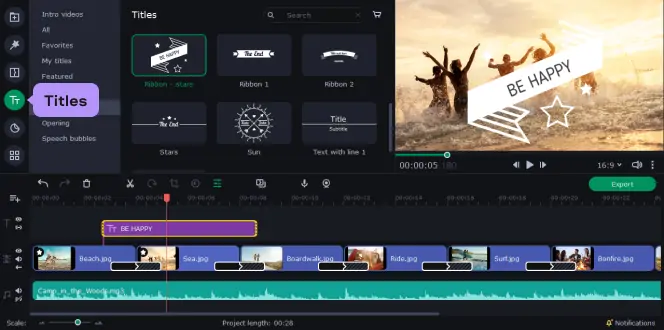
The Ultimate Guide to Creating a Stunning Slideshow
Are you looking to create a beautiful presentation with photos and music, but don’t know where to start? Look no further! In this comprehensive guide, we will walk you through the best programs for creating stunning slideshows that will leave your audience in awe.
What is a Slideshow?
A slideshow is a visual presentation of images, videos, or audio files that are displayed on a screen or projector. It’s a great way to share memories, tell stories, and showcase creativity. With the rise of digital technology, creating slideshows has become easier than ever.
Why Create a Slideshow?
There are many reasons why you might want to create a slideshow:
- To share memories with family and friends
- To present a project or idea at work or school
- To create a beautiful wedding or event presentation
- To showcase your creativity and artistic skills
Programs For Creating a Slideshow
There are many programs available that can help you create a stunning slideshow. Here are some of the best ones:
Photostage Slideshow Producer (Windows/macOS)
This is an excellent program for creating professional-looking slideshows. It’s available in two versions: Free and paid. The free version has all the basic features, while the paid version adds advanced options like customization and commercial licensing.
- Features: Multiple slide transitions, animation effects, and text overlay
- Platforms: Windows, macOS
- Price: Free (basic), $50 (paid)
Irfanview (Windows)
This is a lightweight and user-friendly program that’s perfect for creating quick and easy slideshows. It has a minimal interface and a wide range of integrated functions.
- Features: Image editing, slideshow creation, and video playback
- Platforms: Windows
- Price: Free
Smartshow 3D (Windows)
This is an excellent program for creating stunning 3D videos and slideshows. It’s available in two versions: Free trial and paid. The free trial version has all the basic features, while the paid version adds advanced options like customization and commercial licensing.
- Features: 3D video creation, animation effects, and text overlay
- Platforms: Windows
- Price: Free trial (10 days), $19.99 (Paid)
Canva
This is a popular online platform for creating stunning slideshows. It’s free to use and has a wide range of templates and design elements.
- Features: Slideshow creation, image editing, and video playback
- Platforms: Web-based
- Price: Free
Animoto
This is another excellent online platform for creating stunning slideshows. It’s available in two versions: Free trial and paid subscription. The free trial version has all the basic features, while the paid subscription adds advanced options like customization and commercial licensing.
- Features: Slideshow creation, animation effects, and text overlay
- Platforms: Web-based
- Price: Free trial (720p), $7/month (paid)
Smartphone Apps
There are many excellent smartphone apps available that can help you create stunning slideshows. Here are a few examples:
- InShot (Android/iOS/iPadOS): A free and user-friendly app for creating quick and easy slideshows.
- Adobe Lightroom (Android/iOS/iPadOS): A powerful photo editing app with slideshow creation features.
- Slideshow Maker (Android): A free and user-friendly app for creating stunning slideshows.
Tips And Tricks
Here are a few tips and tricks to help you create the perfect slideshow:
- Use high-quality images and videos
- Keep your slide transitions smooth and seamless
- Add text overlay and animations to enhance visual interest
- Experiment with different templates and design elements
Conclusion
Creating a stunning slideshow is easier than ever. With the right program or app, you can create beautiful presentations that will leave your audience in awe. Whether you’re sharing memories, presenting a project, or showcasing your creativity, there’s a program out there for you.
Faqs
Q: What is a slideshow?
A: A slideshow is a visual presentation of images, videos, or audio files displayed on a screen or projector.
Q: Why create a slideshow?
A: To share memories, present a project, create a beautiful wedding or event presentation, or showcase your creativity and artistic skills.
Q: Which program should I use to create a slideshow?
A: The best program for you will depend on your needs and preferences. Here are some popular options:
- PhotoStage Slideshow Producer (Windows/macOS)
- IrfanView (Windows)
- SmartSHOW 3D (Windows)
- Canva (web-based)
- Animoto (web-based)
Q: How do I create a slideshow on my smartphone?
A: There are many excellent smartphone apps available that can help you create stunning slideshows. Here are a few examples:
- InShot (Android/iOS/iPadOS)
- Adobe Lightroom (Android/iOS/iPadOS)
- Slideshow Maker (Android)


