
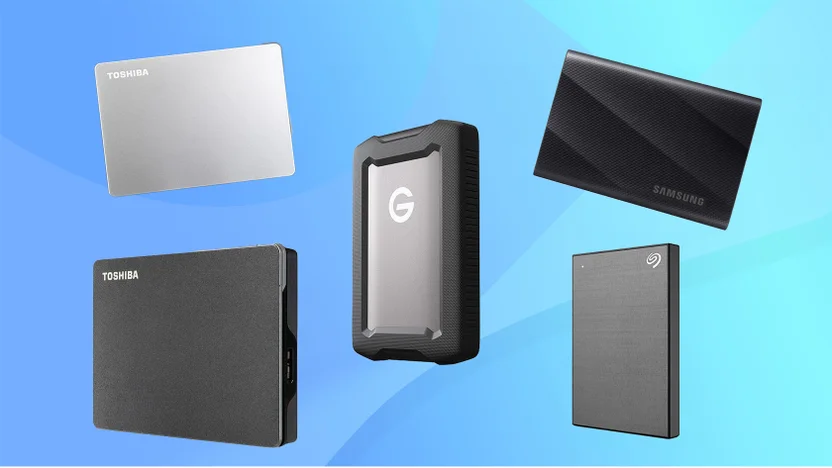
The Ultimate Guide to Choosing The Best Ssd For Gaming
As a gamer, you’re always on the lookout for ways to improve your gaming experience. One of the most effective ways to do this is by upgrading your storage drive to a solid-state drive (SSD). But with so many options available, choosing the right SSD can be overwhelming.
In this article, we’ll explore the different types of SSDs available, their features, and what to consider when selecting the best one for your gaming needs.
What is an Ssd?
An SSD is a type of storage drive that uses flash memory to store data. Unlike traditional hard disk drives (HDDs), which use spinning disks and mechanical heads to read and write data, SSDs use electronic components to access data quickly.
Types of Ssds
There are several types of SSDs available, each with its own unique features and advantages.
- Sata Ssds: These are the most common type of SSD and use a SATA interface to connect to your computer.
- M.2 Ssds: These are smaller and faster than SATA SSDs and use an M.2 Interface to connect to your computer.
- Pcie Ssds: These are the fastest type of SSD and use a PCIe interface to connect to your computer.
What to Consider When Choosing an Ssd
When choosing an SSD, there are several factors to consider:
- Capacity: How much storage do you need? If you have a large game library or want to store other files on your SSD, you’ll need a larger capacity.
- Speed: Look for an SSD with high read and write speeds. This will ensure that your games load quickly and smoothly.
- Compatibility: Make sure the SSD is compatible with your computer’s interface (SATA, M.2, PCIe).
- Price: SSDs can range from very affordable to quite expensive.
The Best Ssds For Gaming
Based on our research, here are some of the best SSDs for gaming:
- Samsung 970 Evo Plus: This is one of the fastest SSDs available, with read and write speeds of up to 3,000 MB/s.
- WD Black Sn750 Nvme Ssd: This SSD offers high performance and a large capacity (up to 4TB).
- Crucial P1 Nvme Ssd: This SSD is a great value for its price, offering fast read and write speeds (up to 2,000 MB/s).
Conclusion
Choosing the best SSD for gaming can be overwhelming with so many options available. However, by considering your needs and budget, you can find an SSD that meets your requirements.
Remember to consider factors such as capacity, speed, compatibility, and price when selecting an SSD. And don’t forget to check out our top picks for the best SSDs for gaming!
Frequently Asked Questions
- What is The Difference Between a Sata Ssd And a M.2 Ssd?
A SATA SSD uses a SATA interface to connect to your computer, while a M.2 SSD uses an M.2 Interface. - Which Ssd is Faster, Sata or M.2?
M.2 SSDs are generally faster than SATA SSDs due to their smaller size and more efficient design. - What is The Difference Between an Nvme Ssd And a Sata Ssd?
NVMe SSDs use the NVMe protocol to connect to your computer, which offers higher speeds and lower latency than SATA SSDs.
Conclusion
In conclusion, choosing the best SSD for gaming requires careful consideration of several factors, including capacity, speed, compatibility, and price. By understanding these factors and selecting a high-quality SSD, you can enjoy a seamless and fast gaming experience.
I hope this article has been informative and helpful in your search for the perfect SSD. Happy gaming!
The Top 8 Faqs About Ssds
- What is an Ssd?
An SSD (solid-state drive) is a type of storage drive that uses flash memory to store data. - How Fast Are Ssds Compared to Hdds?
SSDs are significantly faster than HDDs, with read and write speeds up to 10x faster. - What is The Difference Between Sata And M.2 Ssds?
SATA SSDs use a SATA interface to connect to your computer, while M.2 SSDs use an M.2 Interface. - Which Ssd is Faster, Nvme or Sata?
NVMe SSDs are generally faster than SATA SSDs due to their more efficient design and protocol. - What is The Difference Between a 250GB Ssd And a 500GB Ssd?
A larger capacity SSD (e.G., 500GB) offers more storage space for games, files, and other data. - How Long Does it Take to Load a Game on an Ssd?
The loading time of a game on an SSD depends on the game’s size and the SSD’s speed, but it can be up to 90% faster than on an HDD. - Can I Use an Ssd as my Primary Drive For Gaming?
Yes, you can use an SSD as your primary drive for gaming, especially if you have a large game library or want to store other files on the SSD. - Do I Need to Format my Ssd Before Using It?
Yes, most SSDs require formatting before use, but this process is usually automated and takes just a few minutes.


